
VoiSpark
VoiSpark · Voice & Language
VoiSpark is an AI voice generator that gives creators 700+ realistic AI voices, 15-second voice cloning and emotion tags, with a free plan and a REST API for apps.
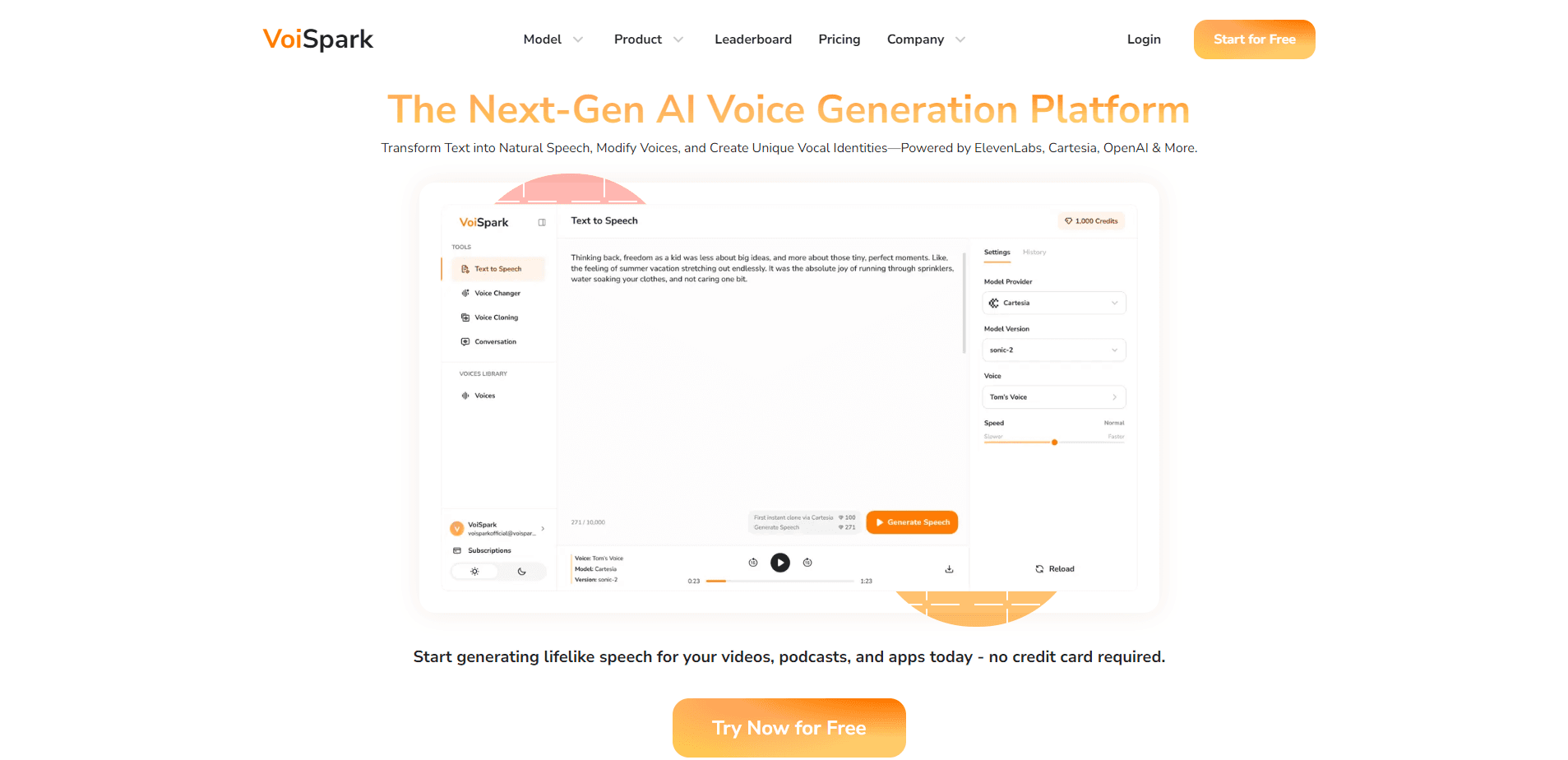
About VoiSpark
What Is VoiSpark
VoiSpark is an AI voice platform aimed at content creators rather than engineers. It turns a script into spoken audio, and it covers the two jobs most people come for: picking a ready-made AI voice from a large library, or cloning a specific voice and reusing it again and again. The site markets itself to YouTubers, podcasters, storytellers, marketers and educators who want audio that sounds like a person, not a call center bot.
The product leans on third-party models rather than a single in-house engine. You can switch between providers like ElevenLabs, OpenAI, Cartesia and Minimax, and the platform ranks them by naturalness, speed and accuracy so you can pick a quality-to-price balance. That flexibility matters when one voice sounds great for narration and another fits a punchy short.
Access is the main tradeoff to understand up front. There's a free tier you can start with right away and no watermarks on output, but serious volume runs on credits, where one character of text costs one to four credits depending on the model. Cloning needs clean audio to work well, and the ethical rules around consent are stricter than the tooltips suggest.
Getting Started
- Sign up at voispark.com and open the playground or text-to-speech editor.
- Type or paste your script, or upload a TXT, PDF or DOC file for longer pieces.
- Pick a voice from the library and choose a model, then set emotion, pitch, speed and emphasis.
- For a custom voice, upload a clean sample of about 15 seconds to a minute and let the platform build the clone.
- Preview the take, then export as MP3 or WAV, or call the same voice through the REST API.
Product Information
A quick look at VoiSpark's pricing, supported platforms, and performance.
Best for
The users, tasks, and scenarios where this tool fits best.
Users
- Short-form video creators
- Podcasters and narrators
- Marketers and ad teams
- Educators and trainers
- Developers and product teams
Tasks
- Producing an AI voiceover from a written script
- Cloning a voice from a short sample
- Adding emotion to delivery
- Producing multilingual TTS audio
- Comparing models before committing
Scenarios
- Launching a YouTube or TikTok channel on a tight budget
- Narrating an audiobook or e-learning course
- Dubbing content for a global audience
- Prototyping a voice-enabled app
Key features
700+ voices in one library
The voice library is the headline. VoiSpark lists more than 700 AI voices, including celebrity-style options, across genres, ages and accents. You can filter by language, gender and age, and preview a sample before spending credits on a full generation. For creators who go through a lot of short videos, that range is the reason to stay on the platform rather than juggle several tools.
15-second voice cloning
VoiSpark builds a usable voice clone from roughly 15 seconds of clean audio, which is far less material than many rivals expect. You upload a sample, the platform analyzes the tone and speech patterns, and you get a custom voice you can reuse. For podcasters and authors who need one recognizable voice, that speed turns cloning from a project into a quick setup step.
Emotion tags for expressive reads
Instead of a flat read, you can add emotion tags per sentence to shape tone, rhythm and intent across a script. Voices land somewhere between neutral narration and a dramatic line reading. It's the feature that separates a listenable ad from a robotic one, and it's the reason short-form creators can get a comedic or dramatic delivery without recording anything themselves.
Cross-language voice cloning
Clone your voice once and generate speech in more than 30 languages while keeping the original accent, tone and timbre. That makes dubbing and multilingual e-learning practical, since you don't need a native speaker for every market. The clone carries your character into each language, which is what viewers notice most.
Multiple model providers
You aren't locked into a single engine. VoiSpark lets you switch between providers like ElevenLabs, OpenAI, Cartesia and Minimax, and it ranks them by naturalness, speed and accuracy. The practical effect is that you can match a model to the job, choosing a natural voice for a documentary and a snappier one for a social clip.
REST API for apps
Developers get a RESTful API with streaming output, batch processing and webhook callbacks, plus SSO support. That's enough to wire TTS and cloned voices into IVR systems, chatbots or game dialogue without building the speech stack yourself. For teams shipping a voice feature, the API is the part that turns a demo into a product.
Ethics, security and retention rules
Voice data is encrypted with AES-256 during upload and storage, and the platform states a zero-retention policy that deletes audio samples after model training. It says it complies with GDPR, CCPA and HIPAA, and it pushes real-time voice authentication to block deepfake misuse. Anyone cloning a real person should treat consent as a hard requirement, not a checkbox.
Pros and cons
Pros
- Reaches 700+ AI voices, including celebrity-style options, which is more choice than most AI voice generators offer.
- Clones a usable voice from about 15 seconds of audio, so setup is fast for podcasters and creators.
- Supports 30+ languages with cross-language cloning, which keeps one voice consistent across markets.
- Lets you switch between ElevenLabs, OpenAI, Cartesia and Minimax to balance quality against cost.
- Offers a free plan with no watermark and a documented REST API, so you can test and then scale.
Cons
- Runs on a credit system, so heavy text-to-speech use adds up and the free tier won't cover regular output.
- Cloning quality depends on clean source audio, so a noisy sample gives you a weaker clone rather than a usable one.
- The library leans on third-party models, so voice quality and available options shift as those providers change.
- Ethics and consent rules are stricter than the marketing tone, so commercial use of real or celebrity voices needs proper clearance.
Frequently asked questions
VoiSpark turns written scripts into spoken audio and clones voices for reuse. People use it for video voiceovers, podcast and audiobook narration, ads, e-learning and app voice features. It's built for content creators rather than engineers, and a REST API is available for developers who want to automate it.
Related content
Explore related tools, skills, and articles for VoiSpark.
VoiSpark Alternatives

Foley
Hanamori Labs, LLC · Voice & Language · Productivity · AI AssistantFoley is a voice to-do list that turns a spoken sentence into a filed task, complete with project, date and time, then helps you plan the day around what is already there.

HireKey
HireKey · Voice & Language · Productivity · LeaningHireKey is an AI job search copilot built by a former tech recruiter. It checks role fit, tailors resumes, runs interview practice and tracks every application.

Fluence
Yay Software (Yannick Huchard) · Writing · Voice & Language · ProductivityFluence is an Android app that reads PDFs, EPUBs, Word files and web articles aloud, follows each sentence as it speaks, and answers questions about the text on the phone itself.