

Vomo AI
VOMO · Voice & Language · Productivity
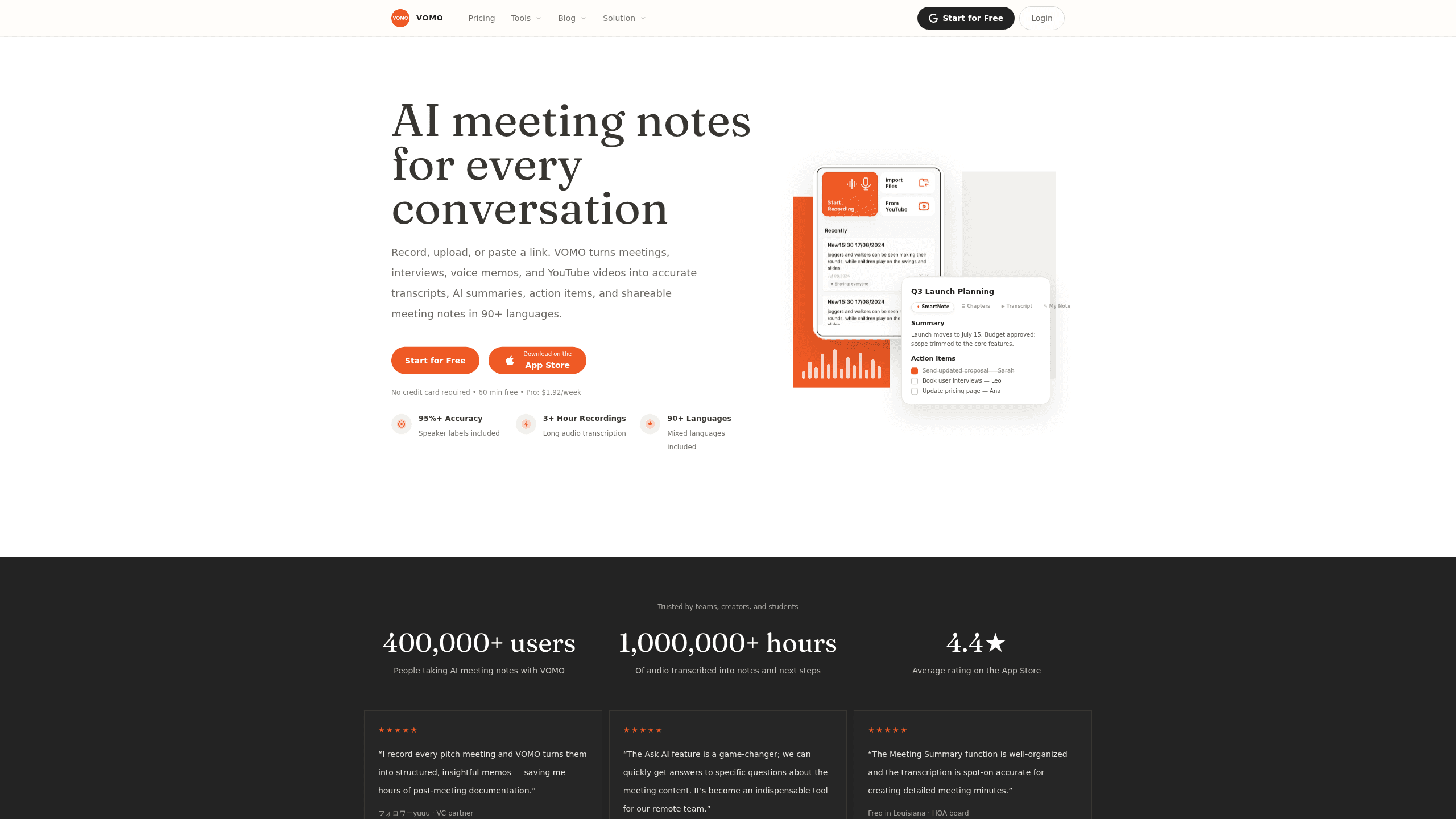
VOMO AI is AI meeting notes software that records, uploads, or links to any conversation and turns it into a clean transcript with speaker labels, a structured summary, and a to-do list. It handles live recordings, audio and video files, and YouTube clips, in more than 90 languages. A free tier gives you 60 minutes to try the workflow. No credit card needed. That's enough to see whether this audio transcription software fits how you work.
About Vomo AI
What Is VOMO AI
VOMO AI is a meeting transcription app built around one promise: you stop taking notes by hand, and the tool writes them for you. You feed it audio from wherever it comes in, whether that's a recorded call, an interview, a voice memo, or a YouTube video, and it returns searchable text with speakers separated and timestamps attached.
Most people reach for an AI transcription app because they lose track of what was actually said. A one-hour call easily hides a dozen decisions and deadlines, and nobody wants to scrub back through the recording to find them. VOMO compresses that mess into a transcript you can scan and a summary that lists next steps in plain language.
The catch is that transcripts still need review. Accuracy holds at 95% or better across supported languages, which is good enough for notes but not for a legal document. Heavy accents, crosstalk, and poor microphones will chip away at that number. No tool fixes a bad recording. So how much can you trust it? Treat the output as a strong first draft. You also need to watch the free quota, since the 60 minutes disappear fast if you record long meetings.
Getting Started
- Create an account at vomo.ai with your email, or install the Android app from Google Play or the iOS app from the App Store.
- Pick how you want to feed it audio: record a live meeting, upload audio and video files, or paste a YouTube link.
- Let VOMO transcribe the audio and label the speakers.
- Open the generated summary, then edit the notes and action items so they match what you actually decided.
- Share the result through a public link so teammates can read and search it without signing in.
Product Information
A quick look at Vomo AI's pricing, supported platforms, and performance.
Best for
The users, tasks, and scenarios where this tool fits best.
Users
- Remote teams
- Students
- Content creators
Tasks
- Writing meeting minutes
- Extracting action items
- Transcribing interviews
Scenarios
- Daily standups and recurring syncs
- Client and pitch calls
- Voice memos and lectures
Key features
Audio Transcription With Speaker Labels
Every note starts as a transcript, and VOMO keeps it readable. Transcripts come back in clean paragraphs with timestamps and speaker labels, so you can tell who said what at a glance. Accuracy holds at 95% or higher across 90+ languages. That includes calls that switch between two languages mid-sentence.
Flexible Audio Input
VOMO meets your audio wherever it already lives. You can record a meeting live, upload up to 10 audio or video files at once, or paste a YouTube link when captions are available. It reads common formats like MP3, WAV, M4A, and MP4. That covers almost anything a phone or laptop produces. No conversion step. Just drag it in and go.
AI Summaries and Action Items
Raw transcripts are hard to skim, so VOMO generates a structured summary on top of them. You get the key points of a conversation plus a follow-up list of action items, which is the part most people actually need after a meeting ends. Editable summary templates let you shape the output for a pitch memo or a standup recap. That flexibility is the difference between a note dump and something your team will read.
Ask AI Over Your Transcript
An Ask AI feature lets you chat with a transcript the way you'd query a chatbot. Can't remember which project a task belonged to? Ask the question and get an answer pulled from the recording instead of re-reading the whole document. It turns a static transcript into something you can interrogate.
Shareable Notes Without an Account
VOMO can create a public share link so teammates read, search, and discuss the notes, transcript, and action items without signing in. That removes the friction of asking everyone to register for yet another tool just to read one summary. It also means you should be careful with sensitive calls, since a public link is public by default.
Long Recordings and Bulk Import
The paid tier raises the per-file upload limit from 30 minutes to 3 hours, and supports bulk audio import for when you're working through a backlog. Longer recordings matter for interviews and workshops that don't fit the usual meeting shape. Bulk import helps if you've been stockpiling voice notes. That's a real time saver.
Pros and cons
Pros
- Accurate transcripts with speaker labels and timestamps across 90+ languages, including mixed-language meetings.
- AI summaries and action items reduce a long conversation to something you can read in a minute.
- The Ask AI chat lets you pull specific answers out of a recording instead of re-listening to it.
- Free plan offers 60 minutes with no credit card, enough to test whether the workflow fits.
- Public share links let the team read notes without each person creating an account.
Cons
- The free plan caps you at 60 minutes total, so anyone with regular meetings will hit the ceiling quickly.
- Per-file uploads on the free tier top out at 30 minutes, which blocks long recordings until you pay.
- Transcripts still need a human pass, since accents, crosstalk, and bad audio will drag accuracy below the advertised rate.
- Public share links are open by default, so sensitive calls need care before you share them.
Frequently asked questions
VOMO AI turns audio into meeting notes. It transcribes live recordings, uploaded files, and YouTube links, then generates an AI summary, action items, and a searchable transcript with speaker labels. Think of it as a note-taker that works across languages and input formats.
Related content
Explore related tools, skills, and articles for Vomo AI.
Vomo AI Alternatives

Foley
Hanamori Labs, LLC · Voice & Language · Productivity · AI AssistantFoley is a voice to-do list that turns a spoken sentence into a filed task, complete with project, date and time, then helps you plan the day around what is already there.

HireKey
HireKey · Voice & Language · Productivity · LeaningHireKey is an AI job search copilot built by a former tech recruiter. It checks role fit, tailors resumes, runs interview practice and tracks every application.

Fluence
Yay Software (Yannick Huchard) · Writing · Voice & Language · ProductivityFluence is an Android app that reads PDFs, EPUBs, Word files and web articles aloud, follows each sentence as it speaks, and answers questions about the text on the phone itself.