

Vozard
iMobie · Voice & Language
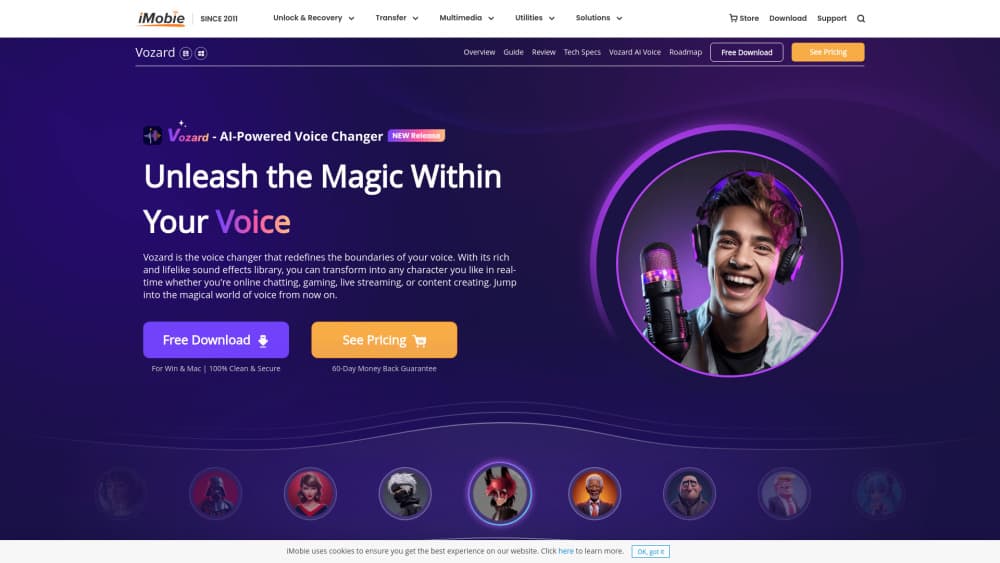
Vozard is an AI voice changer, a voice changer software for Windows and Mac. It changes your voice live or from recorded files with 200+ sound effects, and suits gamers, streamers, and creators.
About Vozard
What Is Vozard
Vozard is an AI voice changer made by iMobie, the company behind PhoneTrans, AnyTrans, and other consumer utilities. It runs on Windows and Mac and turns your voice into another one, either live as you speak or from an audio or video file you load in. The library holds comedy voices, film characters, and celebrity impressions, and it keeps growing through updates. You pick an effect, and the app does the work.
What sets it apart is the way it applies voice effects. This real-time voice changer sits between your microphone and whatever app hears you, so teammates on a Discord voice changer setup or viewers on Twitch get the changed voice and not your own. Recorded mode covers everything else: you record a clip or import a file, choose a voice, and export the result. Background sounds and voice memes round out the set.
The limits matter for the price you pay. Only English, Japanese, German, French, Spanish, and Italian work as input languages, so voices in other languages may not map cleanly. It's desktop only, with no mobile app or browser version. Every project also stays on one machine, since there's no cloud sync. And some games and services forbid voice modification in their terms, so check before you rely on it in a ranked match.
Getting Started
- Download Vozard for Windows or Mac from the official site and install it.
- Open the app and check that it detects your microphone under Settings.
- Pick real-time mode to change your voice as you talk, or recorded mode to work from a file.
- Choose a voice effect, adjust the sound settings, and preview it.
- In your game or chat app, set Vozard's virtual microphone as the input device, then start talking.
Product Information
A quick look at Vozard's pricing, supported platforms, and performance.
Best for
The users, tasks, and scenarios where this tool fits best.
Users
- Gamers
- Streamers
- Pranksters and casual chat users
- Video creators
Tasks
- Changing your voice during a live call
- Replacing the voice in a recorded clip
- Matching a character for a video
- Adding background sound or a meme
Scenarios
- Playing a ranked match with friends
- Hosting a themed stream
- Editing a fan video at night
- Fooling a friend on a voice call
Key features
Real-time voice changing
Vozard changes your voice while you speak, without a delay long enough to break a conversation. It works by routing your microphone through the app and out to a virtual microphone that games and chat apps can pick up. You set the virtual device as your input in Discord, Zoom, or a game, then choose an effect. The result is a live voice swap that fits teammates, viewers, or callers. Latency is low but not zero, so fast back-and-forth talk still shows a small lag.
200+ voice effects
The effect library covers cartoons, movie characters, celebrities, and generic presets like girl, boy, elderly, and child. Vozard's paid tiers list 150+ effects that include 74+ AI voices, and the count keeps rising with updates. Sound effects and voice memes sit alongside the character voices, so you can add a laugh or a punchline sound. The range means most common use cases get a match. The most realistic celebrity voices still lean on the paid plan.
Recorded file changing
Recorded mode covers work that real-time can't. You record a clip in the app or import an audio or video file, select a voice, and export the changed track. This suits voiceovers, fan videos, and edits where the voice needs to match a character. It also sidesteps the live lag problem, since the app processes the file rather than the stream. Export formats are limited to whatever the app supports, so check compatibility before a long session.
Background sounds and voice memes
Beyond character voices, Vozard ships background sound effects and sound memes that you can layer over your voice. A laugh track, a cartoon sting, or a trending meme turns a plain chat into a bit. The official site notes that background sound effects are free to use without limits. That's a small edge for streamers who want a produced feel without a second tool. It won't replace a full audio editor, but it covers quick embellishment.
Custom voice effect management
Vozard lets you collect effects and tune their parameters. You can adjust the settings behind a voice, save the ones you use often, and organize a personal library. Since a single preset rarely fits every mood, the tuning step is what makes an effect usable for a specific stream or game. The official guide lists effect management as a core part of the app. For someone who uses a few voices often, the saved setup saves time on each session.
Noise reduction and vocal enhancement
The 2.0.0 update added a noise reduction feature to cut the artifacts that voice modulation can introduce, and a vocal enhancement tool for Mac users. Cleaner input means a cleaner output, which matters when your voice feeds a live stream or a client call. The macOS build treats vocal enhancement as a first-class feature, not an afterthought. If your room is noisy or your mic is cheap, these two are what keep the result listenable.
Pros and cons
Pros
- Real-time mode works with a long list of gaming, chat, and streaming apps, including Discord, Zoom, OBS, and Fortnite, so one tool covers most setups.
- The effect library is large at 200+ items and keeps growing, which gives you a voice for most characters and jokes.
- Recorded mode handles files as well as live speech, so voiceovers and fan videos stay in reach.
- A free plan and a 60-day money-back guarantee on paid licenses lower the risk of trying it.
- Background sounds and voice memes add production value without a second app.
Cons
- It's desktop only, so there's no mobile app or web version, and Android or iOS users are out.
- Input support covers six languages, so voices outside that set may not sound right.
- The most realistic AI voices sit behind the paid plans, and free users get only three free voice effects per day.
- Live mode adds a small delay, which can show up in fast conversation.
Frequently asked questions
Vozard is an AI voice changer from iMobie for Windows and Mac. It changes your voice in real time or from recorded and imported files using a library of 200+ effects that includes characters, celebrities, and cartoon voices. It's built for gaming, streaming, online chat, and video work.
Related content
Explore related tools, skills, and articles for Vozard.
Vozard Alternatives

Foley
Hanamori Labs, LLC · Voice & Language · Productivity · AI AssistantFoley is a voice to-do list that turns a spoken sentence into a filed task, complete with project, date and time, then helps you plan the day around what is already there.

HireKey
HireKey · Voice & Language · Productivity · LeaningHireKey is an AI job search copilot built by a former tech recruiter. It checks role fit, tailors resumes, runs interview practice and tracks every application.

Fluence
Yay Software (Yannick Huchard) · Writing · Voice & Language · ProductivityFluence is an Android app that reads PDFs, EPUBs, Word files and web articles aloud, follows each sentence as it speaks, and answers questions about the text on the phone itself.