

VWO
Wingify · Coding · Marketing
VWO is a website experimentation platform that helps teams run A/B tests, track visitor behavior, and improve conversion rates without writing much code.
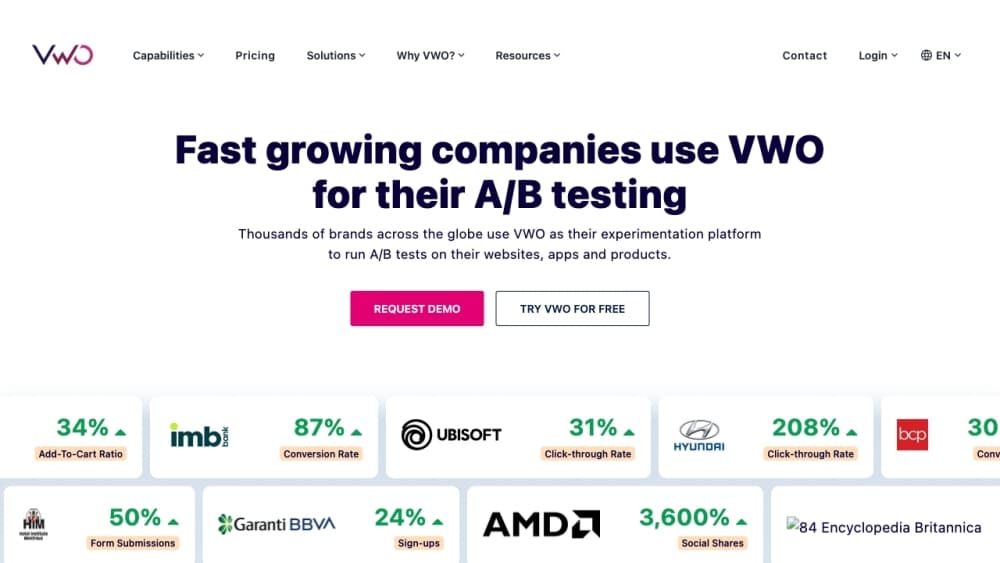
About VWO
What Is VWO
VWO is a website optimization platform built by Wingify Software, an Indian company founded in 2009 by Paras Chopra and Sparsh Gupta. Marketing teams use it to test different versions of a page, see which one converts better, and ship the winner. It's aimed at people who want data behind their design decisions instead of gut feeling.
The biggest problem VWO solves is guesswork. You think a green button beats an orange one, or that shorter copy converts better. VWO lets you put both versions live and measure the result with real visitors. Beyond testing, it packs heatmaps, session recordings, surveys, and personalization into one dashboard, so you don't need a separate tool for each job.
The main tradeoff is price and setup effort. VWO's paid plans are quoted per site and per traffic volume, and the company doesn't publish a fixed self-serve price for its top tiers. Small hobby sites will find the free trial (30 days) useful for a quick check, but long-term use on a real store usually means a sales conversation and a real budget. You also need steady traffic for a test to reach a meaningful result, so a site with a few hundred visitors a month won't get much from it.
Getting Started
- Sign up for a free trial on the VWO site with a business email. No credit card is needed for the 30-day window.
- Install the tracking code on your site, or connect it through a tag manager if you'd rather not touch the theme files.
- Open the visual editor, point at the page you want to test, and build a variation by dragging and clicking. You can also drop into the code editor for bigger changes.
- Pick a goal, like a signup or a purchase, then launch the test and split traffic between the original and the variation.
- Watch the report until VWO calls a winner, then push the winning version live.
Product Information
A quick look at VWO's pricing, supported platforms, and performance.
Best for
The users, tasks, and scenarios where this tool fits best.
Users
- Marketing and growth teams
- CRO consultants and agencies
- Product managers at mid-size or large sites
Tasks
- A/B testing a landing page
- Diagnosing why visitors leave
- Rolling out a risky change safely
Scenarios
- Redesigning a checkout flow
- Testing a pricing page
- Fine-tuning a signup form
Key features
Visual editor
You build variations by pointing and clicking on the live page, so changing a headline, image, or button doesn't require a developer. The tool previews your edits before they go live, which keeps broken layouts from reaching visitors. Teams that don't write code can run their own tests without filing a ticket.
A/B and multivariate testing
As an A/B testing tool, VWO covers the usual types: A/B, split URL, and multivariate, where several page elements change at once. Split URL testing is handy when the two versions live on different URLs, like two different landing pages. Multivariate answers which combination of elements works best, not just which single change wins.
Heatmaps and session recordings
Heatmaps show where visitors click, scroll, and hover, and session recordings replay real visits. Together they explain the why behind a test result, not just the number. If a variation loses, you can often see the exact spot where people stalled.
Personalization
As a personalization platform, VWO can target different content at different visitor segments. A returning customer might see a loyalty offer while a first-time visitor sees a welcome discount. This turns a winning test into a running rule instead of a manual change.
Role-based targeting and segmentation
Tests can be limited to specific devices, locations, traffic sources, or user types. That means you can test a mobile-only change without touching desktop visitors. Granular segments also keep a test from being skewed by a group it was never meant for.
Reporting with statistical rigor
Reports use Bayesian statistics and flag issues like sample ratio mismatch, which catches setup problems before you trust a result. You see whether a difference is real or just noise. For teams that don't want to eyeball raw numbers, this takes the guesswork out of reading a test.
Pros and cons
Pros
- Combines testing, heatmaps, recordings, and personalization in one tool, so you skip stacking several subscriptions.
- The visual editor lets non-developers launch and edit tests, freeing engineering time for other work.
- Reports flag setup problems like sample ratio mismatch, which helps catch a broken test early.
- Targeting options run deep, from device and geo to UTM parameters and custom segments.
- A 30-day free trial needs no credit card, so you can try it on a real page before committing.
Cons
- No public self-serve pricing for the paid tiers. You have to talk to sales, which slows down a quick decision.
- Paid plans are quoted per site and traffic level, so running many sites gets expensive fast.
- Results depend on having enough traffic. Low-traffic sites may wait weeks for a test to reach significance.
- The full feature set has a learning curve, and standalone tools like heatmaps are simpler if that's all you need.
Frequently asked questions
VWO is used to test and improve how a website converts. Teams run A/B tests on pages, watch how visitors behave, and then keep the version that performs better.
Related content
Explore related tools, skills, and articles for VWO.
VWO Alternatives

Base Code
Base44 (Wix) · Coding · ProductivityBase Code is a shared cloud development environment from Base44. Teammates describe changes to an existing GitHub codebase in chat, preview them live and send them back as pull requests.

Google EmbeddingGemma 2
Google DeepMind · Writing · Image · CodingGoogle EmbeddingGemma 2 is a 740M-parameter open model that turns text, code, images, audio, and video frames into vectors in one 768-dimension space, running on phones and laptops.

GitGlow
GitGlow · Coding · ProductivityGitGlow is a local-first desktop Git client that lets independent developers review their own code and their AI agents' changes in one place before shipping.