

W-Okada Voice Changer
w-okada · Voice & Language
W-Okada Voice Changer is a free, open-source app that converts your voice in real time with AI on Windows, macOS, and Linux.
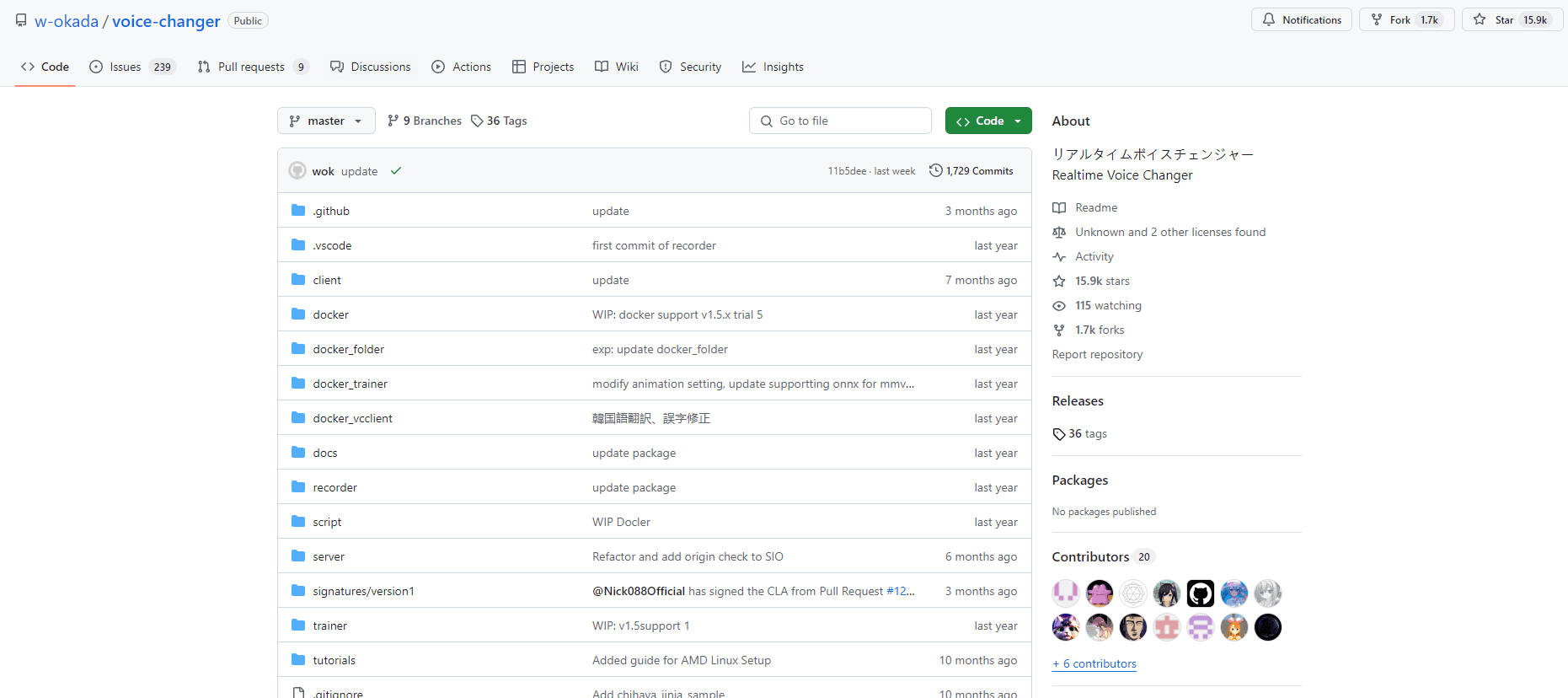
About W-Okada Voice Changer
What Is W-Okada Voice Changer
W-Okada Voice Changer, often called VCClient, is a realtime voice changer that shifts how your voice sounds while you're still talking. You feed it your microphone, pick a target voice model, and the software rebuilds your audio in real time so listeners hear the other voice instead of yours. It grew out of the Japanese developer community around RVC, a popular retrieval-based model for AI voice conversion, and has since added its own Beatrice family. For anyone who wants an RVC voice changer without a subscription, this is one of the few serious options that runs offline.
The main draw is that it runs on your own machine. Your audio heads through a local pipeline, not someone else's server, which matters a lot if you're on a call or recording something you don't want uploaded to a service you don't control. That local setup is also the catch. You need a machine with a decent GPU or Apple Silicon chip to get latency low enough for live use, and the more aggressive the conversion, the more compute it eats.
It's a tinkerer's tool, not a plug-and-play app. Setup involves picking an edition that matches your hardware, downloading model files, and tuning chunk size and pitch until the delay feels right. If you've used desktop voice changer software before, the flow will feel familiar.
Getting Started
- Check your platform and pick a release edition: std for Windows, macOS (M1), and Linux; cuda or onnx on Windows if you want RVC support as well.
- Download the build from the project's Hugging Face repository (Windows and M1 Mac), or clone the GitHub repository on Linux.
- Launch the app and select your input device (mic) and output device.
- Load a voice model, then adjust chunk size, pitch, and formant until the live conversion sounds right.
- Route the converted audio into your voice chat, streaming, or recording tool of choice.
Product Information
A quick look at W-Okada Voice Changer's pricing, supported platforms, and performance.
Best for
The users, tasks, and scenarios where this tool fits best.
Users
- Streamers and VTubers
- Voice actors and hobbyists
- Privacy-minded callers
Tasks
- Live voice masking on calls and streams
- Practicing character voices
- Experimental audio projects
Scenarios
- Running a gaming stream with a distinctive voice
- Recording a podcast demo under a pseudonym
- Learning how voice conversion models behave
Key features
Real-Time Voice Conversion
The core of W-Okada Voice Changer is converting your live microphone input on the fly. Pick a model, and the app rebuilds each chunk of audio as you talk. Latency depends on your hardware and chunk settings, but on capable machines it's tight enough for conversation, streaming, and live calls.
Multiple AI Models, Including RVC and Beatrice
The project supports more than one conversion engine. RVC is the long-standing favorite in the community, while Beatrice is the developer's own model, now at v2. Which models you can run depends on your edition: std builds handle Beatrice, while cuda and onnx builds add RVC. That split is worth checking before you download.
Local Processing With No Data Upload
Everything runs on your own computer. Your voice never has to leave your machine to be converted, which is a real advantage for anyone handling private calls or unreleased audio. The tradeoff is that you supply the hardware that does the heavy lifting, and that means a machine with enough GPU or Apple Silicon power to keep the audio flowing smoothly without stutter.
Low-Latency Tuning Controls
Chunk size, pitch, and formant settings let you trade a bit of voice quality for speed, or the other way around. It's the difference between a voice that lags half a second behind you and one that keeps up in a normal back-and-forth. Getting this right takes a few passes.
Cross-Platform Releases
The app ships for Windows, macOS, and Linux. Linux users clone the repository, while Windows and M1 Mac users grab prebuilt releases from the project's Hugging Face repo. There are separate editions for different hardware, so you're not forced into one path.
Built-In Model Training Support
Beatrice comes with its own training code, available both as a repository and a Google Colab notebook. That means you can build a custom voice model rather than relying only on the public ones. It's more work, but it opens up voices you won't find elsewhere.
Integrated Audio Device Management
The app handles input and output device selection directly, so you can wire the converted voice into the rest of your setup. Choose your mic and your output, then send the result to a chat app, a streaming program, or a recorder. Small thing, but it saves fiddling with virtual cables.
Pros and cons
Pros
- Free and open source, with no subscription or usage fees.
- Runs entirely on your own hardware, so your voice data stays private.
- Supports several conversion models, including RVC and the developer's Beatrice.
- Works across Windows, macOS, and Linux with dedicated builds.
- Training code for Beatrice lets you create custom voice models.
Cons
- Needs a capable GPU or Apple Silicon chip for low-latency live use; weaker machines will lag.
- Setup is technical, involving edition choices, model downloads, and manual tuning.
- No public API, so it can't be wired into automated pipelines the way a hosted service can.
- Documentation leans on the community, and some builds are labeled beta or experimental.
Frequently asked questions
Yes. It's an open-source project released under an open license, so there's no cost to download or use it. You only need hardware strong enough to run it.
Related content
Explore related tools, skills, and articles for W-Okada Voice Changer.
W-Okada Voice Changer Alternatives

Foley
Hanamori Labs, LLC · Voice & Language · Productivity · AI AssistantFoley is a voice to-do list that turns a spoken sentence into a filed task, complete with project, date and time, then helps you plan the day around what is already there.

HireKey
HireKey · Voice & Language · Productivity · LeaningHireKey is an AI job search copilot built by a former tech recruiter. It checks role fit, tailors resumes, runs interview practice and tracks every application.

Fluence
Yay Software (Yannick Huchard) · Writing · Voice & Language · ProductivityFluence is an Android app that reads PDFs, EPUBs, Word files and web articles aloud, follows each sentence as it speaks, and answers questions about the text on the phone itself.