

Wandpen
Wandpen · Writing · AI Detection
Wandpen is a Chrome extension that rewrites, fixes and translates text inside any website, plus local AI writing and voice to text that run offline on your device.
About Wandpen
What Is Wandpen
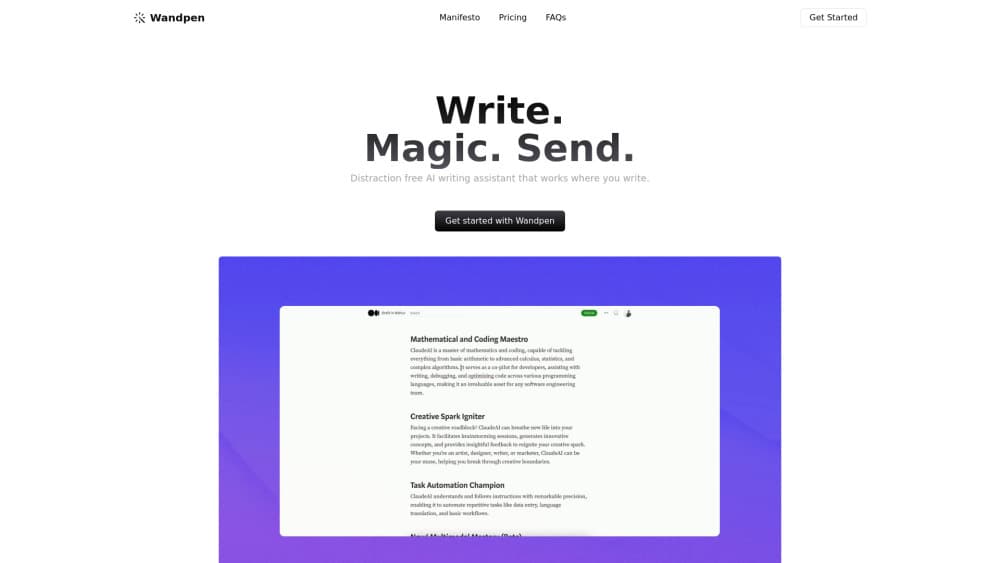
Wandpen is an AI rewriting Chrome extension that puts an AI writing assistant on top of whatever page you have open. You press Option + W on a Mac or Alt + W on Windows, and a panel appears. From there you can rewrite a paragraph, fix spelling and grammar, translate a passage, summarize an article, or chat with the page itself.
The little detail that separates it from most tools in this category: the free tier is not a crippled demo. Local writing and transcription run on your own machine through Gemini Nano, so they work offline and your text never leaves the browser. You get 100 cloud generations a month on top of that, all without making an account.
The big limit is scope. Wandpen is Chrome only. There is no Safari, Firefox or Edge build, no mobile app, and no desktop program. If you work across browsers or from your phone, this extension will not follow you.
Getting Started
- Install Wandpen from the Chrome Web Store and pin the icon to your toolbar
- Press Option + W or Alt + W to open the panel on any page
- Select the text you want to change, then pick a command such as rewrite, fix grammar, translate or summarize
- Accept the result to insert it back into the box you were writing in
- Add your own API keys in settings if you want unlimited cloud models, or stay on the free local engine
Product Information
A quick look at Wandpen's pricing, supported platforms, and performance.
Best for
The users, tasks, and scenarios where this tool fits best.
Users
- Writers working in the browser
- Students and researchers
- Non-native English speakers
- Privacy-conscious users
Tasks
- Rewriting a paragraph
- Fixing spelling and grammar
- Translating text
- Summarizing web pages
- Voice to text
Scenarios
- Answering a long email thread
- Reading a dense report
- Writing social posts
- Working offline on a plane
- Managing cost as a power user
Key features
Local AI Writing With Gemini Nano
The free tier runs writing and rewriting on your device through Gemini Nano, a model that ships inside Chrome. That means it works offline and your text never gets sent to a server. For anyone who writes sensitive material or just does not want a cloud round-trip, this is the part that matters most. It is also why the free plan is usable on its own rather than a trial.
Cloud Models on the Paid Tiers
The Pro plan adds unlimited writing with larger hosted models, including GPT-5, Claude Sonnet and Gemini 2.5 Pro, along with a bigger context window than the local engine. You get these for $10 a month, or $8.3 a month if you pay annually. The free plan still gives you 100 cloud generations a month on GPT-5 nano, so you can compare the two before upgrading.
Bring Your Own Key (BYOK)
For a one-time $19, this BYOK AI extension lets you wire in your own API keys from OpenAI, Anthropic, Google, Straico or OpenRouter and skip the subscription entirely. Wandpen also accepts any OpenAI-compatible endpoint, so providers like Z.ai and local servers such as LM Studio work too. If you already pay a model provider, this is cheaper than stacking a second subscription on top.
Chat With the Page You Are On
Wandpen reads the page in front of you and answers questions about it. You can ask it to summarize a long article, pull out the key arguments, or rewrite a section you are looking at. It handles websites, articles and documents, and it keeps your text and the page context together so you do not have to paste anything into a separate window.
Voice to Text Transcription
The extension transcribes speech to text on your device, free and without a length cap. It supports multiple languages and adds new ones over time. Because it runs locally, you can dictate a message without uploading audio anywhere. It is a small addition next to the writing tools, but a useful one for anyone who thinks faster than they type.
Saved Prompts and Folders
You can save the prompts you reuse, then organize them into folders so they are one click away. Recent versions let you customize the default prompts, disable ones you never touch, and manage system prompts from the options page. For people running the same commands daily, this cuts the setup time on each task to nothing.
Private by Design
Privacy is the other half of the local-first approach. The features that run on your device do not require a signup, and they do not send your text out. Wandpen says local writing and transcription are completely private. The cloud features do connect to a model, which is expected, but the default on free is to keep as much on-device as possible.
Pros and cons
Pros
- Free tier is genuinely usable, with unlimited local writing and transcription rather than a metered trial
- Local features run offline through Gemini Nano, so sensitive text stays on your machine
- Works on any website, so you edit in Google Docs, Notion or a CMS without switching tabs
- BYOK plan at $19 once lets you use your own keys and dodge a monthly subscription
- Supports OpenAI, Anthropic, Google, Straico and OpenRouter, plus any OpenAI-compatible endpoint
Cons
- Chrome only, so there is no Safari, Firefox, Edge, mobile or desktop version
- No public API, which rules it out for teams that want to wire writing features into their own apps
- The best hosted models and the larger context window sit behind the paid tiers
- Local Gemini Nano output is convenient and private but less capable than the top cloud models
Frequently asked questions
Wandpen is a Chrome extension that adds an AI writing assistant to any website. It rewrites text, fixes grammar and spelling, translates, summarizes pages and transcribes speech, all from a panel you open with Option + W or Alt + W. Local features run on your device through Gemini Nano.
Related content
Explore related tools, skills, and articles for Wandpen.
Wandpen Alternatives

Emailwritr
Emailwritr · Writing · MarketingEmailwritr is an AI email copywriting tool built for affiliates, course creators, and online businesses that want more revenue from the list they already own. Instead of blank pages or generic chatbot prompts, this AI email writer generates welcome sequences, launch campaigns, cart recovery emails, and promo series from frameworks modeled on well-known direct-response copywriters. You connect your autoresponder, answer a few questions about your offer, and it writes the copy for you.

Swms
Swms AI · Writing · Productivity · BusinessSwms is an AI safety compliance tool that turns a plain description of a job into ready-to-use safety documents. Describe your project, trade, and known hazards, and it writes a safe work method statement, job hazard analysis, safe work procedure, RAMS, or safety data sheet in seconds. It also ships with Oscar, a chat assistant that answers workplace safety questions in any language. Teams in construction, mining, transport, and warehousing use it to cut the paperwork that usually eats into a workday.

Prosp
Prosp · Writing · Voice & Language · MarketingProsp is an AI LinkedIn outreach tool built for agencies and sales teams, and it writes the message and the voice note in your own voice for each prospect so they actually reply. You connect your accounts, find leads, and let the AI draft and send personalized messages at scale, all from one inbox. It's built for people running outbound at volume. That's the whole pitch. Every touchpoint still has to feel human.