

https://warp.dev
Warp · Coding
Warp is a modern terminal and agentic development platform where developers run commands, steer coding agents, and automate work in the cloud. It's open-source and works on macOS, Windows, and Linux.
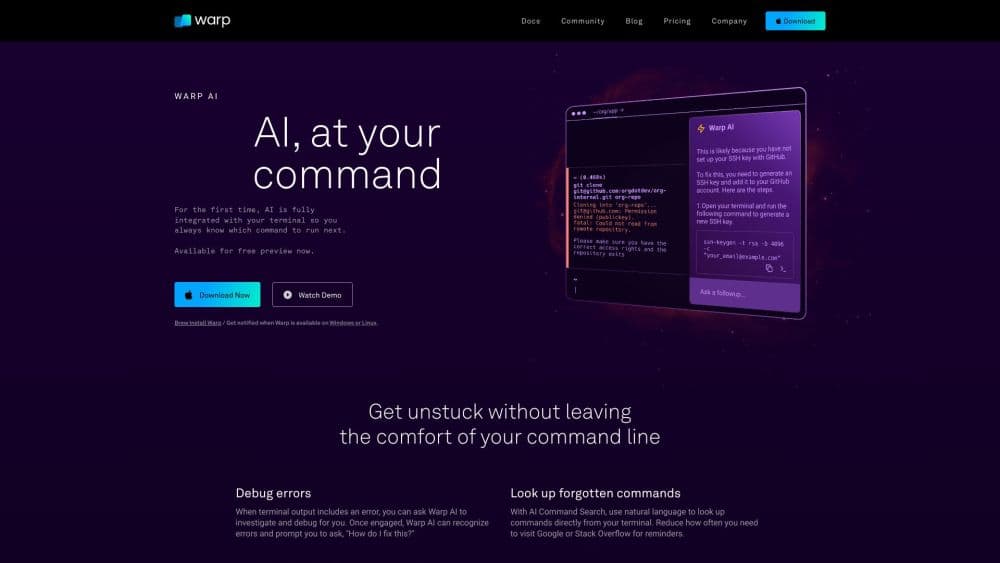
About https://warp.dev
What Is Warp
Warp is a terminal app that started as a faster, friendlier command line and grew into an agentic development environment, a place that ties the command line to coding agents and cloud automation. You type commands as usual, but every input and output sits in its own block you can copy, search, or rerun. On top of that, Warp adds an agent that reads your code, edits files, and runs multi-step tasks when you describe what you want.
The bigger shift came with the cloud side. Warp Factories take work from Slack, GitHub, Linear, or Jira and push it through triage, spec, implementation, and review, handing back a pull request where the task started. Teams can also run cloud agents on a schedule or from an API, so background jobs like issue triage happen without anyone watching.
The main limit is setup and scope. Factories expect connected repos, credentials, and approval gates, so they suit teams with real workflows rather than someone poking at a side project. The agent works best on clear coding tasks; vague work that needs deep product judgment still lands on a person.
Getting Started
- Download Warp for macOS, Windows, or Linux, or install the Agent CLI with a single curl command.
- Sign in and set your data controls, including whether conversation storage stays on or off.
- Open a folder or repo, then describe a task in plain language to start the agent.
- Review the changes it proposes, run the code, and steer it when something looks off.
- For team automation, connect a repo and work source, then define a factory in a config file.
Product Information
A quick look at https://warp.dev's pricing, supported platforms, and performance.
Best for
The users, tasks, and scenarios where this tool fits best.
Users
- Professional developers
- DevOps and platform engineers
- Engineering teams
Tasks
- Command work
- Code changes
- Background automation
- Team workflows
Scenarios
- A solo developer who wants a terminal with AI help and no per-seat team plan.
- A team adopting agents for low-risk work first, like dependency updates, before widening coverage.
- A company that needs agents to run inside its own cloud under existing security rules.
Key features
Modern terminal with Blocks
Every command and its output go into a Block, so history reads like a stack of cards instead of an endless scroll. You copy, share, or rerun a single block without hunting through text. That structure is what makes long sessions navigable.
Built-in coding agent
The Warp Agent investigates issues, edits code, runs commands, and handles multi-step work. You start it in the terminal or run the same agent through the Agent CLI in any terminal. It's the core of the product rather than a bolt-on chat window.
Cloud agents and the automation platform
For work that starts from a schedule, integration, or API, cloud agents run in the background. They fit recurring jobs like issue triage and pull request review, so routine maintenance happens without anyone sitting at a prompt.
Warp Factories
A factory is a team of cloud agents tied to a set of repositories. It takes work from Slack, GitHub, Linear, or Jira through triage, spec, implementation, and review, then returns a pull request. You define triggers, agents, models, and approval gates in a config file checked into your repo.
Model and harness flexibility
Warp supports multiple frontier and open-weight models, and you can bring your own harness such as Claude Code or Codex. Different tasks can run different models in parallel, so you match the model to the job instead of locking into one.
Team governance and data controls
SSO, role-based access control, secret redaction, and zero data retention sit alongside per-team agent permissions. Admin settings decide how much autonomy agents get, from approving each step to running fully. Warp is SOC 2 compliant and lets teams route inference through their own cloud.
Pros and cons
Pros
- One surface covers the terminal, coding agents, and cloud automation, so you avoid juggling separate tools.
- The codebase is open-source, so teams can inspect and contribute to it.
- Model and harness choice stays open, including bringing your own setup.
- Data controls and zero retention fit teams with strict privacy rules.
- Factories turn chat and ticket work into reviewable pull requests automatically.
Cons
- Factories need connected repos, credentials, and config, so setup takes real effort before the payoff.
- Cloud agents run per agent run, which makes costs harder to predict than a flat seat fee.
- The agent handles clear coding tasks better than vague work that needs deep product judgment.
Frequently asked questions
Warp is used to run a modern terminal, work with coding agents, and automate development tasks in the cloud. You run commands as usual, then let the agent handle editing, debugging, and multi-step jobs.
Related content
Explore related tools, skills, and articles for https://warp.dev.
https://warp.dev Alternatives

Base Code
Base44 (Wix) · Coding · ProductivityBase Code is a shared cloud development environment from Base44. Teammates describe changes to an existing GitHub codebase in chat, preview them live and send them back as pull requests.

Google EmbeddingGemma 2
Google DeepMind · Writing · Image · CodingGoogle EmbeddingGemma 2 is a 740M-parameter open model that turns text, code, images, audio, and video frames into vectors in one 768-dimension space, running on phones and laptops.

GitGlow
GitGlow · Coding · ProductivityGitGlow is a local-first desktop Git client that lets independent developers review their own code and their AI agents' changes in one place before shipping.