

WatchTower
Open Source Labs (oslabs-beta) · Other
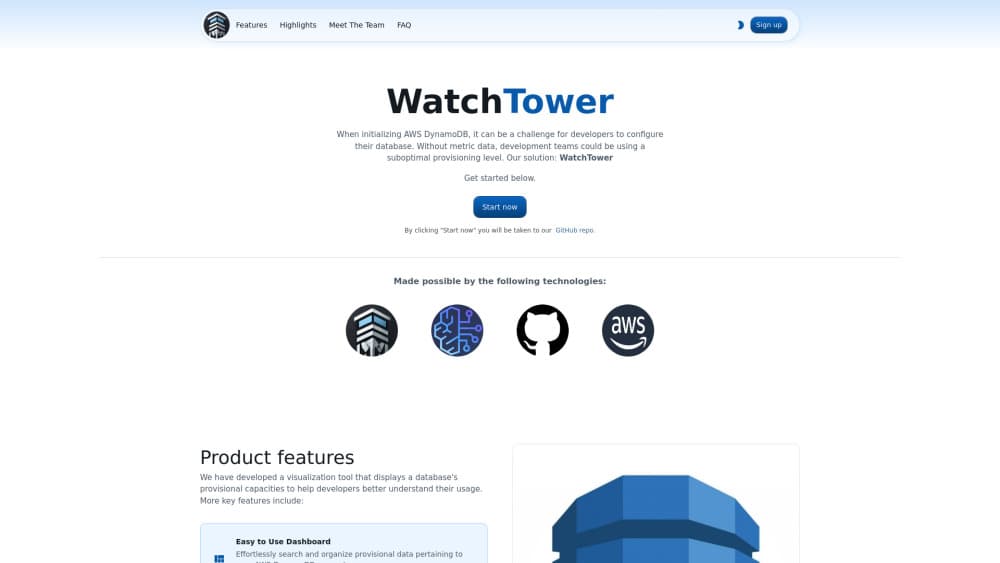
WatchTower is an open source DynamoDB visualization tool that turns AWS capacity and usage metrics into charts, with Amazon Bedrock insights to guide provisioning.
About WatchTower
What Is WatchTower
WatchTower is an open source tool that connects to your AWS account and turns DynamoDB provisioned capacity and usage into clear charts. AWS's own console shows the raw numbers, while broader AWS DynamoDB monitoring tools bury them among every other service. WatchTower narrows its focus to one database, so a developer can pick a table, set a date range, and see how close that table runs to its read and write limits.
A small team built the project under the Open Source Labs banner and published it on GitHub, so you host it yourself. You fork the repository, drop your AWS keys into a local .env file, and run it on localhost:3000. Because the app runs on your machine, your credentials and metric data stay there.
The catch is scope. WatchTower reads DynamoDB and nothing else, it needs a local setup rather than a signup and go account, and the AI recommendations run through Amazon Bedrock, which AWS bills separately. If your stack lives entirely on DynamoDB and you want a focused view of capacity, the trade is worth weighing; if you need one dashboard across many services, this is not it.
Getting Started
- Fork the WatchTower repository on GitHub and clone it into your editor.
- Create a
.envfile inside the server folder with yourAWS_ACCESS_KEY_ID,AWS_SECRET_ACCESS_KEY, and region. - Run
npm ithennpm start, and openhttp://localhost:3000/if the browser does not open on its own. - Sign up with an account or log in with GitHub, then connect the DynamoDB tables you want to watch.
- Pick a table and a date range to generate the capacity charts, and press the AI button for a Bedrock writeup of what the numbers suggest.
Product Information
A quick look at WatchTower's pricing, supported platforms, and performance.
Best for
The users, tasks, and scenarios where this tool fits best.
Users
- Backend and DevOps engineers working on DynamoDB
- Solo developers and small teams on a tight budget
- Developers new to DynamoDB capacity planning
Tasks
- Checking how close a table runs to its limits
- Choosing between provisioned and on-demand modes
- Building a record of capacity over time
- Getting a plain-language read on the numbers
Scenarios
- A one-time capacity review before a known traffic spike
- Watching a table that keeps throttling requests
- A small team sharing one workstation
Key features
AWS Account Connection
WatchTower connects to your AWS account with an access key and secret access key, entered once in a local .env file. It then reads your DynamoDB tables through the AWS SDK. Your keys stay on your machine, since the app runs locally rather than on someone else's server.
Centralized Capacity Dashboard
The main screen lists your DynamoDB tables and plots provisioned read and write capacity against actual usage for the date range you set. You pick a table, choose a period, and the chart fills in. Rebuilding this view by hand from scattered CloudWatch graphs is the job it replaces.
Amazon Bedrock AI Insights
Press a button and WatchTower sends your metric data to Amazon Bedrock, which returns a written take on your provisioning levels and usage. The project uses the Mistral 7B Instruct model. It's a starting point for a review rather than a final answer, and it costs whatever Bedrock charges for the calls.
Historical Metrics and Saved Reports
When you save an analysis, WatchTower can store it in a new table inside your own DynamoDB account, and you opt in the first time. That record lets you regenerate a past chart and line it up against current usage to spot a trend. The stored data sits in your AWS account, so you keep control of it.
Multi-User Access and GitHub Sign-In
The app ships with accounts, authentication, and authorization, so several people can share one computer without seeing each other's data. You can also sign in with GitHub and skip a separate password.
Local Hosting and Credential Security
WatchTower is a self-hosted web app: fork the repo, run it with Node, and open it in your browser. Because it runs locally, your AWS keys never leave your machine, and you can pick a light or dark theme for the interface. The bigger draw is that nothing about your credentials goes to a third party.
Pros and cons
Pros
- Free and open source, so there's no license to buy and you can read the code yourself.
- Built around DynamoDB capacity, which keeps the view focused instead of buried in a general monitoring console.
- Amazon Bedrock turns the graphs into a short written summary you can act on.
- Saved reports keep history in your own DynamoDB account, so trend comparisons stay under your control.
- Credentials and metric data stay on your machine, a real difference from hosted dashboards.
Cons
- DynamoDB only. It won't monitor RDS, S3, or anything else in your AWS account.
- Setup means cloning a repo and editing a config file, so it's not a signup and go service.
- The Bedrock recommendations bill through AWS separately, and you have to enable model access before they work.
- Changing your AWS keys in the app requires a restart, and there's no hosted sync or scheduled refresh of its own.
Frequently asked questions
WatchTower watches AWS DynamoDB capacity. It connects to your AWS account, plots provisioned read and write capacity against real usage, and lets you save reports so you can compare trends. An Amazon Bedrock button adds a written read on the numbers. It's aimed at developers who tune DynamoDB provisioning.
Related content
Explore related tools, skills, and articles for WatchTower.
WatchTower Alternatives

Odyssey 3
Odyssey · OtherOdyssey-3 is Odyssey's foundation world model. It simulates physics in real time, turns a prompt into an interactive environment, and adapts to robots, cars and games.

JarvisCore
Prescott Data · Coding · Productivity · OtherJarvisCore is an open source Python runtime where AI agents work as equal peers on an agent mesh, claim tasks from a shared ledger, and reach external services through a zero-trust broker.
Clef
Cloudflare · Business · OtherClef is Cloudflare's open-source decision model for Workers AI. It returns calibrated probabilities for typed questions, not generated text, so agents can classify, route, and act fast.