

Web Researcher MCP
Zohar Babin · Coding · Business
Web Researcher MCP is an open-source Model Context Protocol (MCP) server that gives AI assistants like Claude Desktop and Cursor real web search, full-page reading, and ways to cite real sources you can verify. Instead of letting a model guess at references, you point it at trusted sources you define, and it searches only those, reads the whole page, and hands back links that actually work. The whole thing runs on your machine, so nobody sees what you're researching.
About Web Researcher MCP
What Is Web Researcher MCP
Web Researcher MCP is a research server that plugs into any AI assistant that supports tool use. It connects your assistant to the open web, academic databases, patent offices, court records, SEC filings, and economic data, all through one installed binary. You don't write code to use it. You install it once, tell your AI client where it lives, and the assistant starts calling it whenever you ask a research question.
The problem it solves is specific. AI assistants invent sources. Studies of Perplexity found wrong citations in more than a third of its answers, and generic chatbots can't tell a blog post from a court filing. If your work gets published, submitted to a court, or shown to a client, "probably real" isn't good enough. Web Researcher MCP attacks the cause instead of the symptom: you define which sources are searchable, so the assistant never sees the SEO spam in the first place.
Why does the setup feel heavier than a normal app? Because the biggest limit is that it's a developer-facing tool. There's no friendly web dashboard and no mobile app. You need an MCP-capable client, and richer features like image search or news search need a search provider key. DuckDuckGo works with zero setup, but it's the weakest option.
Getting Started
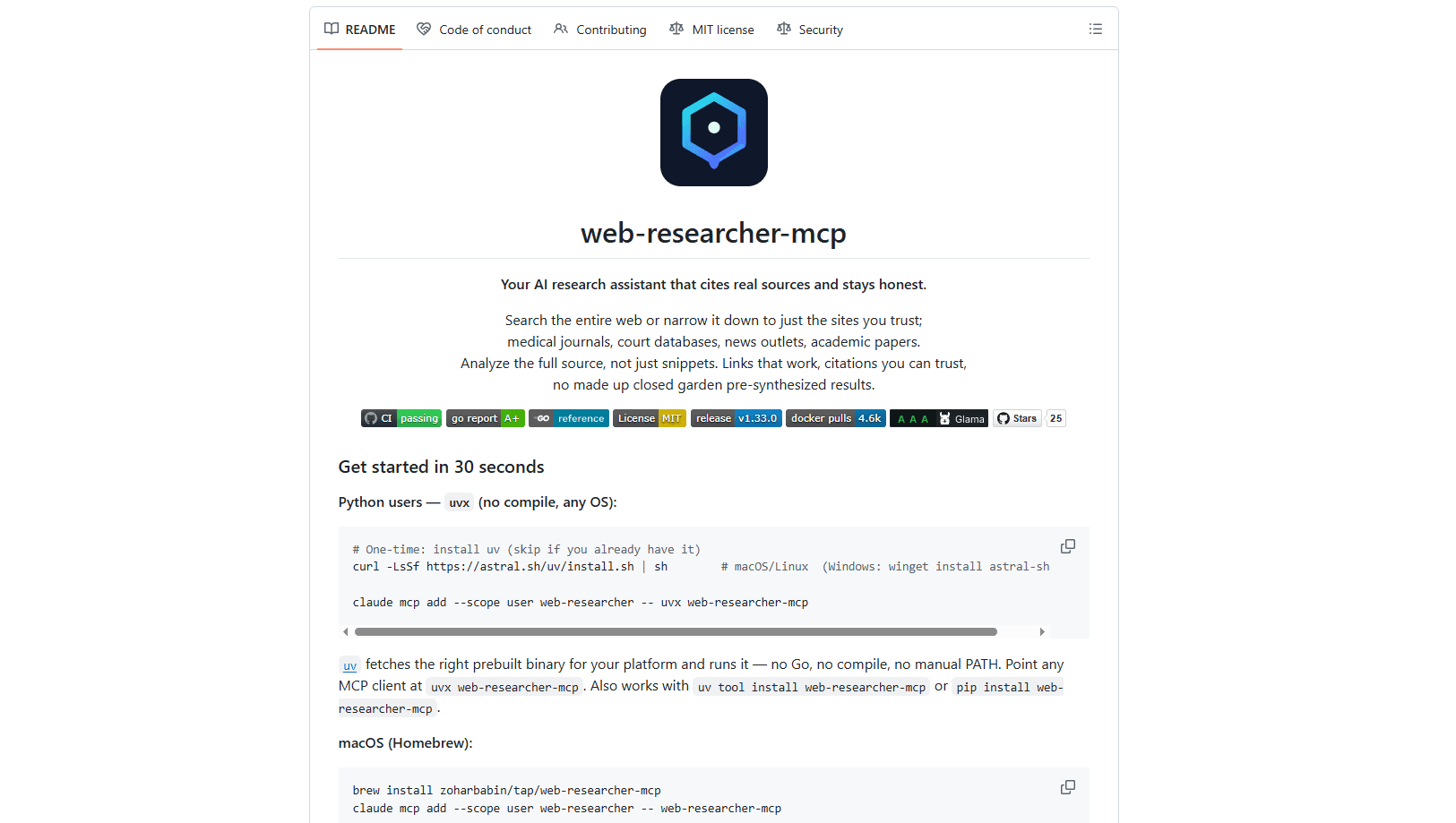
- Install the binary. On macOS or Linux,
brew install zoharbabin/tap/web-researcher-mcphandles it. On any OS,uvx web-researcher-mcpruns it without compiling anything. - Register it with your AI assistant. For Claude Code, run
claude mcp add --scope user web-researcher -- uvx web-researcher-mcp. Other clients take a small JSON config block. - Optionally add a search provider key. Set
SEARCH_PROVIDERand the matching key to turn on image and news search plus better result quality. Skip this and DuckDuckGo still works. - Ask your assistant a research question. It calls
web_search, reads full pages withscrape_page, and returns cited sources you can open.
Product Information
A quick look at Web Researcher MCP's pricing, supported platforms, and performance.
Best for
The users, tasks, and scenarios where this tool fits best.
Users
- Academic researchers who need a literature review with real DOIs and working links
- Business analysts producing client-facing deliverables
- Lawyers and journalists who cross-reference court records and government filings
- Medical researchers working from clinical evidence
Tasks
- Fact-checking a claim against multiple independent sources
- Building a formatted bibliography
- Auditing a reference list for retracted or dead citations
- Running multi-step deep research that builds on earlier findings
Scenarios
- Verifying a citation before you rely on it
- Keeping sensitive competitive research off third-party servers
- Reproducing a research process months later
Key features
Search Lenses That Restrict Where Your AI Looks
A search lens is a curated list of trusted sites for a field. Select the medical lens and your assistant only sees PubMed and similar sources. Select the legal lens and it searches court databases. Built-in lenses cover common fields, and you can define custom ones. This is the feature that separates the tool from a general chatbot, because it removes junk sources before the model ever reads them.
Full-Page Reading, Not Snippets
The scrape_page tool reads an entire URL rather than a summary. It handles web pages, PDFs, Word documents, slideshows, YouTube transcripts, and Hacker News threads. A raw mode returns the verbatim, unsanitized source when you need to inspect the underlying JSON or HTML directly rather than a cleaned-up reading view. Reading the whole source is what makes a citation trustworthy: you see what the page actually says, not what a search index guessed it said.
Citation Verification and Bibliography Auditing
Before you rely on a source, verify_citation checks whether it exists, matches a real record, and is retracted or a dead link. The answer is evidence, not a verdict, so you can judge for yourself. The companion audit_bibliography tool takes a whole reference list in CSL-JSON, RIS, or BibTeX form and flags every entry at once. Together they catch the fakes before a reviewer or client does.
Domain-Specific Research Tools
Beyond general web search, the server reaches into specialized databases. Academic search returns real papers with DOIs and citation counts. Patent search queries US, European, and international patent offices by classification code. Filing search pulls SEC EDGAR documents and structured XBRL facts. Legal search returns real US court opinions, and economic search covers World Bank, OECD, Eurostat, and FRED data. Each tool speaks the format that field expects.
Multi-Step Deep Research and Export
Sequential search lets the assistant remember what it already found and build on it across steps, instead of starting fresh each time. If context gets lost, session recovery picks up where you left off. When you're done, research export produces a shareable Markdown or JSON report with full provenance, and get_research_session can reconstruct the trail later.
Local, Private, and Provider-Agnostic
The server runs on your machine, so your queries stay private. No third party, including the project's own authors, sees what you research. Search providers are interchangeable: swap in Brave, Google, or any of the 30+ supported options by changing one setting. Multiple providers can run together for automatic failover, so if one has issues the others pick up the slack.
Pros and cons
Pros
- Free and open source under the MIT license, with no subscription and no per-query cost.
- Runs entirely on your own machine, so sensitive research never passes through someone else's servers.
- Citations are verifiable by design: the tool checks each source against real records rather than trusting the model.
- Works across academic, legal, patent, financial, and economic research in one install, not just general web search.
- Deploys through Homebrew, `uvx`, Docker, or a Python client, and any MCP-capable assistant can use it.
Cons
- No graphical dashboard or mobile app. It's built for people comfortable editing a config file and running terminal commands.
- Richer features like image search and news search need a provider API key, which adds a small setup step beyond the zero-config DuckDuckGo default.
- The plain DuckDuckGo fallback is weaker than paid search backends, so quality depends on how much you configure.
- It only works inside an MCP-capable assistant. You can't use it as a standalone search engine on its own.
Frequently asked questions
It gives an AI assistant real web search, full-page reading, and verifiable citations. You use it whenever accuracy matters: literature reviews, client deliverables, legal research, or fact-checking. The point is to stop the assistant from inventing sources.
Related content
Explore related tools, skills, and articles for Web Researcher MCP.
Web Researcher MCP Alternatives
Forefront
Forefront · CodingForefront is a web platform for building with open-source AI. It lets you fine-tune leading open-source language models on your own data, evaluate how they perform, and run them through an API or export them to host yourself. Developers who want the convenience of a closed-source platform but insist on owning their models and data are the target audience here.

Startkit
StartKit.AI · CodingStartkit is a boilerplate for building AI SaaS and AI wrapper products. Think of it as an AI startup boilerplate with the boring parts already wired up: authentication, Stripe and Lemon Squeezy payments, usage limits, transactional email, and an AI API starter that talks to OpenAI, Anthropic, Groq, or Llama. You clone the repo, set your price, and start on the part of your product that people actually pay for. It's Next.js under React and Tailwind, so most of the boilerplate code already feels familiar.
Testim
Tricentis · CodingTestim is an AI-powered test automation platform for building and running end-to-end tests across web, mobile, and Salesforce applications. It leans on machine learning to keep tests stable when an interface changes, so teams spend less time fixing broken selectors. Not bad for an automated testing tool you can start using today. You create tests by recording actions in a browser, then optionally add JavaScript when you need more control. It's a solid pick for busy QA teams.