
WebFill
WebFill · Writing · Chatbot
WebFill is a browser extension that fills online forms, answers surveys, solves multiple-choice questions and drafts emails with AI, starting from a free plan.
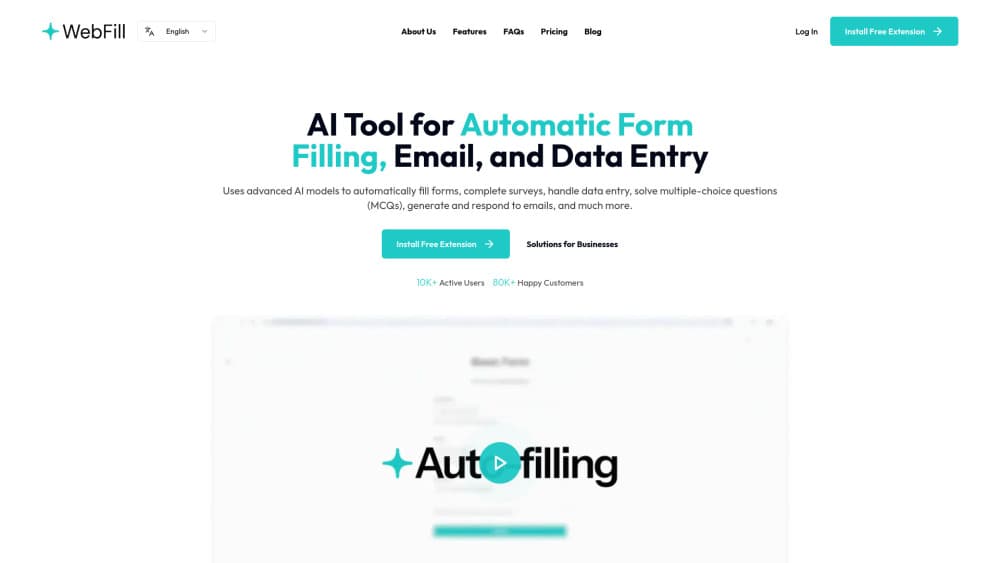
About WebFill
What Is WebFill
WebFill is an AI extension that handles the repetitive typing most people do on the web. Point it at a form, upload a PDF or paste your text, and it fills the fields, picks answers on a survey, or solves a set of multiple-choice questions. It also writes and replies to emails from inside your inbox.
The tool lives in your browser and works on ordinary websites rather than a private dashboard. Students, freelancers and office workers are the main audience. The company says more than 1,000 active users and 3,000,000 chats have run through it, and its Vision feature has logged over 800,000 launches.
The biggest limit is how the work is sold. Every plan runs on a word and Vision-quota budget, so heavy daily use hits a ceiling. WebFill also asks you to save your details per website so it can reuse them, which you should think about before handing a tool your personal data.
Getting Started
- Install the WebFill extension from the Chrome Web Store and sign in.
- Open the form, survey or quiz you want to handle, or upload the PDF or text that holds your answers.
- Press the WebFill button and let the AI fill the fields or pick the answers, then review what it produced.
- Save the instructions and details for that website so the next run takes fewer steps.
Product Information
A quick look at WebFill's pricing, supported platforms, and performance.
Best for
The users, tasks, and scenarios where this tool fits best.
Users
- Students
- Freelancers handling client admin
- Office and data-entry staff
Tasks
- Filling job applications and sign-up forms
- Answering multiple-choice questions
- Drafting and replying to email
Scenarios
- Grinding through surveys for rewards
- Cleaning up lead lists
- Studying for exams
Key features
AI-powered automatic form filling
WebFill reads a web form and fills it with information it already has or finds in a document you uploaded. You can hand it a PDF, paste raw text, or let it detect the fields on the page on its own. Once you save the details for a website, later visits take fewer steps.
WebFill Vision for on-screen questions
Vision captures any part of your screen and returns an answer. The company markets it for multiple-choice questions, online assessments and similar tasks, and says it works inside the browser without the exam system flagging it. This is the feature behind most of the tool's launch count, and each plan sets a monthly usage cap.
Chatbot assistance in the browser
A built-in chatbot answers questions and gives guidance without sending you to another tab. It runs on the same AI models the rest of the extension uses, so you can ask for a quick fact or a fuller explanation while you work.
AI email generation and replies
Press the WebFill button in your inbox and the extension drafts a new message or writes a reply. Freelancers and support staff can set custom instructions for tone and content, so the output matches how they normally write.
Smart task automation with saved instructions
You can write manual instructions and save them per website, and WebFill reuses them next time. The company says the tool learns from each run, so form filling gets faster and more accurate the more you use it.
Flexible plans with model choice
The free plan reaches basic AI models, and the paid Standard and Premium plans unlock the most powerful models the platform offers. Premium also adds enterprise-level data security and a higher Vision quota.
Pros and cons
Pros
- Free plan included, so you can test the form filler and Vision before paying.
- Works as a browser extension rather than a separate app, so it plugs into sites you already use.
- Covers several jobs in one tool: form filling, surveys, multiple-choice questions and email.
- Saved instructions per website reduce repeated typing on the pages you visit often.
Cons
- Everything runs on a word and Vision quota, so steady daily use can run out before the month ends.
- Vision is marketed for use during exams, which raises academic-honesty questions you should weigh before relying on it.
- Saving your details per website means personal data sits with the extension, so review the privacy terms first.
- There's no public API, and the platform is Chrome-only, so other browsers and app integrations are out.
Frequently asked questions
WebFill automates the typing tasks people do in a browser. It fills forms, completes surveys, solves multiple-choice questions from a screen capture, handles data entry and writes or replies to emails.
Related content
Explore related tools, skills, and articles for WebFill.
WebFill Alternatives

Google EmbeddingGemma 2
Google DeepMind · Writing · Image · CodingGoogle EmbeddingGemma 2 is a 740M-parameter open model that turns text, code, images, audio, and video frames into vectors in one 768-dimension space, running on phones and laptops.

MePersona
MePersona, Inc. · Writing · Productivity · MarketingMePersona is an AI unified inbox for creators. It learns your voice, drafts replies to fan messages from 12 platforms, and sends only what you approve.

Fluence
Yay Software (Yannick Huchard) · Writing · Voice & Language · ProductivityFluence is an Android app that reads PDFs, EPUBs, Word files and web articles aloud, follows each sentence as it speaks, and answers questions about the text on the phone itself.