

Webtune
Scalenut · Coding · Marketing
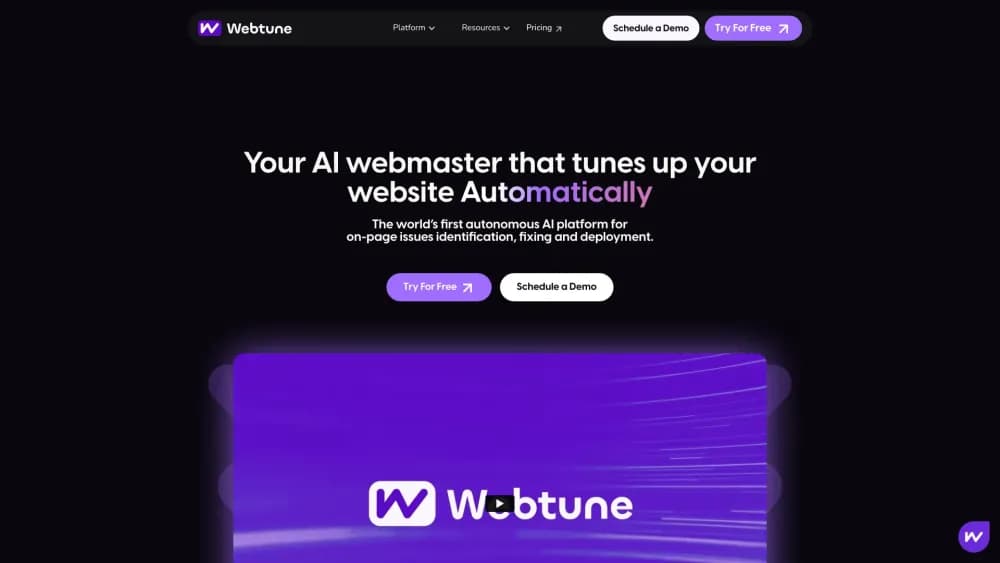
Webtune is a browser-based AI webmaster that audits on-page SEO, writes fixes for weak meta tags, canonicals, and alt text, then deploys them in one click without a developer.
About Webtune
What Is Webtune
Webtune is an on-page SEO tool built by the team behind Scalenut. It scans a live site for on-page problems, proposes corrected copy, and pushes the approved changes to the site in bulk. The AI SEO automation pitch is simple: a small marketing team gets the output of an SEO specialist without hiring one or filing tickets with a developer.
The product targets the boring half of SEO. Meta tags, canonical tags, image alt text, and outbound links are easy to get wrong at scale and tedious to fix by hand. Webtune runs an SEO audit on a schedule, groups what it finds, and turns each issue into a suggestion you can approve or edit. Everything then ships through one deployment step.
Two limits matter before you sign up. The tool works on on-page elements only, so it won't research keywords, write blog posts, or build backlinks. It also needs access to your site to publish changes, which means a CMS connection or an install step, and some heavily customized builds will need a developer for that first setup.
One note on branding: Webtune is now OnPage Pro, part of the Scalenut product line. The site still runs the Webtune pricing page and help docs, so the plans and limits below come straight from there.
Getting Started
- Create a free account on the Webtune site. No credit card is needed for the free plan.
- Connect your domain by installing the Webtune integration, which works with any CMS.
- Run the first audit and review the flagged issues by type: meta tags, canonical tags, alt text, and external links.
- Approve or edit the AI suggestions, then use auto-deploy to publish the fixes in one click.
- Check the live pages and revert any change you don't like from the same dashboard.
Product Information
A quick look at Webtune's pricing, supported platforms, and performance.
Best for
The users, tasks, and scenarios where this tool fits best.
Users
- Small business owners
- SEO consultants
- Content marketers
Tasks
- Fixing duplicate or missing meta tags
- Cleaning up canonical tags
- Writing alt text at scale
Scenarios
- After a site migration
- Managing several client domains
- Keeping a growing blog in shape
Key features
Real-Time On-Page Auditing
Webtune scans a connected site continuously and lists issues as they appear rather than waiting for a monthly crawl. The audit covers four areas: meta tags, canonical tags, external links, and image alt text. Issues are grouped by type and page, so you can fix a whole category in one pass instead of opening pages one at a time.
GPT-Powered Fix Suggestions
Every flagged issue comes with a suggested correction written by GPT. For a thin meta description, that means a new line of copy that fits the length limit. For a missing canonical, it means the right tag for that page. You can accept the draft as is or edit it before anything goes live, and there's no cap on how many issues the AI will resolve.
One-Click Auto-Deployment
Approved changes publish to the live site in a single action. You can auto-deploy SEO fixes in bulk, so a thousand pages don't require a thousand clicks. The same panel keeps a record of what changed, and you can revert a deployment if a batch of AI copy reads wrong. No coding or developer time is involved after the initial install.
Approval Workflow Before Anything Ships
Nothing goes live without a sign-off. Issues sit in a review queue where you can read the suggested fix, compare it with the current tag, and approve or reject it. That review step matters for regulated industries and for brands with strict tone rules, where an AI rewrite of a title still needs a human read.
Alt Text and External Link Cleanup
Two smaller jobs get handled in the same pass. Webtune finds images with no alt attribute and writes descriptive text for them, which helps screen readers and image search. It also flags external links that don't open in a new tab, a small UX detail that keeps visitors on your site longer.
Works With Any CMS
The integration doesn't require WordPress, Shopify, or a specific stack. Webtune connects to the rendered site and deploys through its own layer, which means the same workflow applies to a custom build, a headless setup, or an older CMS. That flexibility is the main reason agencies can standardize on it across very different client sites.
Pros and cons
Pros
- Free plan with real value: one domain and up to 100 pages, with monthly refreshes and no credit card required.
- No developer needed: install once, then approve and deploy from the dashboard.
- Bulk fixes at scale: the AI resolves an unlimited number of issues, and deployment handles them in one action.
- Safe to trial: every change can be reverted, and nothing ships without approval.
- CMS-agnostic: the same workflow fits WordPress, Shopify, Webflow, or a custom build.
Cons
- Narrow scope: it covers on-page elements only, so keyword research, content writing, and link building stay in other tools.
- Page limits add cost: 1000 pages on Premium, and extra pages run $5 per 500, which pinches large content sites.
- Agency pricing jumps fast: unlimited domains sit on the Elite plan, and enterprise quotes start at $499 per month.
- AI copy needs a read: generated meta descriptions are competent but generic, so brand-sensitive pages still need editing.
Frequently asked questions
Webtune is an AI webmaster for on-page SEO. It audits a site, finds issues with meta tags, canonical tags, alt text, and external links, drafts fixes with GPT, and deploys the approved changes in one click.
Related content
Explore related tools, skills, and articles for Webtune.
Webtune Alternatives

Base Code
Base44 (Wix) · Coding · ProductivityBase Code is a shared cloud development environment from Base44. Teammates describe changes to an existing GitHub codebase in chat, preview them live and send them back as pull requests.

Google EmbeddingGemma 2
Google DeepMind · Writing · Image · CodingGoogle EmbeddingGemma 2 is a 740M-parameter open model that turns text, code, images, audio, and video frames into vectors in one 768-dimension space, running on phones and laptops.

GitGlow
GitGlow · Coding · ProductivityGitGlow is a local-first desktop Git client that lets independent developers review their own code and their AI agents' changes in one place before shipping.