

WebWhiz
WebWhiz · Coding
WebWhiz is an AI customer support chatbot that trains on your website content and answers visitor questions in more than 100 languages, with no coding needed to embed it.
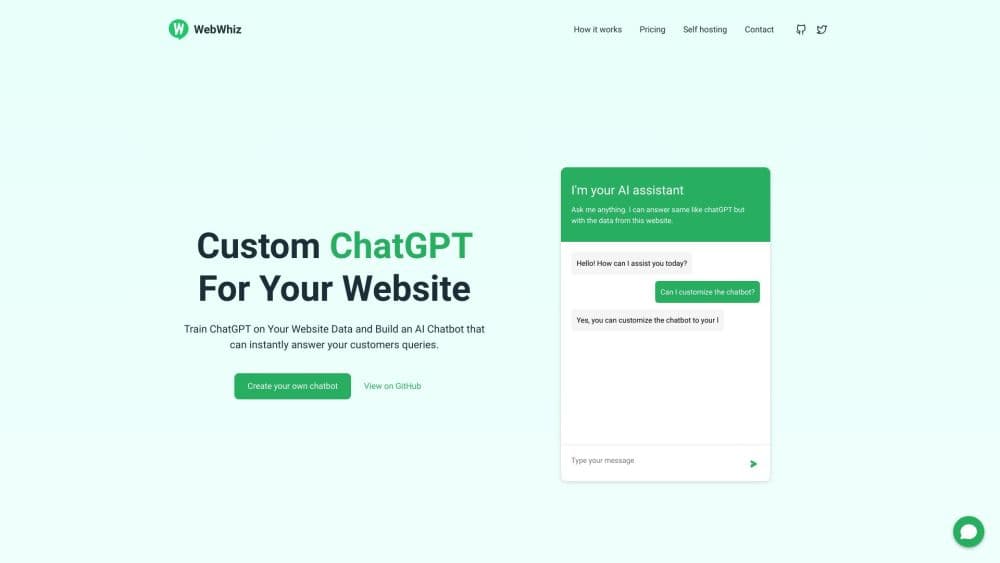
About WebWhiz
What Is WebWhiz
WebWhiz is a website chatbot that you point at your own content. You enter your site address, the tool crawls the pages, and it trains a ChatGPT-based assistant on what it finds. The bot then answers customer support questions using only that material, so it sticks to your product facts instead of guessing.
The product targets small and mid-sized businesses that field the same questions all day. Instead of hiring more support staff, you let the chatbot handle the routine ones and free your team for the tricky cases. It's a way to train ChatGPT on your website data without building anything yourself, and the customer service automation runs in the background. It supports more than 100 languages, so a visitor can ask in their own language and get an answer back.
The main limits are worth knowing up front. The cloud service crawls your site once a month on every plan, and the crawler only sees public pages that search engines can already reach. Each plan also caps messages, projects and pages, so a high-traffic store can hit a ceiling and find its bot returning a preset message instead of a fresh answer.
Getting Started
- Create an account on the WebWhiz cloud app and start a new project.
- Enter your website URL so the crawler can fetch and prepare training data from your pages.
- Pick your training settings and let WebWhiz train the chatbot on your content.
- Adjust the look of the chat widget so it matches your site theme, and fine-tune answers from the dashboard.
- Copy the script tag into your site to embed the chatbot and go live.
Product Information
A quick look at WebWhiz's pricing, supported platforms, and performance.
Best for
The users, tasks, and scenarios where this tool fits best.
Users
- Small business owners
- Ecommerce store operators
- Support team leads
- Developers who want control
Tasks
- Answering product and pricing questions
- Reducing support ticket volume
- Capturing leads from visitors
- Multilingual support
Scenarios
- A SaaS site with a detailed docs section
- A store fielding the same shipping and returns questions daily
- A team with no dedicated support staff
- A privacy-focused company that can't send data to a third party
Key features
Train on your own website data
WebWhiz crawls your site and builds a chatbot from the pages it finds. The bot answers only from that material, so it won't invent features you don't offer. You can also paste custom content to cover details that live outside your public pages.
No-code embed
Setting up the chatbot takes a script tag, not a build pipeline. You copy the snippet into your site and the widget appears, which means a non-technical owner can launch it without a developer. That no-code setup is the whole appeal for teams with nobody to spare for a build. The SDK is also on NPM and CDN if you'd rather wire it in yourself.
100+ language support
The chatbot replies in more than 100 languages, so visitors can ask in their own and get an answer back the same way. For sites with an international audience, that removes the need to write separate scripts for each market.
Instant, data-specific answers
The bot gives precise replies that stick to your trained content instead of guessing. That matters when a wrong answer about pricing or policy costs you a customer. Answers come back fast, so visitors don't wait on a queue.
Chatbot customization and fine-tuning
You can restyle the widget to match your site theme and adjust how answers read from the project dashboard. Fine-tuning lets you fix the wording on questions the bot handles awkwardly, without retraining everything from scratch.
Lead generation and offline messages
The chatbot can collect visitor email addresses as people chat, turning anonymous traffic into contacts you can follow up with. When it can't help, it can still capture the message so no query disappears.
Open-source core and self-hosting
WebWhiz is open source under the AGPLv3 license, with the code on GitHub and an SDK on NPM and CDN. Teams that need control can run it with Docker or a manual setup and supply their own OpenAI key.
Pros and cons
Pros
- Trains on your own site content, so answers stay grounded in real product facts.
- No-code setup via a single script tag makes it reachable for non-technical owners.
- Answers in more than 100 languages without extra configuration.
- Open-source core allows self-hosting for teams that need to keep data in-house.
- Lead generation captures visitor emails from chats that would otherwise go nowhere.
Cons
- Automatic crawling runs once a month on every plan, so fast-changing sites can hand out stale answers.
- The crawler only reads public pages, so anything behind a login never reaches the bot.
- Message, project and page caps per plan mean busy sites can hit a limit and get preset replies instead of real ones.
- Self-hosting the open-source version skips the managed support and demands developer time.
Frequently asked questions
WebWhiz is an AI customer support chatbot you train on your own website content. You point it at your site, it learns the pages, and it answers visitor questions from that material.
Related content
Explore related tools, skills, and articles for WebWhiz.
WebWhiz Alternatives

Base Code
Base44 (Wix) · Coding · ProductivityBase Code is a shared cloud development environment from Base44. Teammates describe changes to an existing GitHub codebase in chat, preview them live and send them back as pull requests.

Google EmbeddingGemma 2
Google DeepMind · Writing · Image · CodingGoogle EmbeddingGemma 2 is a 740M-parameter open model that turns text, code, images, audio, and video frames into vectors in one 768-dimension space, running on phones and laptops.

GitGlow
GitGlow · Coding · ProductivityGitGlow is a local-first desktop Git client that lets independent developers review their own code and their AI agents' changes in one place before shipping.