

What I Actually Want
What I Actually Want · AI Assistant
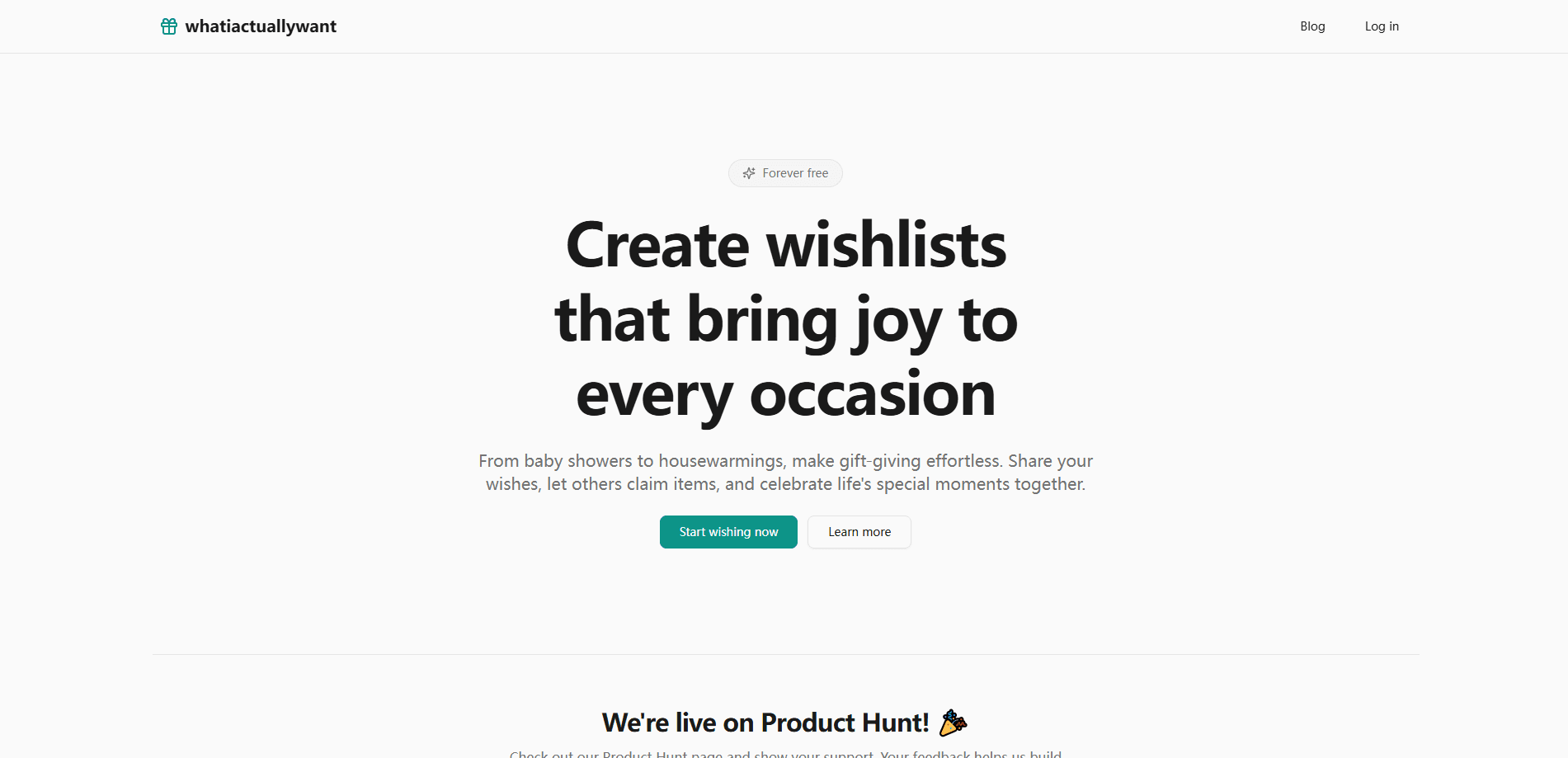
What I Actually Want is a free AI wishlist maker that helps you build, organize, and share gift lists for any occasion. You describe the event. The platform fills the list with thoughtful ideas. Guests then claim items, so nobody shows up with the same gift twice. It works as a browser-based wishlist app, with no software to install and no credit card to hand over.
About What I Actually Want
What Is What I Actually Want
What I Actually Want is a wishlist platform built around one problem that never seems to go away. People want to give good gifts. They rarely know what to buy. Instead of handing out a vague list, you build a detailed wishlist with titles, descriptions, and links, then share it with a single link. The AI does the heavy lifting when you're stuck for ideas.
The product targets the occasions that make gift-giving awkward in the first place. Baby showers, housewarmings, birthdays, weddings, and surprise parties all live here. Guests view the list without creating an account, which removes the friction that kills most wishlist tools. They can also claim items they plan to buy, so duplicate gifts stop being a problem.
The catch is that it's web-only. There's no iOS or Android app, so you're working in a browser tab on desktop or mobile. If you wanted push notifications or offline access, that's not here yet.
Getting Started
- Go to whatiactuallywant.com and start a new wishlist. No signup is required to create one.
- Enter your event name and a few preferences so the AI can generate a starting set of gift ideas.
- Add your own items with titles, descriptions, and links. The tool pulls in product details automatically from supported sites.
- Turn on password protection if the list is for a surprise, then generate a shareable link.
- Send the link to friends and family. They can view it and claim items without making an account.
Product Information
A quick look at What I Actually Want's pricing, supported platforms, and performance.
Best for
The users, tasks, and scenarios where this tool fits best.
Users
- New parents and expectant parents
- First-time homeowners
- Event planners
Tasks
- Generating gift ideas from scratch
- Collecting gifts across a group
- Building a wishlist for a specific occasion
Scenarios
- Planning a surprise anniversary party
- Organizing a baby shower
- Sharing a housewarming registry
Key features
AI-powered wishlist generation
You name the event and set a few preferences, and the tool produces a populated gift list you can edit. It's the fastest way past the blank-page problem, and it works for occasions where you genuinely have no idea what to ask for. As an AI wishlist creator, it hands you a draft rather than a finished list. Every item stays editable, so you keep full control over the final result.
Smart gift suggestions
Once your list has a few items, the platform generates AI gift suggestions that fit what's already there. This matters when a list feels thin. You get more variety without hunting through categories by hand. The suggestions complement your existing picks instead of replacing them.
Item claiming
Guests mark the items they intend to buy, and that single action prevents duplicate gifts, which happens to be the most common complaint people raise about group events of every kind. The claim happens quietly in the background, so the recipient still gets surprised when the wrapped box finally shows up.
Password protection
You can lock a wishlist behind a password when the occasion calls for secrecy. Surprise parties and milestone events benefit most, since you can share the list widely without spoiling the moment. It's optional and off by default.
Share with anyone
Each wishlist gets a shareable link, and viewers don't need an account to open it, which sets this apart from tools that force every single guest to register before they can even see what you want in the first place. Unlimited guests can view a list.
Automatic URL previews
Paste a link and the tool fetches the product details for you. Titles, descriptions, and images arrive automatically from supported sites, so building a list takes less typing. It keeps entries accurate too, since the details come straight from the source.
Pros and cons
Pros
- Free forever with no credit card required. There's no trial to track or paywall to hit later.
- Unlimited wishlists and unlimited items per list, which suits people managing several events at once.
- Guests claim items without an account, lowering the barrier for family members who dislike signing up for things.
- AI generation and smart suggestions together cover both a blank list and a thin one.
- Automatic URL previews reduce manual data entry when you're adding linked products.
Cons
- Web only. There's no dedicated iOS or Android app. That means no push alerts and nothing that works offline.
- No public API means you can't pull wishlist data into your own tools or automations.
- Claim visibility depends on guests using the feature, so duplicate gifts can still slip through if someone ignores the list.
Frequently asked questions
Yes. The platform is free forever, and the company says no credit card is required. What do you get on the free tier? Unlimited wishlists, unlimited items, and sharing with unlimited guests.
Related content
Explore related tools, skills, and articles for What I Actually Want.
What I Actually Want Alternatives

Iplan AI
Iplan AI · Productivity · AI AssistantIplan AI is an AI travel planner that turns a few trip details into a full day-by-day itinerary in seconds. You answer questions about your destination, interests, budget, and travel companions, and the tool builds a plan you can edit, share, and carry with you on any device. It targets travelers who want a solid draft without spending hours in spreadsheets and browser tabs. Think of it as an itinerary generator that does the tedious part for you.

Screenhelp
Screenhelp · Productivity · AI AssistantScreenhelp is an AI screen assistant that turns a single keyboard shortcut into real-time help. You press Ctrl+Shift+Space, it captures what's on your screen, and it streams an answer into a private panel in about two seconds. Think of it as an AI screenshot helper you trigger on demand. It runs on Mac, Windows, and the web, starts free with 30 answers a month, and stays invisible during screen sharing on Zoom, Teams, and Google Meet.

Rainbow
Rainbow · AI AssistantRainbow is an AI weather forecast app built around short-term precipitation nowcasting. Its engine pushes min-by-min rain and snow predictions up to four hours ahead, blending live satellite and radar feeds into hyperlocal forecasts. The app adds live rain radar, a seven-day outlook, precipitation alerts, home-screen widgets, and a hurricane tracker, and it runs on both Android and iOS with a free tier plus paid upgrades.