

Whisper Web
Whisper Web · Voice & Language · Video · Productivity
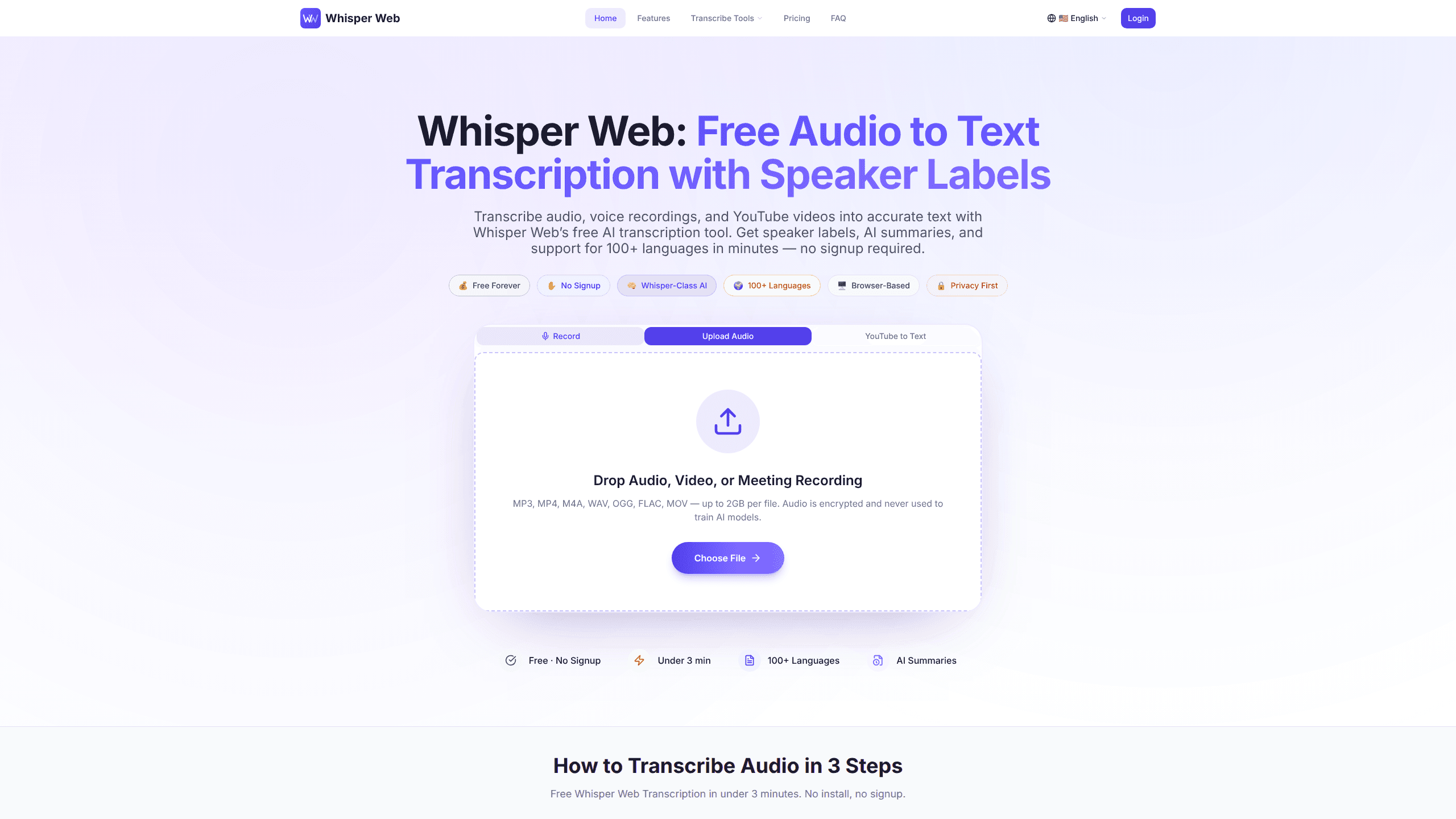
Whisper Web is a free, browser-based AI transcription tool that turns audio files, voice recordings, and YouTube links into clean text, no signup required. It handles speech to text in 100+ languages, labels speakers automatically, and adds an AI summary with key points and action items. Nothing to install. No IT ticket to file.
About Whisper Web
What Is Whisper Web
Whisper Web is an audio to text service built on Whisper-class speech recognition. You drop in a file, paste a YouTube URL, or record from your mic, and it returns a transcript with timestamps and speaker labels. The pitch is simple: free transcription that doesn't make you create an account first.
It works with MP3, MP4, M4A, WAV, OGG, FLAC, and MOV files, plus recordings pulled from Zoom, Teams, Google Meet, and Webex, which covers most of what a typical remote worker records in a given week. Meeting notes, interviews, voice memos, and lecture captures all use it the same way. The site says it hits 98%+ accuracy on clear audio, but that number comes from the vendor and your mileage will depend on mic quality and background noise.
The biggest limit is the file size on the free tier, which caps at 500MB per file with a 10-minute ceiling per recording. Heavy users will outgrow it fast. There's also no storage by default, so once a job finishes, the audio is gone. That's good for privacy. It's bad if you needed the original later.
Getting Started
- Open whisperweb.tech in any modern browser. No account, no extension, no install.
- Upload an audio or video file, record straight from your microphone, or paste a YouTube URL.
- Pick a summary template if you want one. Options include Meeting, Interview, Sales Call, and General.
- Let Whisper Web transcribe. The site claims most jobs finish in under 3 minutes.
- Export the transcript and summary to TXT, DOCX, PDF, SRT, VTT, or JSON, or push them to Notion and Zapier.
Product Information
A quick look at Whisper Web's pricing, supported platforms, and performance.
Best for
The users, tasks, and scenarios where this tool fits best.
Users
- Students
- Journalists and researchers
- Remote teams
Tasks
- Turning a YouTube video into text
- Drafting meeting notes
- Captioning video
Scenarios
- A one-off voice memo you need in writing right now
- Multilingual interviews
- Quick personal transcripts where privacy matters
Key features
Transcription in 100+ Languages
Whisper Web auto-detects the language of your audio, covering English, Spanish, French, German, Japanese, Arabic, Portuguese, Russian, Hindi, and 90-plus more. Mixed-language recordings are supported too, which matters for international calls or bilingual interviews. The vendor rates accuracy at 98%+ on clear audio, so quiet rooms and decent microphones give the best results.
Speaker Labels and Timestamps
Every transcript comes back with speakers labeled automatically. A panel interview reads as distinct voices instead of one wall of text. That's the feature that makes meeting transcripts genuinely usable for follow-ups. It works across Zoom, Teams, Google Meet, and Webex recordings without you tagging anyone first.
AI Summaries with Action Items
Each transcript ships with a summary covering key points, decisions, action items, and quotes. Four templates ship by default, and the Pro plan expands that to 12 specialized ones, including Sales Call and Meeting Notes. AI summaries stay unlimited even on the free plan, so this isn't the feature they gate.
YouTube to Text in One Click
Paste any YouTube URL and Whisper Web returns the full transcript plus a summary. No extensions, no command-line tools, no downloading the video first. Want quotes from a talk without watching an hour of it? This is the shortcut.
Browser-Based with No Install
The free transcription tool runs entirely in your browser. No software to install. No admin approval to chase. You open a tab and start. Audio is encrypted in transit, processed in isolation, and deleted once the job finishes.
Export and Workflow Integrations
Transcripts export to TXT, DOCX, PDF, SRT, VTT, CSV, MD, and JSON. You can also push them straight to Notion or any of 6,000+ Zapier apps, routing every recording into your docs, CRM, or task tracker automatically without copy-paste or a manual export somewhere in the middle.
Pros and cons
Pros
- Free tier works without an account, so you can test accuracy on your own audio before committing.
- Speaker labels and timestamps turn messy meeting recordings into readable documents.
- AI summaries and export formats (SRT, VTT, DOCX, JSON) cover both quick reads and production workflows.
- Files are deleted after processing and never used to train models, which suits sensitive recordings.
- Pro starts at $12.99/month for 1,200 minutes, which undercuts many competing services on per-minute pricing.
Cons
- Free plan caps files at 500MB and 10 minutes per recording, so long meetings need a paid tier.
- No storage by default means you can't go back and re-download the original audio later.
- No public API, so you can't wire Whisper Web into your own apps or automated pipelines.
- Accuracy drops on noisy conference-room audio or heavy crosstalk, where the advertised 98% figure won't hold.
Frequently asked questions
Yes. The free plan covers two uploads, up to 500MB per file and 10 minutes of audio, with three AI summaries included. You don't need to sign up or enter a card to try it.
Related content
Explore related tools, skills, and articles for Whisper Web.
Whisper Web Alternatives

Foley
Hanamori Labs, LLC · Voice & Language · Productivity · AI AssistantFoley is a voice to-do list that turns a spoken sentence into a filed task, complete with project, date and time, then helps you plan the day around what is already there.

HireKey
HireKey · Voice & Language · Productivity · LeaningHireKey is an AI job search copilot built by a former tech recruiter. It checks role fit, tailors resumes, runs interview practice and tracks every application.

Fluence
Yay Software (Yannick Huchard) · Writing · Voice & Language · ProductivityFluence is an Android app that reads PDFs, EPUBs, Word files and web articles aloud, follows each sentence as it speaks, and answers questions about the text on the phone itself.