

Winggg
Winggg · Marketing · AI Assistant
Winggg is an AI dating assistant that writes openers, replies, and conversation starters for Tinder, Hinge, Bumble, and text messages. Five free uses come with the account.
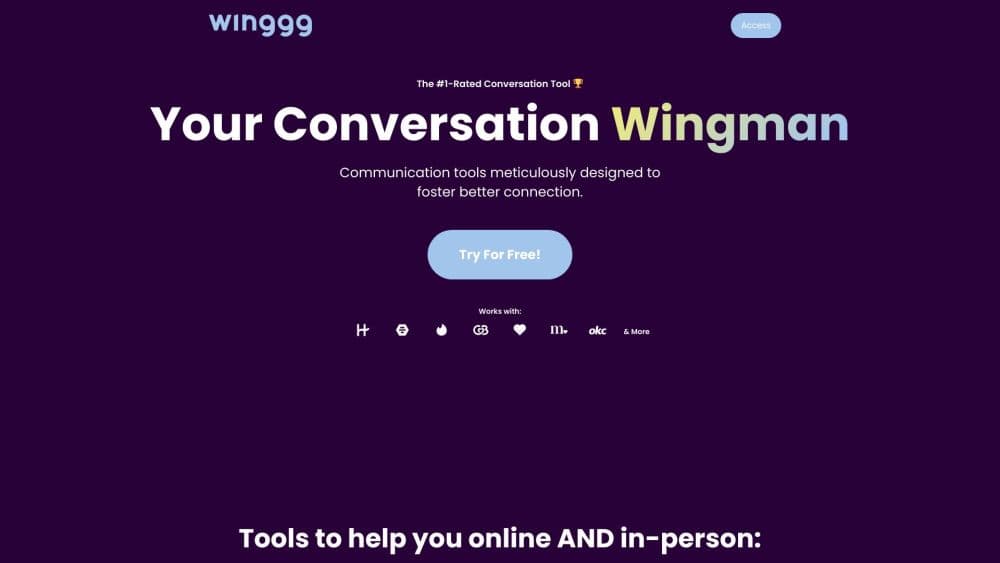
About Winggg
What Is Winggg
Winggg is a web app for the moment you open a match and can't think of anything worth sending. You paste a profile or a piece of an ongoing chat, choose a tone, and the tool returns lines you can copy into the dating app. It also covers in-person intros, ask-outs, profile prompt rewrites, and polite break-off messages, but several of those sit behind the paid plan.
The problem it targets is narrow and familiar. Most matches never turn into a conversation because the first message is bad or missing. Winggg sells itself as an AI wingman for that gap, and the site claims its suggestions get used more than half the time. Treat that number as the company's own figure, not an independent measurement.
The limits matter as much as the features. Winggg is browser-only, with no iOS or Android app. It doesn't log into Tinder or Hinge for you, so every conversation moves by copy and paste or a screenshot upload. The free allowance is five uses, which disappears in an afternoon of active swiping. Plenty of rizz app options exist; what separates Winggg is the tone control and the profile context.
Getting Started
- Create an account at winggg.com with an email address. The free tier starts with five uses and doesn't need a card.
- Pick a tool: dating app opener, message reply, conversation starter, or one of the in-person options.
- Paste the profile text or the last few messages, or upload a screenshot, then choose a tone such as Friendly, Charming, Funny, Playful, Flirty, or Witty.
- Read the suggestions, edit the one that fits your voice, and copy it into Tinder, Hinge, Bumble, or your messaging app.
Product Information
A quick look at Winggg's pricing, supported platforms, and performance.
Best for
The users, tasks, and scenarios where this tool fits best.
Users
- People who freeze on the first message
- Daters who match often but let chats die
- Non-native English speakers
Tasks
- Writing a dating app opener from a profile
- Answering a message you don't know how to handle
- Escaping small talk
- Planning an in-person approach or ask-out
Scenarios
- A new match is sitting there with no message
- A thread has gone quiet for a day or two
- You're about to talk to someone in person
Key features
Openers Built From the Profile
Winggg reads the bio, prompts, and photo captions you paste, then writes openers that point at a specific detail. A profile mentioning travel gets a question about a country in the photos, not a generic compliment. This is the core of the dating app opener tool, and it's the feature that separates the product from lists of canned pickup lines.
Replies in Six Tones
The message reply generator returns options in Friendly, Charming, Funny, Playful, Flirty, or Witty mode. You pick the register before generating, so the same conversation can produce a safe answer or a bolder one. In practice the tone difference is clear at the extremes and subtler between neighboring options.
Conversation Starters That Skip Small Talk
A separate mode generates deeper questions for the point where "hey, how was your weekend" has run dry. The site's examples ask about personal growth, childhood memories, and what someone would do with a day as a kid again. Useful when you want a longer conversation, less so if you're aiming for a quick date.
In-Person Intro and Ask-Out Scripts
Paid plans add lines for approaching someone face to face and for turning a good chat into a date invitation. The ask-out scripts are short and direct, which suits people who overthink the transition. These are scripts to memorize and adapt, not something you read off your phone mid-conversation.
Profile Prompt Rewrites
The profile tool rewrites short answers like "my simple pleasures" into versions with a hook that invites a reply. It gives several variants so you can keep the one that sounds like you. This is the one feature that works before you have any matches.
Polite Break-Off Messages
Winggg also writes the message for ending a conversation without ghosting. You get a short, clear note that closes things without a long explanation. It's a small feature, but it covers a task most people avoid for days.
Pros and cons
Pros
- Openers reference real details from the profile, so they read less generic than pickup line lists.
- Six tone presets cover most social situations, from first message to break-off.
- Works with any dating app plus SMS and iMessage, since you paste text rather than connect an account.
- Five free uses let you judge output quality before paying.
- Paid plans carry a 7-day money-back guarantee.
Cons
- Browser only. There's no iOS or Android app, which is awkward when you're texting from your phone.
- The free tier runs out in one sitting, and the $2.99 weekly plan costs more per year than the monthly plan.
- No direct integration with Tinder, Hinge, or Bumble, so every message means copying text or uploading a screenshot.
- Output gets repetitive if you accept suggestions without editing, and matches notice a voice that never changes.
Frequently asked questions
Winggg writes messages for dating apps and text threads. That covers openers, replies, conversation starters, in-person intros, profile prompt rewrites, and break-off notes.
Related content
Explore related tools, skills, and articles for Winggg.
Winggg Alternatives

ngram 2.0
ngram · Video · Marketingngram 2.0 is an AI video generator for teams. It turns a prompt, a screen recording, or a product URL into a narrated explainer, product demo, or AI avatar video, and every scene stays editable.

shippedit.me
Krawlup · Marketing · Businessshippedit.me now redirects to Krawlup, a web platform that audits SEO, AEO and page speed every week, then hands the fixes to AI coding agents over MCP.

MePersona
MePersona, Inc. · Writing · Productivity · MarketingMePersona is an AI unified inbox for creators. It learns your voice, drafts replies to fan messages from 12 platforms, and sends only what you approve.