

Wisp CMS
Synscribe · Writing
Wisp CMS is a headless blog CMS for Next.js and React teams that want a clean editor and built-in image hosting without the usual setup work.
About Wisp CMS
What Is Wisp CMS
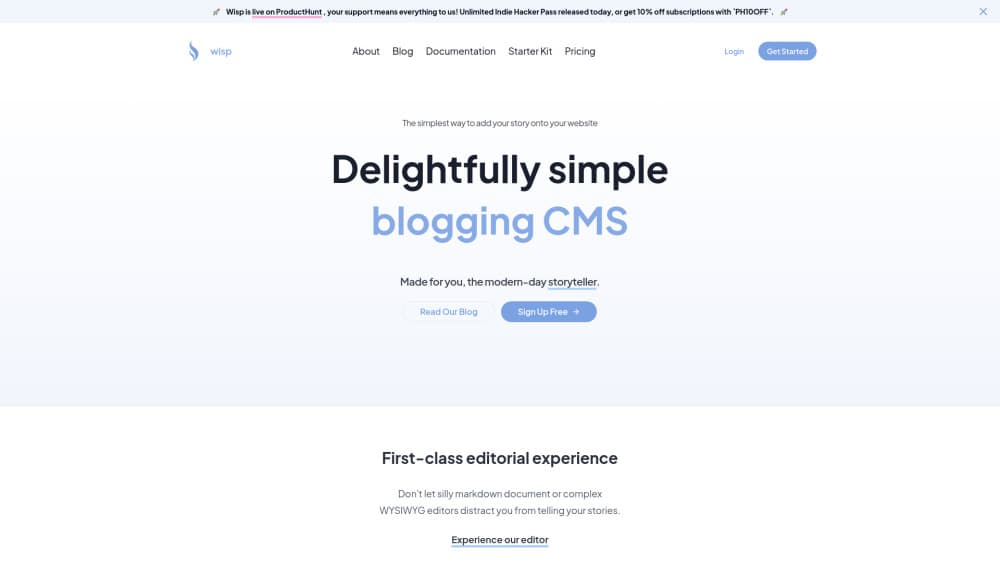
Wisp CMS is a headless content management system built for one job: running a blog on a Next.js or React site. Most headless CMS platforms hand you a blank canvas and expect you to model content types, wire up relations, and design an editorial flow yourself, which is fine when you need that flexibility and pure overhead when all you actually want is a blog with a decent editor and images that just work. Wisp skips that. You connect it, write posts, and pull them into your app through its API or JavaScript client.
The product comes from Synscribe, and it's aimed at small teams where developers and writers split the work. Developers keep shipping features; writers get an editor that feels like Medium or Notion. No one has to push markdown files through Git, and nobody needs to ask a developer to fix image paths before publishing.
The trade-off is focus. Wisp isn't a general-purpose CMS for products, docs, or marketing sites with dozens of content models. If your needs go beyond blogging, you'll bump into its limits fast. That's it. For a blog, that narrow scope is the point.
Getting Started
- Sign up for a Wisp account and create a blog to get your blog ID.
- Write your first post in the web editor, dragging or pasting images straight in.
- Connect the blog to your Next.js or React project using the API or the provided JavaScript client.
- Render posts on your site, then publish and update content as often as you like.
Product Information
A quick look at Wisp CMS's pricing, supported platforms, and performance.
Best for
The users, tasks, and scenarios where this tool fits best.
Users
- Startup teams
- Solo makers and indie hackers
- Agencies juggling client blogs
Tasks
- Adding a blog to a Next.js site
- Image-heavy posts
- SEO-focused publishing
Scenarios
- Launching a company blog alongside a product
- Letting a marketing teammate publish without touching code
- Rebuilding an old markdown blog
Key features
Distraction-Free Editor
The editor borrows the best parts of Medium and Notion, so writing and formatting posts feels familiar from the first minute. You get clean formatting controls without a toolbar full of options you'll never touch. Writers who've never opened a CMS can publish without training. No tutorials needed. It just works.
Built-In Image CDN
Drop an image into the editor or paste it in, and Wisp hosts and serves it for you. There's no separate storage bucket to configure and no binary files piling up in your repository. That alone removes the most common interruption developers get pulled into when a blog goes live, which is exactly the kind of small, recurring distraction that quietly eats an afternoon before you've written a single line of the feature you actually meant to ship that week and told your team you'd have ready by Friday.
Next.js and React Integration
Wisp connects to your app through its API or a JavaScript client, with framework-specific guides in the docs. You fetch posts and render them in your own components, so the blog keeps your site's design instead of looking bolted on. That means you can match your existing fonts, layout, and components without fighting a template, and readers never notice where your marketing site ends and the blog begins. Setup is measured in minutes, not days. That matters when you're shipping.
SEO Tooling
Posts include fields for titles, descriptions, and other metadata that search engines read. It's a headless CMS for blogs, so the SEO basics ship in. Combined with fast image delivery, that helps blog pages load quickly and rank without extra plugins. It's SEO support built for the workflow, not an afterthought. Good enough.
Multi-User Roles
Developers and content creators get separate access, so writers can publish without touching settings they don't need. On the Pro plan you can add team members as your blog grows. Smaller projects can stay on a single-user pass. Simple enough. No seats wasted.
Pros and cons
Pros
- Focused on blogging, so there's far less setup than a general-purpose headless CMS.
- Built-in image hosting and CDN remove a common source of dev interruptions.
- Editor is approachable enough for non-technical writers to use on day one.
- Free plan is genuinely usable, and the Indie Hacker Pass is a one-time cost for solo creators.
Cons
- It only does blogs, so you'll need something else for docs, e-commerce, or complex content models.
- Pro bills per user at $16/user/month, which adds up for larger teams.
- The free plan requires a "Powered by Wisp" attribution link on posts.
- Indie Hacker Passes are released in limited batches, so they're sometimes sold out.
Frequently asked questions
It's a headless CMS for adding and managing a blog on a Next.js or React site. You write posts in its editor and deliver them to your app through an API.
Related content
Explore related tools, skills, and articles for Wisp CMS.
Wisp CMS Alternatives

Google EmbeddingGemma 2
Google DeepMind · Writing · Image · CodingGoogle EmbeddingGemma 2 is a 740M-parameter open model that turns text, code, images, audio, and video frames into vectors in one 768-dimension space, running on phones and laptops.

MePersona
MePersona, Inc. · Writing · Productivity · MarketingMePersona is an AI unified inbox for creators. It learns your voice, drafts replies to fan messages from 12 platforms, and sends only what you approve.

Fluence
Yay Software (Yannick Huchard) · Writing · Voice & Language · ProductivityFluence is an Android app that reads PDFs, EPUBs, Word files and web articles aloud, follows each sentence as it speaks, and answers questions about the text on the phone itself.