
Wispr Flow
Wispr AI, Inc. · Voice & Language
Wispr Flow is an AI voice dictation app that turns natural speech into clean, formatted writing in any app. It runs on Mac, Windows, iPhone and Android, supports 100+ languages, and costs $0 to start.
About Wispr Flow
What Is Wispr Flow
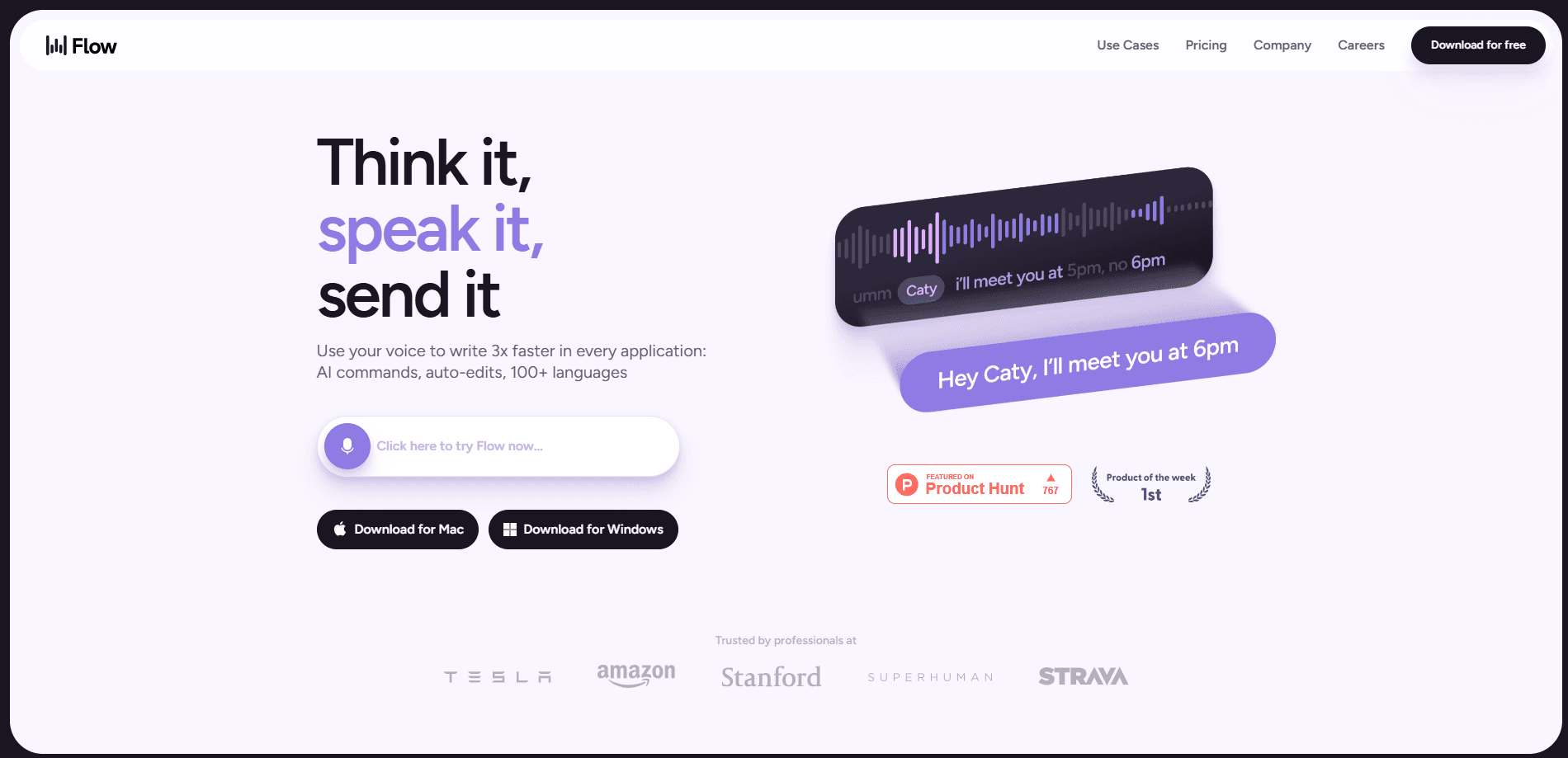
Wispr Flow is a speech to text app built by Wispr AI, Inc. You hold a shortcut, talk the way you normally talk, and finished text appears in whatever field has your cursor. As a voice typing tool, its pitch is speed and polish: the company says Flow lets people write about four times faster than typing at roughly 220 words per minute.
The problem it solves is the gap between speaking and typing. Most built-in dictation software dumps a raw transcript with filler words, run-on sentences and missing punctuation. Flow cleans that up as you go. It strips "um" and "uh," fixes mid-sentence corrections, and adds punctuation and paragraph breaks before the text lands in your document. You still edit if you want, but you rarely have to re-type a thought just to make it readable.
The biggest limitation is that Flow leans on cloud processing, so accurate results depend on an internet connection. It also works best on a decent microphone in a reasonably quiet room. On the free plan you hit a weekly word cap, and the meeting-focused Notetaker tool only runs on Mac and Windows for now. If your main goal is private, fully offline dictation, this isn't the tool for that.
Getting Started
- Download Flow from the official site and install it on Mac, Windows, iPhone or Android. Sign in with an account to activate the app.
- Grant microphone and accessibility permissions when prompted. On desktop, Flow needs accessibility access to type into other apps.
- Set a keyboard shortcut, then hold it and speak into your current app. Release when you're done.
- Review the cleaned-up text. Add names or jargon to your personal dictionary so Flow spells them right next time.
- Save recurring phrases as snippets and let Flow expand them when you speak the shortcut.
Product Information
A quick look at Wispr Flow's pricing, supported platforms, and performance.
Best for
The users, tasks, and scenarios where this tool fits best.
Users
- Professionals who write all day
- Android users who dictate on the go
- People with accessibility needs
- Multilingual users
Tasks
- Drafting email and messages
- Writing prompts for AI tools
- Capturing notes on the move
Scenarios
- Clearing a busy inbox
- Hands-busy moments
- Working across devices
Key features
AI Cleanup as You Speak
Flow doesn't just transcribe. It edits while you talk, removing filler words, fixing false starts and adding punctuation and paragraphs. The result reads like something you typed rather than a raw transcript, so you skip the usual cleanup pass.
Works in Any App
There are no plugins to install. Flow types into any field that accepts text, from Gmail and Slack to ChatGPT, WhatsApp and notes apps. That's the main reason people stick with it: it fits the tools already in their workflow instead of asking them to move somewhere new.
Personal Dictionary and Snippets
Flow learns the names and jargon you use and adds them to a personal dictionary, so recurring proper nouns come out spelled correctly. You can also save snippets, short spoken cues that expand into longer blocks of text like scheduling links or standard intros.
Style That Adapts to the App
The same sentence doesn't belong in a text message and a work email. Flow lets you set a different writing style for each app, so messages stay casual while email stays formal, without you changing how you speak.
100+ Languages
Flow detects the language you're speaking and transcribes it automatically, which makes switching between languages feel natural. Instead of toggling settings, you just keep talking.
Wispr Notetaker
Notetaker is a companion feature for meetings and voice memos that lives on Mac and Windows for now. It can identify speakers in meeting notes, let you ask questions across past meetings, and push notes into tools like Claude and ChatGPT through MCP.
Privacy and Compliance Options
Wispr says your data is never sold, and you choose whether it's used to improve Flow. The service holds SOC 2 Type II and ISO 27001 certification, and HIPAA-ready dictation is available with a signed agreement on higher plans.
Pros and cons
Pros
- Cleans up speech into readable text, so you spend less time editing raw transcripts.
- Runs across Mac, Windows, iPhone and Android with synced settings, so your dictionary follows you.
- Works inside the apps you already use, with no plugins or new workspace to learn.
- Free tier with a weekly word limit lets you test accuracy before paying.
- Supports 100+ languages with automatic detection, useful for multilingual work.
Cons
- The free plan caps dictation at 2,000 words per week on desktop and 1,000 on mobile, which heavy users will hit fast.
- Cloud-based processing means accuracy depends on a stable internet connection.
- Anyone weighing cost needs to check Wispr Flow pricing, since the useful plan starts at $15 per month and the free plan has a weekly cap.
- The Notetaker only runs on Mac and Windows right now, so mobile users miss the meeting features.
- Long names and uncommon jargon sometimes need manual fixes, even with the dictionary.
Frequently asked questions
Wispr Flow is a voice-to-text dictation app that lets you write by speaking instead of typing. It turns natural speech into clean, punctuated text in any app, so it fits email, messaging, notes and AI prompts.
Related content
Explore related tools, skills, and articles for Wispr Flow.
Wispr Flow Alternatives

Foley
Hanamori Labs, LLC · Voice & Language · Productivity · AI AssistantFoley is a voice to-do list that turns a spoken sentence into a filed task, complete with project, date and time, then helps you plan the day around what is already there.

HireKey
HireKey · Voice & Language · Productivity · LeaningHireKey is an AI job search copilot built by a former tech recruiter. It checks role fit, tailors resumes, runs interview practice and tracks every application.

Fluence
Yay Software (Yannick Huchard) · Writing · Voice & Language · ProductivityFluence is an Android app that reads PDFs, EPUBs, Word files and web articles aloud, follows each sentence as it speaks, and answers questions about the text on the phone itself.