

Wonderchat
Wonderchat · Marketing · Chatbot
Wonderchat is a no-code AI customer service chatbot builder. It trains support and sales agents on your own docs, help center pages, and past tickets, and every answer cites its source.
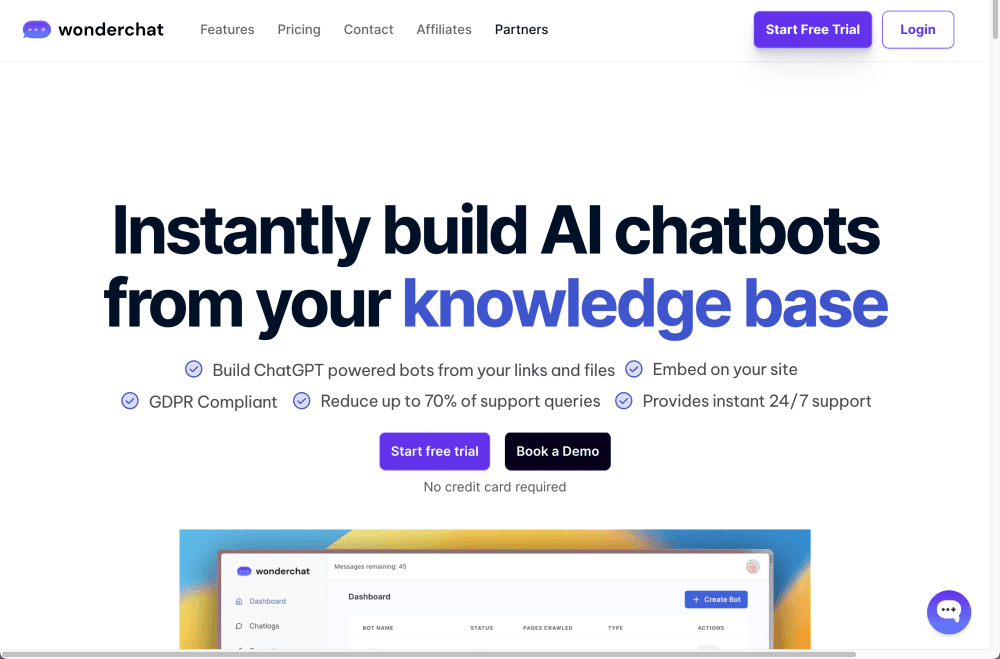
About Wonderchat
What Is Wonderchat
Wonderchat is a no-code platform for putting an AI chatbot on your website, app, or messaging channels. It reads your public pages, help center articles, PDFs, and exported support tickets, then answers visitor questions from that material instead of guessing. Each reply links to the page or file it came from, so a customer can check the answer and your team can spot where the knowledge base falls short.
The usual problem it solves is a support inbox full of the same ten questions, which is where most customer support AI projects start. Wonderchat's own customer stories describe ticket volume dropping after rollout, and the free plan exists so you can test that claim on your own traffic before paying. That's the useful way to read it: a small test on a live page, not a promise.
Two things set the boundary. First, the agent is only as good as what you feed it, so thin or outdated documentation shows up as bad answers. Second, chatbot pricing runs on message credits rather than per seat, which suits teams with steady traffic and punishes spiky volume less kindly.
Getting Started
- Sign up at app.wonderchat.io. The free plan needs no credit card and comes with 20 credits, 50 stored webpages, and one agent.
- Add sources. Paste your site URL, upload PDFs and docs, or connect Google Drive, SharePoint, or your helpdesk so the bot trains on content you already trust.
- Pick a model and shape the behavior. Ten model options sit under the hood, and custom instructions set the tone, scope, and refusal rules.
- Install the widget and run test questions. Embed the chat widget on your site, or connect WhatsApp, Slack, Telegram, or SMS.
- Watch the Review inbox. The QA agent flags weak answers and knowledge gaps, and you approve fixes with a click.
Product Information
A quick look at Wonderchat's pricing, supported platforms, and performance.
Best for
The users, tasks, and scenarios where this tool fits best.
Users
- Small support teams
- SaaS companies with a large help center
- Ecommerce stores
- Sales teams
Tasks
- Deflecting repetitive tickets
- Answering product questions with citations
- Qualifying website visitors
- Covering support after hours
Scenarios
- Testing AI support before committing
- Running support in several languages
- Filling internal knowledge gaps
Key features
Training on Your Own Content
Wonderchat crawls your website, ingests PDFs and documents, so you can train a chatbot on website content you already publish, and pulls from Zendesk, Google Drive, SharePoint, Confluence, and Freshdesk. A crawler handles password-protected pages so internal documentation can be indexed too. Data syncs on a schedule, so an edited article shows up in answers without a manual rebuild.
Source Citations on Every Answer
Each reply carries a link to the page, file, or ticket it drew on. Readers can verify the claim, and your team gets a paper trail when someone disputes what the bot said. Citation display is configurable, so you can choose how prominent the source appears in the widget.
QA Agent and Review Inbox
An AI reviewer reads every conversation after it ends and sorts problems into categories: thumbs-down feedback from real users, knowledge gaps, quick fixes where the answer existed but was missed, and conflicting content. Each item arrives with a drafted fix that you approve or reject with one click. Nothing changes in your knowledge base without your sign-off.
Human Handoff and Helpdesk Escalation
When the agent isn't confident, it offers a handoff. You set live agent hours, and outside them the conversation routes to email or straight into Zendesk or Freshdesk as a ticket. Agents can reply from their inbox or the live chat interface.
Voice, Phone, and Messaging Channels
Beyond the website widget, the same AI sales agent runs on WhatsApp Business, SMS through Twilio, Slack, Telegram, Discord, Microsoft Teams, Facebook Messenger, and Instagram. The phone side covers inbound and outbound calls with transfer to a person, and Twilio or Dialpad handles the lines.
Workflows, Analytics, and API
Multi-step workflows add conditional branching for tasks like order status lookups or meeting booking. The dashboard tracks resolution rate, top questions, and knowledge gaps, while automatic chatlog tags sort conversations by topic. A REST API rounds it out, with endpoints for chatting, managing pages and tags, exporting chatlogs, and setting lead details.
Pros and cons
Pros
- Answers cite their sources, which makes wrong information easy to trace and correct.
- Setup genuinely takes minutes, and the free plan needs no card, so the first test costs nothing.
- The QA agent turns every weak answer into a specific fix instead of leaving you to read chatlogs.
- Integrations cover the usual stack: Zendesk, Freshdesk, HubSpot, Salesforce, Slack, WhatsApp, and Zapier.
- Pricing is a flat monthly allowance rather than a per-resolution meter, so costs stay predictable as volume grows.
Cons
- Quality depends entirely on your documentation. Sparse or contradictory pages produce answers that look confident and read wrong.
- The Basic plan starts at $124 per month billed yearly, so this isn't a cheap entry point for a solo operator or a hobby site.
- Credits are shared across messages and resolutions. A traffic spike can burn through the monthly allowance and leave the agent quiet until it resets.
- Voice, advanced analytics, and helpdesk integrations sit on the Scale plan, which pushes most of the useful enterprise features above $400 a month.
Frequently asked questions
Wonderchat builds AI agents that answer customer questions on your website, app, WhatsApp, SMS, and messaging tools. It trains on your own documentation and past tickets, so replies reflect your product rather than generic AI knowledge.
Related content
Explore related tools, skills, and articles for Wonderchat.
Wonderchat Alternatives

ngram 2.0
ngram · Video · Marketingngram 2.0 is an AI video generator for teams. It turns a prompt, a screen recording, or a product URL into a narrated explainer, product demo, or AI avatar video, and every scene stays editable.

shippedit.me
Krawlup · Marketing · Businessshippedit.me now redirects to Krawlup, a web platform that audits SEO, AEO and page speed every week, then hands the fixes to AI coding agents over MCP.

MePersona
MePersona, Inc. · Writing · Productivity · MarketingMePersona is an AI unified inbox for creators. It learns your voice, drafts replies to fan messages from 12 platforms, and sends only what you approve.