

Wondering
Wondering · Leaning
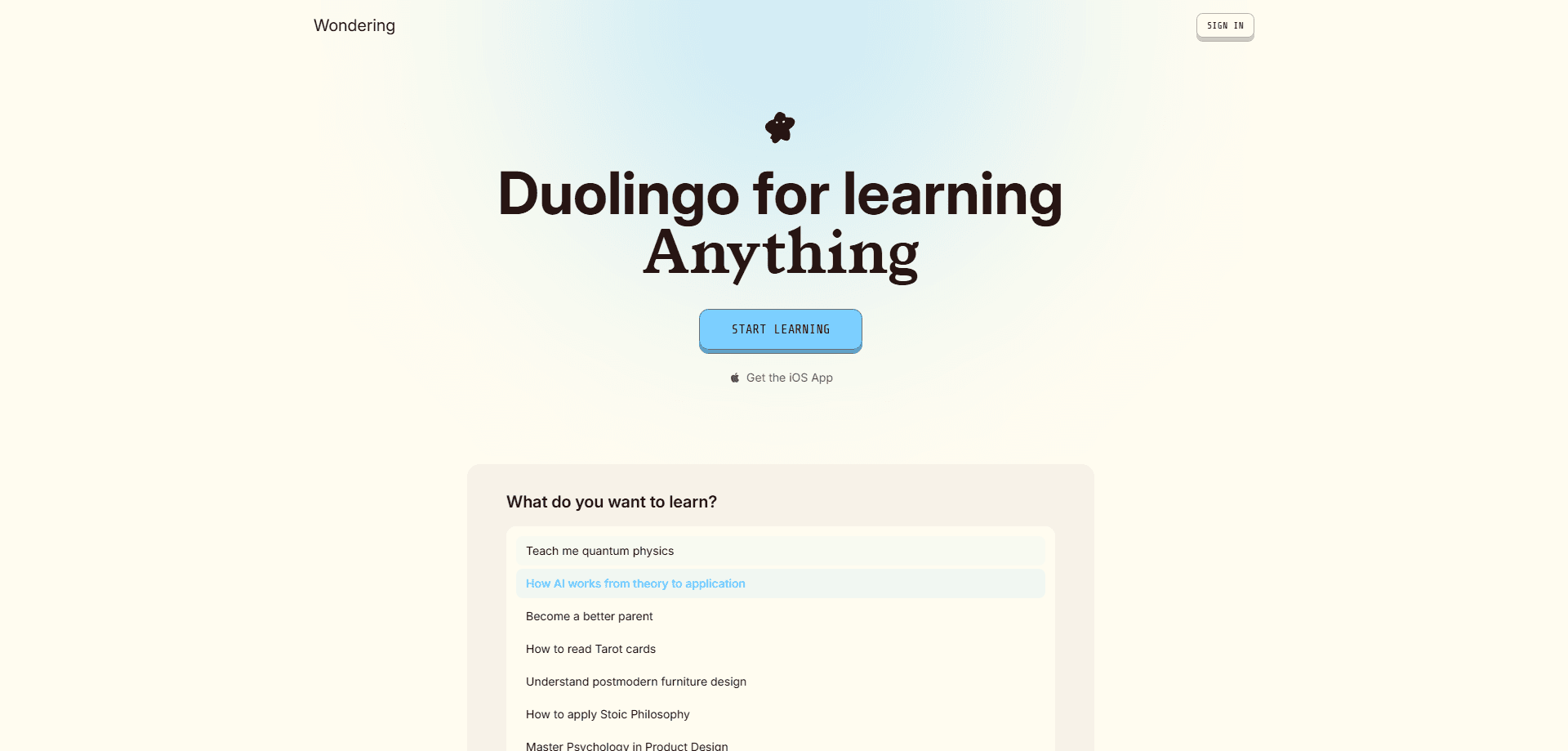
Wondering is an AI learning platform built around a single promise: help you learn what you thought you couldn't. You type in a topic, tell it a bit about your job and goals, and it builds a structured course for you. Not a playlist. Not a pile of links. A course with an order, an arc, and a finish line. The lessons are short. Most run about three minutes, which is roughly the length of a coffee break or the walk between two meetings. Each one mixes visuals, audio, and small interactive exercises instead of a wall of text. That microlearning format is the whole bet: learn a little every day and let repetition do the rest. The catalog leans heavily toward AI and adjacent skills, but the course builder will happily generate something on distributed systems, astronomy, or linear algebra if that's what you ask for. Wondering positions itself as the anti-Duolingo. There's no streak guilt, no gamified nagging, and no 47-tab dashboard. You learn a little, you practice a little, and the platform tracks what you've mastered versus what still needs review. It's aimed at working professionals who want to be the person in the room who actually understands AI, rather than collecting certificates they never use.
About Wondering
What Is Wondering
Wondering is an AI-powered learning platform that generates personalized courses on demand. The core idea is that generic courses waste your time because they teach what you already know and skip what matters to your actual work. Wondering tries to flip that: you answer a short set of questions about your role, your goals, and what you want to learn, and it assembles a course outline aimed at you. You can adjust the outline before committing to it.
From there, the platform produces lessons in a mix of formats. Visual explanations, podcast-style audio you can listen to while commuting, and interactive practice questions. The material is broken into three-minute chunks, and the system uses spaced repetition to resurface things you're about to forget. There's also a live voice tutor for when you want to talk through a concept out loud, plus an integration that lets AI assistants like Claude Desktop or Cursor pull in your learning context through an MCP server.
The courses are opinionated about scope. Rather than covering an entire field, a Wondering course tends to pick a specific goal and build toward it. The platform says it skips what you already know and pulls examples from the work you actually do.
Getting Started
- Go to wondering.app and sign in with Google or Apple. No card is required to start.
- Answer the onboarding questions about your role, expertise, and what you want to learn. Keep the topic you care about most; you can add others later.
- Review the generated course outline and adjust the order or drop anything you don't need.
- Start your first three-minute lesson. It opens by telling you to skip ahead if you can already answer its opening question.
- Learn a little each day. The platform tracks what you've learned and what needs review, and you can generate more courses whenever you want.
Product Information
A quick look at Wondering's pricing, supported platforms, and performance.
Best for
The users, tasks, and scenarios where this tool fits best.
Users
- Working professionals who want practical AI literacy rather than academic theory
- Self-directed learners who bounce off rigid, semester-long courses
- People with short, unpredictable windows of free time during the day
- Anyone who wants a course tailored to their specific job and goals
Tasks
- Building a structured understanding of AI concepts from scratch
- Turning a vague goal into a concrete learning path with an order
- Reviewing and retaining material through spaced repetition
- Generating podcast-style audio for hands-free learning
- Creating new courses on demand as interests shift
Scenarios
- A commute or coffee break where you have three minutes to spare
- Preparing to sound credible in a design review or strategy meeting
- Studying for a career pivot into AI-adjacent roles
- Filling gaps in knowledge that a generic online course skipped
Key features
Personalized Course Generation
The centerpiece is the course generator. You give Wondering a topic and some context about yourself, and it returns a course outline with a deliberate order. The onboarding asks what you do and what you want to learn, and the platform says it uses examples relevant to your role and expertise. The pitch is that two people asking for a course on the same subject get different courses, because they have different jobs. Why does that matter? Because most learning platforms treat everyone the same. You start at lesson one and wade through fundamentals you already know before reaching anything useful. Wondering tries to cut that front-loaded boredom. You keep what you care about, explore other angles later, and the outline is editable before you start. The free tier lets you test the generation flow before paying, which is the right way to do it. Generate a course, read the first outline, and decide whether the structure actually matches what you wanted.
Three-Minute Visual Lessons
Lessons are sized for real life. The platform talks about three minutes a day, lessons a commute long, and a version that fits in the gap between meetings. Each lesson blends visuals with text and audio rather than dumping a transcript on you. The claim is a full course of short, three-minute audio and visual lessons personalized to you. The visual approach is the part that stands out. Instead of a chat window that spits out paragraphs, Wondering renders explanations as structured visual content. That's a real difference if you've ever tried to learn from a wall of AI-generated prose and found your eyes glazing over. Short lessons also lower the activation energy. A three-minute commitment is easy to say yes to, and the platform nudges you toward doing a little every day instead of bingeing and forgetting.
Audio Lessons and Podcasts
Every course can be consumed as audio. Wondering generates podcast-style lessons so you can learn while walking, driving, or doing dishes. On the Max tier, the platform lets you generate up to 90 podcasts a month, which is far more than most people would ever listen to. The audio mode is what makes the three-minute framing useful in the real world. Plenty of people can't sit still and read a lesson, but they can listen to one on the way to work. It's not a replacement for the visual lessons. It's the same material in a format that fits a different part of your day. If you learn best by listening, this is the feature that decides whether Wondering works for you.
Interactive Practice and Spaced Repetition
Wondering doesn't stop at consumption. Courses include practice, described as multiple formats covering flashcards, multiple choice, and cloze deletion. Cloze deletion is the fill-in-the-blank style that forces active recall instead of passive recognition, and it's a common technique in serious learning tools. The platform pairs practice with spaced repetition, resurfacing material you're about to forget. This is the mechanism that separates learning from reading. You can watch a hundred videos and retain almost nothing. You can answer a handful of well-timed questions and retain far more. Wondering tracks a split between what you've learned and what still needs review, so you know where to spend your attention instead of guessing.
Live Voice Tutor Sessions
Beyond static lessons, Wondering offers live voice sessions with an AI tutor. You can ask the tutor a question and talk through a concept out loud. The free tier includes one live voice session a month, Pro bumps that to fifteen, and Max goes to forty-five. Talking through a concept is one of the fastest ways to find out whether you actually understand it. The voice tutor gives you something to think against, which is more useful than rereading a lesson when you're stuck. The monthly caps are the honest limitation here. Fifteen sessions a month is plenty for most people, but one on the free tier is a taste, not a habit. If live tutoring is the feature you came for, factor the tier limits into your decision.
MCP Integration for AI Assistants
One of Wondering's more unusual features is an MCP server that connects the platform to AI assistants like Claude Desktop or Cursor. That means you can ask your assistant to pull in your learning context, or to have Wondering generate a course and quiz you on it. The platform even ships example prompts, like asking your assistant to find what you learned yesterday and quiz you using the practice questions from those lessons. This is available on Pro and Max, not the free tier. It's the feature that turns Wondering from a standalone app into part of a larger workflow. If you already live in Claude or Cursor, having your learning platform speak the same protocol is genuinely useful. For everyone else, it's a nice extra rather than a reason to subscribe.
Courses Drawn From Real Sources
Underneath the generation, Wondering points to a reference library built on openly licensed material. The platform mentions more than 1,500 openly licensed textbooks and a workflow that turns them into personalized courses. It also describes courses built from real research, such as studying design roles at OpenAI, Anthropic, Google DeepMind, Cursor, and Figma to map what AI now asks of designers. That sourcing approach matters for trust. An AI course is only as good as what it was built from, and citing real material is better than generating plausible-sounding filler. It doesn't guarantee every lesson is accurate, and you should still treat AI-generated content as a starting point rather than gospel, but grounding courses in identifiable sources is the right instinct.
Pros and cons
Pros
- Personalized course generation means you skip material you already know
- Three-minute lessons fit into real gaps in a working day
- Audio and podcast formats make hands-free learning possible
- Spaced repetition and practice formats support actual retention
- Free tier lets you test the course generator before paying
Cons
- Content leans heavily toward AI topics, so it's less useful for unrelated subjects
- Live voice sessions are tightly capped on the free tier and modest on Pro
- MCP integration is reserved for paid tiers
- iOS app is available but Android isn't yet
- The catalog is still growing, so niche topics may produce thinner courses
Frequently asked questions
Wondering is an AI-powered learning platform that generates personalized courses from a topic you choose. It builds a structured outline, then delivers lessons as short visual content, audio and podcast episodes, and interactive practice with spaced repetition.
Related content
Explore related tools, skills, and articles for Wondering.
Wondering Alternatives

Kaggle AI
Google · Coding · LeaningKaggle AI is a community platform where people build, test, and compare machine learning models against shared data. It combines data science competitions, tens of thousands of public datasets, and free cloud notebooks with GPU and TPU access, so anyone with a browser can train a model without buying hardware. Google owns the platform, and joining costs nothing.

Bunch
Bunch AI · Leaning · BusinessBunch is an AI leadership coaching app that turns a few spare minutes a day into real management practice. It hands you one short, personalized tip each day, tracks how you respond, and lets you compare notes with peers inside private groups. The pitch is simple: you lead better by practicing a little, often, instead of sitting through a weekend seminar. Think of it as a leadership training app you actually open.

AI Mock Interview
SQLPad · Coding · LeaningAI Mock Interview is a practice tool built into SQLPad that simulates real job interviews and gives you instant feedback on both what you say and how you say it. You pick a role template or upload a job description, answer questions out loud in real time, and then review a transcript with notes on structure, clarity, and grammar. It's aimed at data professionals prepping for SQL, Python, data engineering, machine learning, and system design roles, and it works entirely in the browser. No install needed.