

Dr.Fone: Photo & Data Recovery
Wondershare · Coding · Productivity
Dr.Fone: Photo & Data Recovery is a mobile management toolkit from Wondershare that recovers deleted photos, WhatsApp chats, messages and files from both iOS and Android devices. It also covers iOS system repair, Android repair, screen unlocking and phone-to-phone transfer, all inside one desktop app. More than 50 million people use it, and the recovery tools work even when a phone won't boot normally.
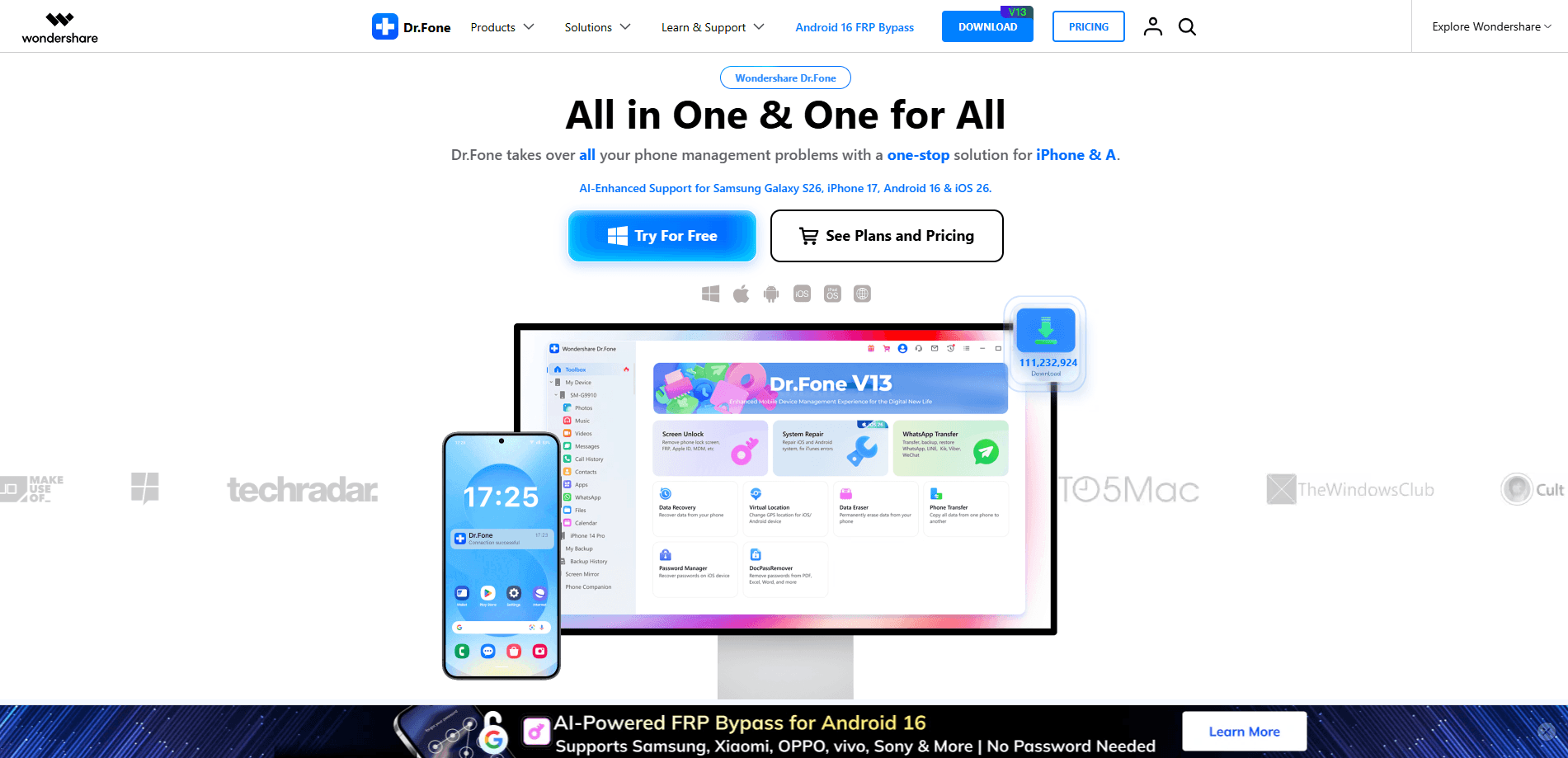
About Dr.Fone: Photo & Data Recovery
What Is Dr.Fone: Photo & Data Recovery
Dr.Fone: Photo & Data Recovery is a photo recovery app and phone data recovery tool built by Wondershare, a company that has spent 17 years on consumer phone software. The name undersells it a bit: recovery is the headline feature, but the same app handles screen unlocks, system repairs and WhatsApp transfers. You run it on a Windows or Mac computer and connect your phone over USB.
The main problem it solves is accidental deletion. Someone clears a photo album, wipes WhatsApp by mistake, or drops a phone that then refuses to turn on. Dr.Fone scans the device memory and pulls back files that most people assume are gone for good. There's an Android app for lighter tasks, but the heavy recovery work happens on the desktop version.
The catch is cost and limits. The free trial lets you scan and preview what's recoverable, but saving the files needs a paid plan. So what do you actually get for free? A look, nothing more. It also can't recover data that has already been overwritten by new activity, so the faster you stop using the phone, the better your odds.
Getting Started
- Download Dr.Fone from the official Wondershare site and install it on your Windows PC or Mac.
- Open the app and pick a module from the home screen, such as Data Recovery or Phone Transfer.
- Connect your iPhone or Android phone with a USB cable and let the software detect it. On Android, enable USB debugging first.
- Choose the file types you want back, then start the scan and wait for it to finish.
- Preview the results, then save the recovered files to your computer. A paid license is required for this last step.
Product Information
A quick look at Dr.Fone: Photo & Data Recovery's pricing, supported platforms, and performance.
Best for
The users, tasks, and scenarios where this tool fits best.
Users
- Android owners who deleted photos or chat history and haven't added much new data since
- iPhone users dealing with a phone that froze on the Apple logo or won't get past recovery mode
- People switching phones who want WhatsApp and WeChat histories to move across in one go
- Anyone locked out of a Samsung or older iPhone and unwilling to wipe the whole device
Tasks
- Scanning phone storage for deleted photos, videos, and documents before anything overwrites them
- Pulling WhatsApp messages and attachments off a broken phone with a cracked or dead screen
- Fixing an iOS system error at home instead of booking a repair appointment
- Copying contacts, call logs, and music from one device to another over a cable
Scenarios
- A phone died mid-upgrade and now loops on the boot screen with photos still inside it
- Clearing a WhatsApp thread by mistake and wanting those conversations back before new messages pile up
- Moving everything to a new handset on the same evening you buy it
- Recovering a locked, second-hand phone for its original owner without erasing the storage
Key features
Photo and Video Recovery From Dead Devices
The recovery module scans internal storage for deleted pictures, videos, and documents, and it works on phones that won't fully start as long as the hardware still responds. You select file types before the scan to keep it quick, then preview thumbnails before saving anything. For cameras and SD cards, the same engine reads the card directly.
WhatsApp, Viber, LINE and WeChat Transfer
This tool moves chat histories and attachments between iOS and Android phones, including across platforms. It also backs up and restores those chats, which matters when the phone in question is broken but still readable over USB. If you've ever tried moving WeChat from an iPhone to a Samsung by hand, you know why this saves time.
iOS System Repair Without Data Loss
The iOS repair mode fixes common errors like a stuck recovery screen, white Apple logo, or endless restart loop. It offers a standard repair that keeps your data and a deeper mode for worse corruption. Standard repair is usually enough, and it's the version most people should try first.
Android Repair and Screen Bypass
Used as an Android repair tool, this module handles system crashes, black screens, and boot failures, plus clearing of common lock types on Samsung and a range of other brands. It warns you to back up first, which is fair, since the deep repair path can clear the device. There's also a passcode bypass for older iPhones with forgotten codes.
Phone-to-Phone File Transfer
Phone Transfer copies contacts, messages, photos, and apps from one phone to another over a cable, with no cloud round trip. It supports iOS-to-iOS, Android-to-Android, and mixed moves. Doing this offline keeps your data on your own machines, which some users care about.
Toolkit Breadth Beyond Recovery
Data eraser, duplicate cleaner, and a phone mirroring tool round out the package, so the license covers more than recovery alone. This is the practical argument for buying it over a single-purpose recover utility: one install handles several jobs your phone will need eventually.
Pros and cons
Pros
- Recovers deleted photos, chats, and documents from phones that won't boot, which is where most free tools give up
- Handles iOS and Android in one app, including cross-platform WhatsApp transfers
- Preview-before-save means you can confirm what's actually recoverable before paying
- Bundles repair, transfer, and cleanup tools under one license, so it isn't strictly a recovery-only buy
Cons
- No free saving. The trial only scans and previews, so you pay before you get a single file back
- Recovery fails on data that's already been overwritten, so results depend on how quickly you act
- Foreign names for the deep repair modes can make it unclear which option risks wiping the phone
- The desktop-only workflow means you need a computer, a cable, and working USB drivers on hand
Frequently asked questions
Often yes, if the storage space hasn't been reused. Deleted files stay in phone memory until new data writes over them, so scan as soon as you notice the loss and avoid taking new photos in the meantime. Results vary by device and how much time has passed.
Related content
Explore related tools, skills, and articles for Dr.Fone: Photo & Data Recovery.
Dr.Fone: Photo & Data Recovery Alternatives
Forefront
Forefront · CodingForefront is a web platform for building with open-source AI. It lets you fine-tune leading open-source language models on your own data, evaluate how they perform, and run them through an API or export them to host yourself. Developers who want the convenience of a closed-source platform but insist on owning their models and data are the target audience here.

Startkit
StartKit.AI · CodingStartkit is a boilerplate for building AI SaaS and AI wrapper products. Think of it as an AI startup boilerplate with the boring parts already wired up: authentication, Stripe and Lemon Squeezy payments, usage limits, transactional email, and an AI API starter that talks to OpenAI, Anthropic, Groq, or Llama. You clone the repo, set your price, and start on the part of your product that people actually pay for. It's Next.js under React and Tailwind, so most of the boilerplate code already feels familiar.
Testim
Tricentis · CodingTestim is an AI-powered test automation platform for building and running end-to-end tests across web, mobile, and Salesforce applications. It leans on machine learning to keep tests stable when an interface changes, so teams spend less time fixing broken selectors. Not bad for an automated testing tool you can start using today. You create tests by recording actions in a browser, then optionally add JavaScript when you need more control. It's a solid pick for busy QA teams.