

Word Up: AI Keyboard Assistant
PXLPEAR LLC · Writing
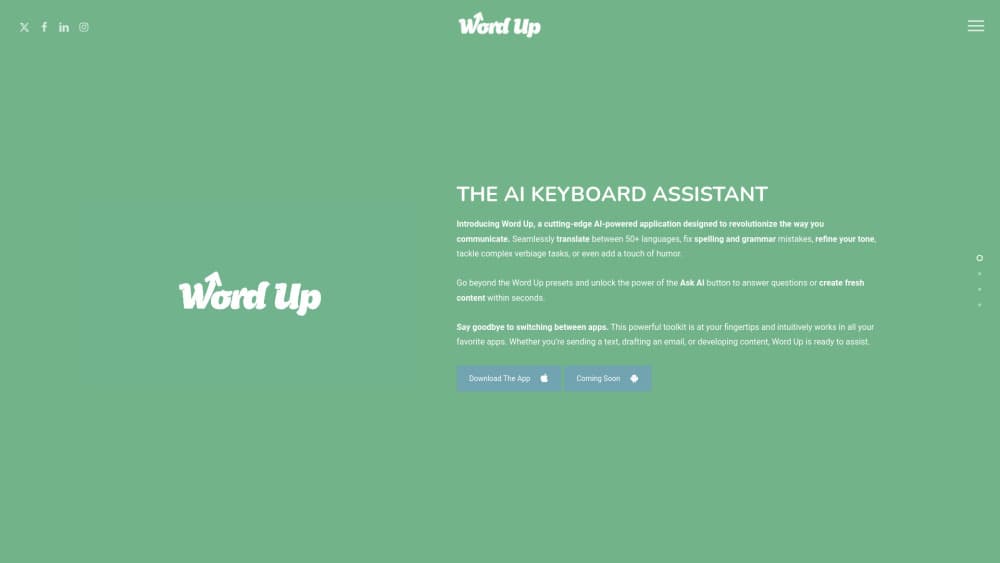
Word Up is an AI writing assistant that runs as an iPhone and iPad keyboard. It rewrites, translates, and answers questions from inside any app, so you fix a message without switching screens.
About Word Up: AI Keyboard Assistant
What Is Word Up
Word Up is an AI keyboard assistant built by PXLPEAR LLC, a small studio that shipped the first version in September 2024. The idea is simple: instead of opening a chatbot, copying text out, and pasting it back, you get the AI wherever you type. The app installs as a custom iOS keyboard, which means it works inside Messages, Mail, Instagram, WhatsApp, and the rest of your phone's apps.
The toolkit covers the writing jobs people run into every day. You can translate text across more than 50 languages, fix spelling and grammar, and shift the tone of a message toward professional, friendly, or confident. Beyond the presets, an Ask AI button answers questions or drafts fresh content, and smaller tools handle hashtags, emoji, summaries, and smart replies.
The main limitation is scope. Word Up is iOS-only, so Android users are out of luck, and the interface and store listing ship in English. It's also quite new. There's a single point release behind it, and PXLPEAR hasn't published a public roadmap, so the feature set could still change quickly.
Getting Started
- Download Word Up free from the App Store on an iPhone or iPad running iOS 15.0 or later.
- Open the app, then add Word Up as a keyboard under Settings, General, Keyboard, Keyboards.
- Turn on full access for the keyboard so it can reach the AI service, since translation and rewriting need a connection.
- Open any app and switch to the Word Up keyboard when you want to write or edit.
- Type or paste your text, pick a tool like Translate or Tone Changer, and insert the result.
Product Information
A quick look at Word Up: AI Keyboard Assistant's pricing, supported platforms, and performance.
Best for
The users, tasks, and scenarios where this tool fits best.
Users
- Frequent texters and email writers
- People writing in a second language
- Support and sales staff replying all day
- Students and casual writers
Tasks
- Rewriting a message before you send it
- Translating on the fly
- Fixing spelling and grammar
- Answering a question mid-conversation
- Generating small extras
Scenarios
- Replying to a client while you're on the move
- Chatting with someone abroad
- Catching mistakes before a message is out
Key features
AI keyboard that works in any app
Word Up runs as an iOS keyboard, so it shows up inside Messages, Mail, WhatsApp, Instagram, and most other apps rather than living in its own window. You activate it when you need it and switch back to your normal keyboard when you don't. That's the whole point of the product: no app hopping, no copying text to a chatbot and back. It's a custom keyboard, so it needs full access turned on in settings before the AI tools will work.
Translation across 50 or more languages
The translator converts text between more than 50 languages right from the keyboard. You can read a message you can't parse, or write a reply in a language you only half know, without opening a second app. For anyone who chats across borders, that turns the keyboard into a live translation layer. Accuracy varies by language pair, so a native speaker may still catch the odd awkward phrase.
Tone Changer
Tone Changer rewrites a draft so it lands differently: more professional, friendlier, or more confident, among other options. Type a blunt line, and it can smooth the edges before you hit send. It's the kind of tool that helps when the point is fine but the phrasing could cost you. You still review the result, since a tone shift sometimes drifts from what you meant.
Ask AI button
Beyond the fixed presets, an Ask AI button answers questions or drafts content on the spot. You type a prompt at the cursor and get a response inside whatever app you're already using. That moves a chunk of chatbot work into the keyboard itself. It's flexible, but it still depends on a connection, and the answers are only as good as the model behind them.
Quick utility tools
Word Up bundles a set of small helpers: hashtag generation for social posts, an emojify option, a summarizer for long text, smart replies, and inspirational quotes. None of them is deep on its own, but together they cover the little tasks that come up while you write. They're aimed at speed rather than craft, so treat them as shortcuts for routine messages.
On-the-fly email and message drafting
Since the keyboard sits inside Mail and messaging apps, you can draft a reply, an outreach note, or a product blurb without leaving the conversation thread. The Ask AI button produces a starting draft you then shape. That's handy when you need to answer fast and the blank page is the problem. Longer or more careful writing still goes better in a full editor with more room to think.
Pros and cons
Pros
- The AI lives in the keyboard, so you edit text where you already type instead of bouncing between apps.
- The free download plus a monthly or annual upgrade lets you try the tools before committing.
- Translation covers more than 50 languages, which fits anyone talking to people abroad.
- The toolset spans rewriting, translating, grammar, and small utilities, so one app covers several daily writing jobs.
- Tone Changer and smart replies speed up routine replies that need to sound right, not just be correct.
Cons
- It's iOS-only, so there's no Android version and no way for Android users to try it.
- The interface and store listing are in English only, which adds friction for non-English speakers.
- Context switching to a custom keyboard can feel slow if you type fast on the default one.
- The app is early, with a single update behind it and no published roadmap, so features may still shift.
- AI output needs a check before you send, since a rewrite can drift from your intent.
Frequently asked questions
Word Up is an AI keyboard assistant for iPhone and iPad that rewrites, translates, and answers questions inside other apps. You use it while texting, emailing, or posting, so common writing fixes happen without leaving the screen you're on.
Related content
Explore related tools, skills, and articles for Word Up: AI Keyboard Assistant.
Word Up: AI Keyboard Assistant Alternatives

Google EmbeddingGemma 2
Google DeepMind · Writing · Image · CodingGoogle EmbeddingGemma 2 is a 740M-parameter open model that turns text, code, images, audio, and video frames into vectors in one 768-dimension space, running on phones and laptops.

MePersona
MePersona, Inc. · Writing · Productivity · MarketingMePersona is an AI unified inbox for creators. It learns your voice, drafts replies to fan messages from 12 platforms, and sends only what you approve.

Fluence
Yay Software (Yannick Huchard) · Writing · Voice & Language · ProductivityFluence is an Android app that reads PDFs, EPUBs, Word files and web articles aloud, follows each sentence as it speaks, and answers questions about the text on the phone itself.