

Wordtune
AI21 Labs · Writing
Wordtune is an AI writing assistant and AI rewriter that helps you polish tone, grammar, and clarity, then keeps your writing consistent across the browser and desktop.
About Wordtune
What Is Wordtune
Wordtune is an AI writing assistant built by AI21 Labs. It rewrites sentences, adjusts tone, checks grammar, and summarizes long text, so you can say what you mean without wrestling with every line. The tool runs in a browser editor, a Chrome extension, and desktop apps, which means you can reach it wherever you already write.
The problem it solves is everyday. You know what you want to say, but the sentence comes out stiff, wordy, or too casual for the moment. Wordtune offers context-based alternatives and lets you pick the one that fits your style, tone, and subject. People who write in English as a second language lean on it heavily because it reshapes awkward phrasing into something that reads natural.
The main limit is scope. Wordtune focuses on polishing and rephrasing text you already have, not on inventing long documents from a blank page the way a chat assistant does. Free accounts get a small daily allowance of rewrites and AI suggestions, so heavier users end up on a paid plan.
Getting Started
- Sign up at the Wordtune site with a Google, Microsoft, or email account, then open the browser editor.
- Write or paste your text, and use the Chrome extension if you want Wordtune to rewrite directly inside Gmail, Google Docs, or LinkedIn.
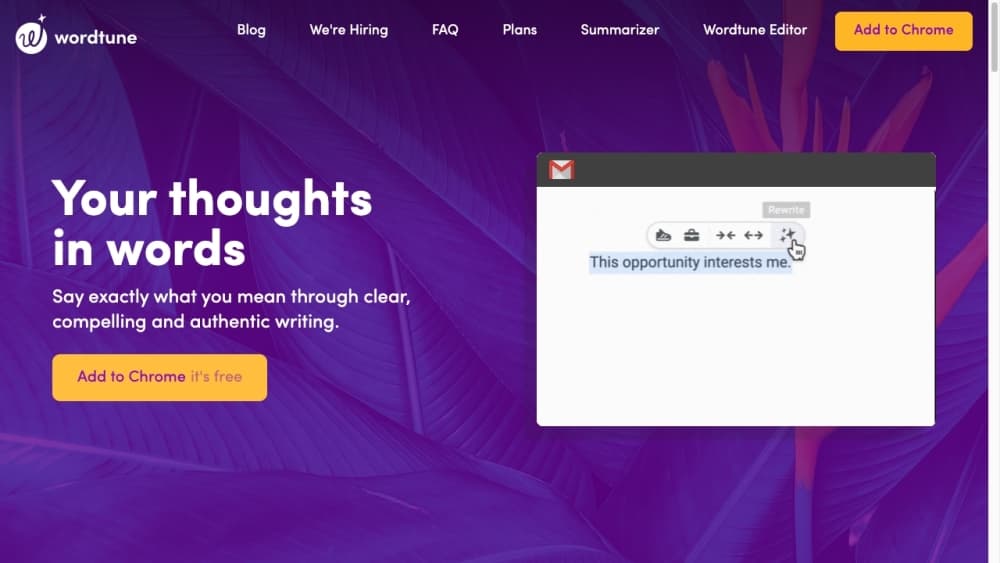
- Highlight the sentence you want to change and click Rewrite to see suggestions.
- Pick a tone or length option, like formal, casual, shorter, or longer, and choose the suggestion that fits.
- Use Summarize on a long article or thread to pull out the key points, then copy the result into your own document.
Product Information
A quick look at Wordtune's pricing, supported platforms, and performance.
Best for
The users, tasks, and scenarios where this tool fits best.
Users
- Non-native English speakers
- Students and researchers
- Social media and marketing teams
- Customer support teams
Tasks
- Rewriting stiff sentences
- Adjusting tone and length
- Checking grammar and spelling
- Summarizing long text
- Finding better words
Scenarios
- Sending emails in a second language
- Polishing a research paper
- Drafting social captions at volume
Key features
Context-Based Rewrite
Wordtune reads the sentence around the one you selected, then offers a list of ways to paraphrase it that keep the same meaning. You choose the version that sounds right, which keeps your own voice in the text instead of handing it to the AI. The suggestions come in different structures, from a tighter version to a more detailed one.
Tone and Length Control
Each rewrite can be steered toward a formal or casual register, and you can ask for a shorter or longer result. This matters when a single draft has to serve two audiences, like a note that goes to a teammate and then to a client. You get the same idea dressed for the room you are in.
Grammar and Spelling Checks
Wordtune acts as a grammar checker and spelling tool, flagging issues and rewriting phrasing that reads awkward, so a message is clean before you hit send. The corrections run as you type in the browser editor, the extension, and the desktop apps. It is the safety net that catches the small errors that make a good point look careless.
AI Summarizer
Paste a long article, report, or thread and Wordtune condenses it into the main points. Research-minded users use it to sort the sources worth reading in full from the ones to skip. The summary is generated from the text in front of it, so it reflects that document rather than general knowledge.
Smart Translate and Synonyms
Write in your native language and Smart Translate turns it into English that fits the surrounding text, which helps non-native speakers keep a steady voice. The synonym tool swaps a word that reads flat for a sharper one when a sentence feels repetitive. Both work inside the same editor, so you do not jump between tools.
Cross-Platform Writing
Wordtune lives in a browser editor, a Chrome extension, and Windows and macOS apps. The extension rewrites directly inside Gmail, Google Docs, and other sites you already use at work. That reach means the same assistant follows you from a phone draft to a desktop document.
Pros and cons
Pros
- Rewrites keep your original meaning while offering several structural choices, so you stay in control of the final line.
- Tone and length controls solve a real problem for bilingual writers, letting one draft serve formal and casual readers.
- The Chrome extension works inside Gmail, Google Docs, and LinkedIn, so you never copy text out to a separate tool.
- Free accounts include a daily allowance of rewrites and AI suggestions, enough to test the workflow before paying.
- The summarizer fits a research habit, cutting long sources down to the parts worth your time.
Cons
- Free users hit a daily cap of 10 rewrites and 3 monthly summaries, so regular use pushes you toward a paid plan quickly.
- The tool polishes text you already wrote far more than it generates long new content, which limits it for people who want a full draft.
- There is no clear public API for developers, so teams that want to build Wordtune into their own product cannot count on one.
Frequently asked questions
Wordtune rewrites and rephrases sentences, adjusts their tone and length, checks grammar and spelling, and summarizes long text. It works as a browser editor, a Chrome extension, and a desktop app for Windows and macOS.
Related content
Explore related tools, skills, and articles for Wordtune.
Wordtune Alternatives

Google EmbeddingGemma 2
Google DeepMind · Writing · Image · CodingGoogle EmbeddingGemma 2 is a 740M-parameter open model that turns text, code, images, audio, and video frames into vectors in one 768-dimension space, running on phones and laptops.

MePersona
MePersona, Inc. · Writing · Productivity · MarketingMePersona is an AI unified inbox for creators. It learns your voice, drafts replies to fan messages from 12 platforms, and sends only what you approve.

Fluence
Yay Software (Yannick Huchard) · Writing · Voice & Language · ProductivityFluence is an Android app that reads PDFs, EPUBs, Word files and web articles aloud, follows each sentence as it speaks, and answers questions about the text on the phone itself.