

WorkWeave
Weave (WorkWeave) · Coding
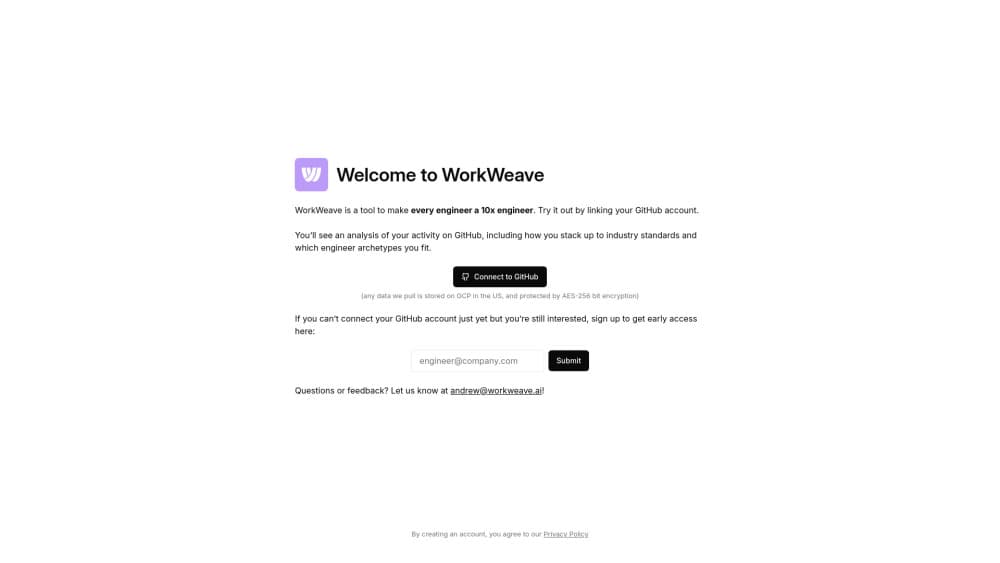
WorkWeave is an engineering intelligence platform that links AI usage and token spend to shipped code. Its router sends each coding agent prompt to the cheapest model that clears your quality bar.
About WorkWeave
What Is WorkWeave
WorkWeave is a measurement layer for software teams that now write code with AI assistants. It pulls commits, pull requests, reviews, deploys, billing data and agent telemetry into one place, then reports on what the team actually shipped. The pitch is narrow and specific: stop guessing whether Cursor or Claude Code is paying off, and look at the number.
The company now runs its site as Weave, and the product has grown past dashboards. A coding agent router sits next to the analytics, aimed at the same buyer. Teams get developer productivity analytics for humans and cost control for the agents working beside them.
The ceiling is real. Numbers are only as good as the connectors you feed them, and a team that never links billing or AI telemetry will see a thin slice of the picture. Per-engineer pricing also adds up quickly once headcount grows.
Getting Started
- Sign up with GitHub and name your workspace.
- Connect repositories plus your AI tools, such as Claude Code, Cursor or Copilot, so commit and token data starts flowing.
- Invite engineers and assign roles. Individual stats and PR drill down need the Pro plan.
- Open the AI ROI view, or ask Wooly a question in plain English.
- Optional: install the router and point your coding clients at it.
Product Information
A quick look at WorkWeave's pricing, supported platforms, and performance.
Best for
The users, tasks, and scenarios where this tool fits best.
Users
- Engineering leaders at 20 to 500 person teams
- Platform and developer experience groups
- Finance partners who own the AI budget
Tasks
- Measuring AI ROI
- Finding delivery bottlenecks
- Cutting model costs
- Preparing a quarterly engineering review
Scenarios
- Rolling out Claude Code or Cursor to a whole team
- Steering AI adoption without gut feeling
- Auditing quality drift after agents write more code
Key features
Engineering Intelligence Dashboard
Weave combines AI metrics, DORA metrics, SPACE signals and developer feedback in one view, from prompt to production. Commits, tokens, pull requests, reviews and deploys land on the same timeline, so a cycle time spike has a visible cause. Org level charts come with the free Starter plan; team and individual cuts need Pro.
AI Usage and AI ROI Reporting
AI usage metrics show how much of the codebase agents touch, and the ROI view ties that share to output, quality and cost. Each engineer gets an AI usage figure next to an AI score. The company reports that customers see a lift in measured output within weeks. That figure comes from vendor case studies, not independent research.
Token Intelligence and Dev FinOps
Token spend tracking connects model bills to engineering results, so every shipped feature carries a price. Teams can benchmark their return against a pool of more than 1,000 organizations, and spot projects where the model bill outruns the value delivered. This is the feature finance teams ask for first.
LLM Router for Coding Agents
The Weave Router classifies each prompt in milliseconds and sends it to a model that fits the job. A cache aware rule only routes down when the saving beats the cost of rebuilding the cache, and an escalation check pulls stalled tasks back to a frontier model. Setup is one install command plus an environment variable per provider, and Claude Code, Codex and Cursor keep working unchanged.
Wooly AI Agent
Wooly is a research agent that answers questions about your engineering org with cited sources. Ask why cycle time jumped last sprint and it returns the pull requests, reviews, agent runs and billing lines behind the answer. It works inside the app and through an MCP connection for other tools.
Code Quality and Review Analytics
Quality signals include AI code authorship, code turnover, revert rates and review depth, sliced by repo, team or individual. PR drill down shows the actual diff and comment thread, which is what makes a metric arguable rather than abstract. Reviewers can point at a specific pull request instead of a trend line.
Pros and cons
Pros
- Free Starter plan covers org level AI usage, process and quality metrics, so a pilot costs nothing.
- Ties AI spend to shipped output instead of counting prompts or seats.
- The router drops into existing Claude Code, Codex and Cursor setups with one command.
- Wooly answers in plain language with sources attached, which shortens weekly reporting.
- SOC 2 Type II, third party audits, SSO and role based access are in place for enterprise review.
Cons
- At $50 per engineer per month, a 100 person org pays $60,000 a year before enterprise add-ons.
- Individual stats, PR drill down and Wooly sit behind Pro, so the free plan stays shallow.
- Meaningful numbers need GitHub plus AI telemetry and billing connectors, and setup work lands on whoever owns the integration.
- Router savings come from vendor run benchmarks, so treat the percentages as a claim to test on your own repos.
Frequently asked questions
It measures engineering work end to end: commits, pull requests, reviews, deploys, AI usage and token spend. Those signals roll into AI ROI, DORA metrics, quality and output scores for an org, a team or a single engineer.
Related content
Explore related tools, skills, and articles for WorkWeave.
WorkWeave Alternatives

Base Code
Base44 (Wix) · Coding · ProductivityBase Code is a shared cloud development environment from Base44. Teammates describe changes to an existing GitHub codebase in chat, preview them live and send them back as pull requests.

Google EmbeddingGemma 2
Google DeepMind · Writing · Image · CodingGoogle EmbeddingGemma 2 is a 740M-parameter open model that turns text, code, images, audio, and video frames into vectors in one 768-dimension space, running on phones and laptops.

GitGlow
GitGlow · Coding · ProductivityGitGlow is a local-first desktop Git client that lets independent developers review their own code and their AI agents' changes in one place before shipping.