

WP Safe AI
WP Safe AI · Other
WP Safe AI is a WordPress security service that pairs AI malware scanning with human experts to clean hacked sites, usually within 24 hours.
About WP Safe AI
What Is WP Safe AI
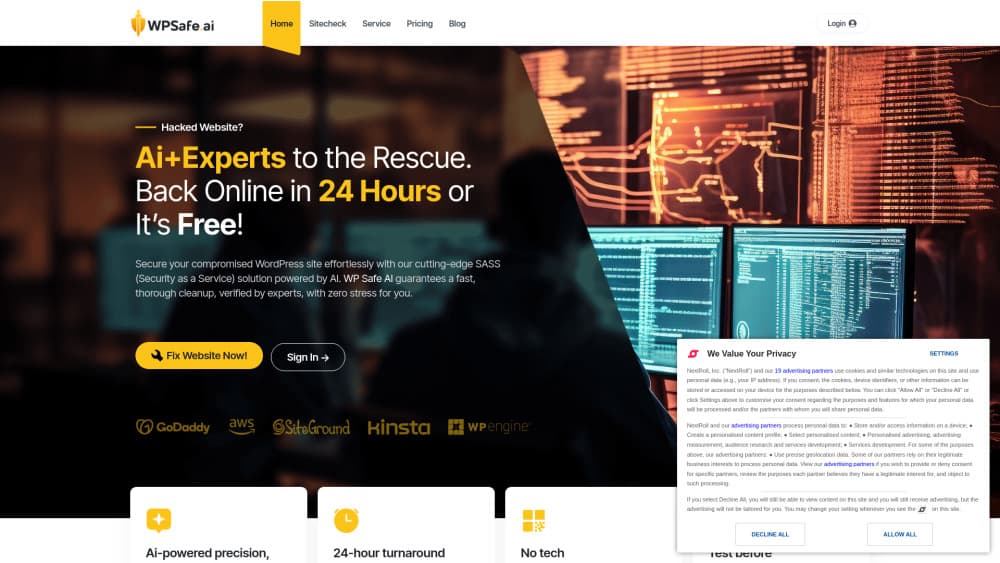
WP Safe AI is a security service for compromised WordPress sites. You connect your site, run a free scan, and let the platform's AI remove infected files. A human team steps in when the automated pass can't finish the job, and you review the cleaned copy on a staging server before it goes back to your live host.
The product targets a specific kind of bad day. A site gets flagged by Google, starts redirecting visitors to scam pages, or gets suspended by its host, and the owner has no idea which file is responsible. A WordPress malware scan from a plugin can spot obvious changes, but backdoors hidden in theme files or database rows often survive. WP Safe AI runs the scan from outside your server, which means the infected code has fewer places to hide.
The limits matter as much as the features. This is a WordPress cleanup service, not a general website firewall, so sites built on other platforms are out of scope. Pricing is per cleanup rather than a monthly subscription you can forget about, and the free tier covers scanning only. Ongoing monitoring costs extra, and results still depend on how quickly you hand over access.
Getting Started
- Create an account at wpsafe.ai with an email address. No card is needed for the first scan.
- Connect the site you want checked. The platform asks for access details so it can read your files and database.
- Run the free scan and read the report. It lists the threats found and shows how far the infection spread.
- Start the cleanup, then open the staging copy to test pages, logins, and checkout before you deploy the clean version.
Product Information
A quick look at WP Safe AI's pricing, supported platforms, and performance.
Best for
The users, tasks, and scenarios where this tool fits best.
Users
- Small business owners without a developer on call
- Bloggers and content creators hit by a redirect or a Google warning
- Agencies managing client WordPress builds
Tasks
- Hacked WordPress site cleanup after a malware warning
- Removing a pharma hack or redirect injection
- Restoring a site that a host has suspended
Scenarios
- A WooCommerce store losing sales during a malware flag
- A portfolio or brochure site with no in-house technical staff
- A freelancer inheriting a site with an unknown history
Key features
Free Scan Before Any Payment
The first scan runs without a card and returns a report on infected files, blacklist status, and out-of-date software. You see the size of the problem before you decide whether to buy a cleanup.
AI Cleanup With Expert Backup
Automated routines handle the bulk of a WordPress malware removal job, and the company says its team takes over complex cases. The AI malware scanner reads both files and database rows, so it can catch injected scripts that a file-only check misses. That split matters when a hack has spread across core files, because pattern matching alone tends to miss hand-edited code.
Staging Preview Before Deploy
Cleaned files land on a separate staging server first. You click through pages, test a login, and run a checkout there, then push the result to your live host when it looks right. This is the part that makes a hacked WordPress site cleanup less risky for a business site.
24-Hour Turnaround Guarantee
The company promises a cleaned site within 24 hours or no charge, and lists an 8-hour service level for malware removal on its paid plan. A published deadline is useful when your host or a client is asking for a date.
Monitoring and Scheduled Scans
After cleanup you can keep the site on the platform for continuous monitoring, scheduled WordPress malware scans, and email reports. It turns a one-time repair into a lightweight WordPress security service, which helps if the same site has been hit twice.
Plain-Language Cleanup Report
Each job ends with a report that names what was removed and what was changed. Non-technical owners can hand it to a host as evidence, and developers can use it to see which plugin opened the door.
Pros and cons
Pros
- Free scan shows the infection and blacklist status before you commit to a cleanup fee.
- Human review sits behind the automation, so odd infections aren't left to a script that gives up quietly.
- Staging lets you test logins and checkout on a cleaned copy, which lowers the risk of deploying a broken site.
- The 24-hour guarantee and 8-hour removal SLA give you a deadline to quote to a host or client.
Cons
- WordPress only. Sites on other platforms, and custom apps attached to a WordPress install, fall outside the service.
- No permanent free tier for protection. After the scan, cleanup and monitoring are paid, so the cost recurs for each site you manage.
- You still have to hand over access credentials, which some hosts and clients resist, and the clock only starts once that access works.
Frequently asked questions
It scans a WordPress site for malware, removes infected files and database entries, and gives you a cleaned copy to review on a staging server. A human team handles cases the automated cleanup can't finish.
Related content
Explore related tools, skills, and articles for WP Safe AI.
WP Safe AI Alternatives

Odyssey 3
Odyssey · OtherOdyssey-3 is Odyssey's foundation world model. It simulates physics in real time, turns a prompt into an interactive environment, and adapts to robots, cars and games.

JarvisCore
Prescott Data · Coding · Productivity · OtherJarvisCore is an open source Python runtime where AI agents work as equal peers on an agent mesh, claim tasks from a shared ledger, and reach external services through a zero-trust broker.
Clef
Cloudflare · Business · OtherClef is Cloudflare's open-source decision model for Workers AI. It returns calibrated probabilities for typed questions, not generated text, so agents can classify, route, and act fast.