

Writefull
Writefull (Digital Science) · Writing · AI Detection
Writefull is an AI academic writing assistant trained on millions of published papers, giving language feedback and writing tools inside Word, Overleaf, and the browser.
About Writefull
What Is Writefull
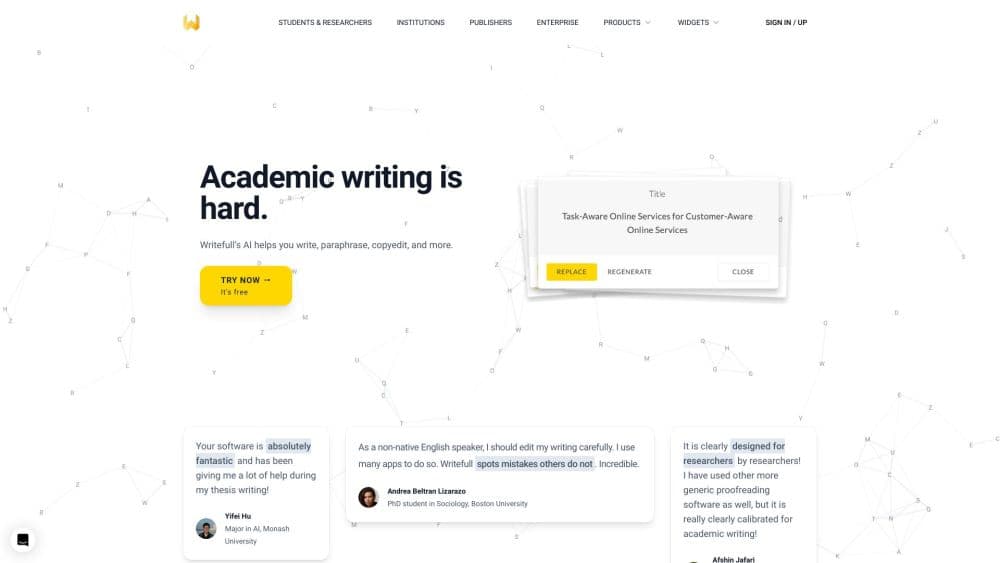
Writefull is an AI writing assistant built for academic text. Instead of generic grammar advice, it gives language edits shaped by a model trained on millions of published journal articles, so its suggestions fit the way researchers actually write. It runs as a Microsoft Word add-in, as a Chrome extension for Overleaf, and as browser tools for revising or checking a document before submission.
The problem it solves is the gap between correct English and publishable academic English. A sentence can be grammatically fine and still read wrong to a journal editor. Writefull pushes your wording toward the patterns common in the literature, flags language issues, and adds widgets for tasks like paraphrasing, generating a title, or drafting an abstract.
Two limits are worth knowing up front. The core language model leans on English, so it suits English writing best. And it works on your text rather than on your ideas, so it can sharpen how something reads without judging whether the argument holds. Treat it as an editing layer, not a co-author.
The company was acquired by Digital Science, the research technology group behind Overleaf and Dimensions, which folded Writefull into a wider portfolio of tools for researchers and publishers.
Getting Started
- Create a free account at writefull.com, then pick the surface you need: the Word add-in, the Overleaf extension, or a browser widget.
- For Word, install Writefull from the Microsoft add-in store and sign in from the ribbon tab; for Overleaf, enable Writefull in your Overleaf account settings.
- Paste or open your text and run a language check. Writefull marks issues by type, and you review each suggestion before accepting it.
- Use the writing widgets alongside the check: paraphrase a passage, generate a title from your abstract, or turn a paper into an abstract.
- For a full-document pass before submission, upload the file to Writefull Revise and download it back with corrections in Track Changes.
Product Information
A quick look at Writefull's pricing, supported platforms, and performance.
Best for
The users, tasks, and scenarios where this tool fits best.
Users
- Non-native English researchers
- PhD students writing a thesis or first papers
- Copy editors and language editors working on research manuscripts
Tasks
- Checking an English manuscript before submission
- Paraphrasing a sentence to cut overlap with a source
- Writing a title or abstract from an existing draft
- Writing LaTeX tables and equations in Overleaf
- Flagging missing citations
Scenarios
- Polishing a revised manuscript the week a resubmission is due
- Writing a paper in Overleaf with collaborators
- A university rolling Writefull out department-wide
- Sanity-checking a text for uncited claims before peer review
Key features
Language Feedback Trained on Published Papers
The core language check draws on a model trained on millions of published journal articles, so its edits track academic usage rather than general English. It flags grammar, word choice, and phrasing, and it marks issues by category so you can see the pattern behind them. You review each suggestion and decide whether to take it, which keeps you in control of the final wording. The academic focus is the point: it catches things a general proofreader would pass while staying quiet on stylistic choices that are fine in research writing.
Writefull for Word
The Word add-in puts the language check and the writing widgets inside your document, in a ribbon tab, so you never leave the file you're editing. Alongside the check you get a set of tools: a built-in AI assistant for academic questions, an in-context synonym finder, and options to summarize or explain a passage. You can generate a title or an abstract without switching apps. It's the surface most students and researchers reach for first, and it works across the common Word versions.
Writefull for Overleaf
The Overleaf extension gives language feedback inside your LaTeX source code, tuned so formula symbols and commands aren't mistaken for typos. TeXGPT writes LaTeX for you from a prompt or an uploaded image, covering tables, formulas, and equations. Table and equation generators do the same for structured content that's tedious to hand-code. You also get the paragraph-level tools, from paraphrasing a selected passage to pulling synonyms that fit the sentence.
Writing Widgets
Writefull ships a set of standalone widgets that handle the parts of academic writing people stall on. The Academizer rewrites informal sentences into academic ones. The Paraphraser returns rewrites at three levels, so you can match the degree of change you need. The Title Generator produces title options from your abstract, and the Abstract Generator drafts an abstract from your full paper. Each one is a starting point you refine, not a finished output you paste blind.
Writefull Revise and Writefull Cite
Revise takes a whole document and returns it with corrections applied in Track Changes, so you can review every edit in Word rather than remaking them by hand. It targets the final stage before submission. Cite runs a different check: it reads each sentence and flags the ones that state non-general knowledge without a citation, which is how authors catch accidental missing references. Both are licensed to institutions and publishers rather than sold to individuals.
Privacy Controls and a Language API
Writefull states that it doesn't store your text and doesn't train its models on it, and that you keep ownership of what you write. Some features call third-party APIs, and the service asks for your consent before sending text to those servers. For teams, the Language API takes sentences or documents and returns corrections and quality metrics in JSON or as Track Changes, which fits publishers triaging manuscripts or companies adding language feedback to their own editors.
Pros and cons
Pros
- Edits are tuned to published academic writing, which fits journal and thesis standards better than a general grammar tool.
- Runs inside Word and Overleaf, so you check and fix text without leaving the document or your LaTeX source.
- The widgets cover the stuck points, from paraphrasing a passage to generating a title or abstract from what you've written.
- Free tier plus Premium and institutional licenses, so a department can pay once and cover its students and staff.
- Writefull says it doesn't store or train on your text, which matters for unpublished research.
Cons
- Built around English, so it's not the tool for writing your paper in another language.
- Revise and Cite are institutional and publisher licenses only. An individual researcher can't buy them directly.
- It edits language, not arguments. A sentence that reads well can still be wrong, so you still have to check the claims.
- Recent ownership change: the product now sits under Digital Science, so long-term packaging and pricing may shift.
Frequently asked questions
Writefull checks and improves the language of academic writing. It gives grammar and phrasing feedback tuned to published papers, and adds writing tools like a paraphraser, title generator, and abstract generator, all inside Word, Overleaf, or the browser.
Related content
Explore related tools, skills, and articles for Writefull.
Writefull Alternatives

Google EmbeddingGemma 2
Google DeepMind · Writing · Image · CodingGoogle EmbeddingGemma 2 is a 740M-parameter open model that turns text, code, images, audio, and video frames into vectors in one 768-dimension space, running on phones and laptops.

MePersona
MePersona, Inc. · Writing · Productivity · MarketingMePersona is an AI unified inbox for creators. It learns your voice, drafts replies to fan messages from 12 platforms, and sends only what you approve.

Fluence
Yay Software (Yannick Huchard) · Writing · Voice & Language · ProductivityFluence is an Android app that reads PDFs, EPUBs, Word files and web articles aloud, follows each sentence as it speaks, and answers questions about the text on the phone itself.