

XHawk 0.99
XHawk · Coding · Leaning
XHawk 0.99 is a cloud-based AI workforce platform that turns plain-language requests into work done by autonomous agents. You mention the task, and its background agents pick it up, run on schedules or events, and collaborate across more than 100 business apps. It runs 24/7, remembers context between conversations, and routes every job to the right model, with pricing that starts free and scales by shared credits. Setup is quick.
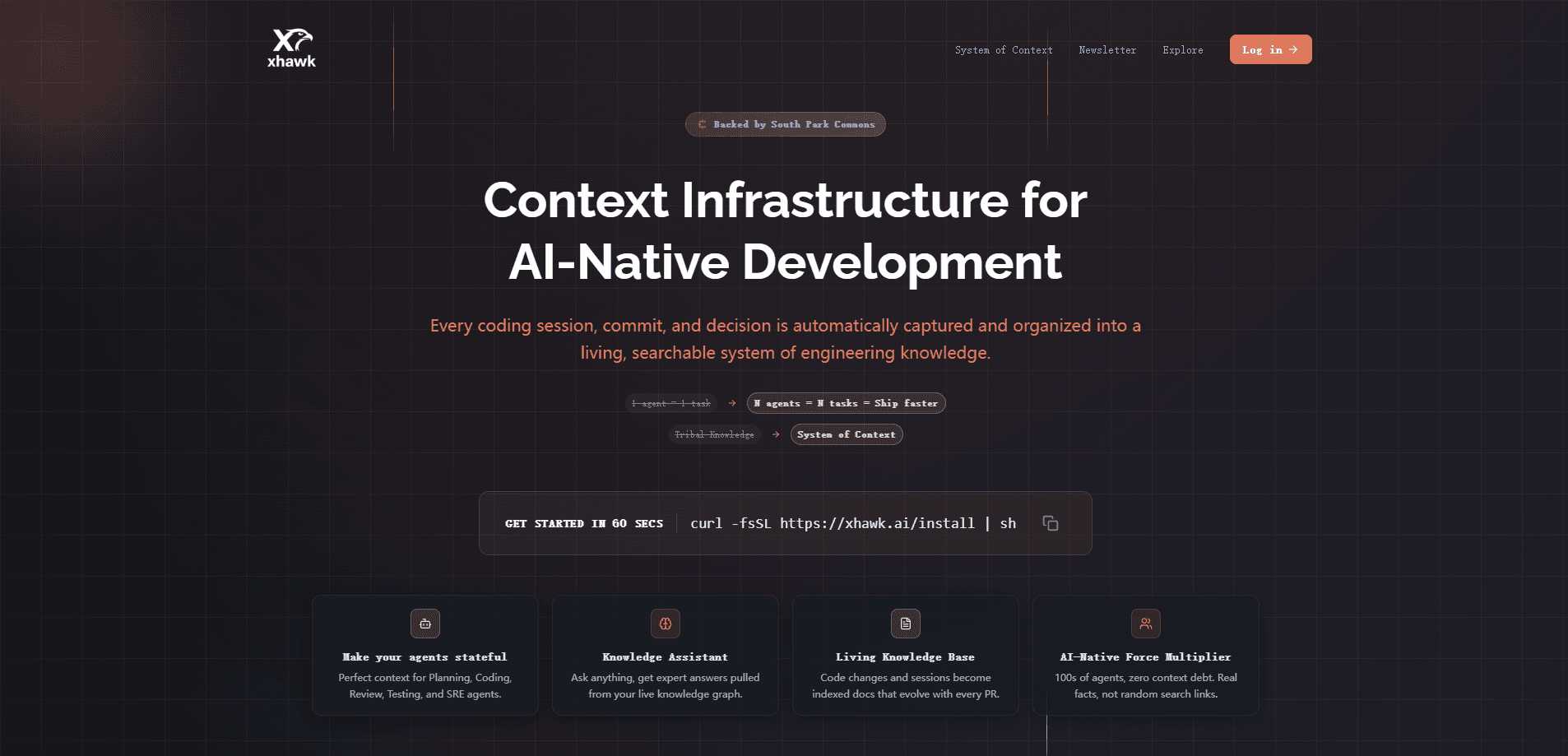
About XHawk 0.99
What Is XHawk 0.99
XHawk 0.99 is an AI agent platform built for teams that want AI doing real work, not just answering questions in a chat window. Its pitch is simple: separate your company's knowledge from the AI model running on top of it, so the platform stays model-agnostic and your data stays yours. Agents live in cloud sandboxes, get scoped access to the tools they need, and coordinate with each other when a task is too long for one run.
The problem it tackles is fragmentation. Most teams already have AI scattered across browsers, editors, and chat tools, but none of it shares memory or context. XHawk pulls Slack messages, emails, code, documents, and databases into a single "company brain" that every agent can draw on. An agent answering a data question and an agent drafting a report both work from the same grounded knowledge. Nothing gets lost between sessions.
The main limits are worth knowing up front. It's a web platform, so there's no mobile app and no desktop client. Everything runs in the cloud, which means it's a poor fit if your data can't leave your own infrastructure, unless you go the Enterprise route. And the pricing model is credit-based, so heavy parallel or overnight usage burns through a shared pool you have to manage. Read the fine print before you commit.
Getting Started
- Sign up at xhawk.ai with a business email. The Free plan gives you 500 credits for the first month, no credit card needed.
- Connect your data and tools, including code repositories, documents, databases, and business apps. Each integration sits in an isolated sandbox with scoped permissions.
- Pick pre-built agents or define custom behaviors for your workflow, then decide what each one can access.
- Describe the work in natural language or trigger it by schedule, GitHub event, CI failure, Slack message, or webhook.
- Review the output, check the audit trail, and top up credits as your team's usage grows.
Product Information
A quick look at XHawk 0.99's pricing, supported platforms, and performance.
Best for
The users, tasks, and scenarios where this tool fits best.
Users
- Engineering teams
- Data and analytics teams
- Product and research teams
- Operations leads
- Small teams on a budget
Tasks
- Scheduled reporting
- Multi-step engineering work
- Self-service analytics
- Backlog clearing
- Verification
Scenarios
- Onboarding a new analyst who needs company data without learning every dashboard.
- Running a weekly competitive scan while the team focuses on shipping.
- Handling a burst of tickets by routing them through agents that already know the product context.
- Keeping documentation current without a person assigned to it.
Key features
Autonomous Background Agents
XHawk's agents work without anyone at the keyboard. They start from events, schedules, or a fleet of coordinated workers, and they keep running day and night. Because they live in the cloud rather than on your machine, an agent can pick up a queued task, work through it while you sleep, and have the result waiting by morning without anyone touching a prompt. The difference from a chat assistant is scope and independence: a background agent can touch your repos, systems, and company knowledge in one run, then report back.
Company Brain
Every agent pulls from a shared knowledge base built from your Slack conversations, emails, code, documents, and databases. That's what makes answers grounded in your actual data instead of generic model output. You can scope what each agent sees, so a customer-facing agent doesn't wander into internal finance files. Context is the whole point here. No memory, no useful agent.
Multi-Agent Workspace
XHawk is a multi-agent workspace, not a single assistant. When a task is too big for one run, agents call each other to finish it. Auto-pilot mode lets them hand off work, which is how longer jobs like research-then-draft-then-verify get completed without a human nudging each step. Think of it as a relay race.
100+ Tool Integrations
Agents take action across more than 100 apps, working alongside your team rather than beside it. Connections run inside isolated, secure sandboxes with scoped access, so an agent gets only the permissions it needs for a given job. Tight by default.
Model Routing
One interface decides which AI model handles each task based on what the job needs and what it costs. You don't pick a model per prompt, which matters when the same workspace mixes quick lookups with heavy reasoning work.
Scheduled Automations
Automations run on a timer, from nightly data reports to weekly document updates, and each one triggers itself without a person remembering to start it. Combined with event triggers from GitHub, CI, Slack, and webhooks, this covers most recurring work, so a failing build can summon an agent to investigate and post findings back to the channel before anyone notices something broke.
Credit-Based Team Pricing
Credits bundle tokens, model costs, and sandbox usage into one number. Every $20 adds 1,000 credits to a pool shared by the whole workspace, and unused credits roll over on Pro. It keeps billing predictable. The trade-off is tracking a shared balance.
Pros and cons
Pros
- Agents run 24/7 in the cloud, so work continues when your team logs off.
- A shared company brain grounds answers in your own data across 100+ connected apps.
- Every action is traced and audited, which helps when you need to review what an agent did.
- The Free plan includes all features and agents for up to 5 users, not a stripped demo.
- Credits pool across the whole team and roll over on Pro, so quiet weeks aren't wasted.
Cons
- There's no mobile or desktop app, so you're tied to the browser.
- The credit system means heavy parallel or overnight use can drain a shared pool faster than expected.
- Data stays in XHawk's cloud on standard plans; teams that can't send data off-site need the custom Enterprise deployment.
- API availability isn't clearly documented on the public site, which makes custom integrations harder to plan.
Frequently asked questions
XHawk works as an AI automation platform: it runs autonomous AI agents that handle recurring and multi-step work across your tools. Teams use it for scheduled reports, data questions, code review, competitive tracking, and backlog clearing. It's aimed at getting AI to do the work rather than just talk about it.
Related content
Explore related tools, skills, and articles for XHawk 0.99.
XHawk 0.99 Alternatives
Forefront
Forefront · CodingForefront is a web platform for building with open-source AI. It lets you fine-tune leading open-source language models on your own data, evaluate how they perform, and run them through an API or export them to host yourself. Developers who want the convenience of a closed-source platform but insist on owning their models and data are the target audience here.

Startkit
StartKit.AI · CodingStartkit is a boilerplate for building AI SaaS and AI wrapper products. Think of it as an AI startup boilerplate with the boring parts already wired up: authentication, Stripe and Lemon Squeezy payments, usage limits, transactional email, and an AI API starter that talks to OpenAI, Anthropic, Groq, or Llama. You clone the repo, set your price, and start on the part of your product that people actually pay for. It's Next.js under React and Tailwind, so most of the boilerplate code already feels familiar.
Testim
Tricentis · CodingTestim is an AI-powered test automation platform for building and running end-to-end tests across web, mobile, and Salesforce applications. It leans on machine learning to keep tests stable when an interface changes, so teams spend less time fixing broken selectors. Not bad for an automated testing tool you can start using today. You create tests by recording actions in a browser, then optionally add JavaScript when you need more control. It's a solid pick for busy QA teams.