
XX.AI
XX.AI · Writing · AI Detection
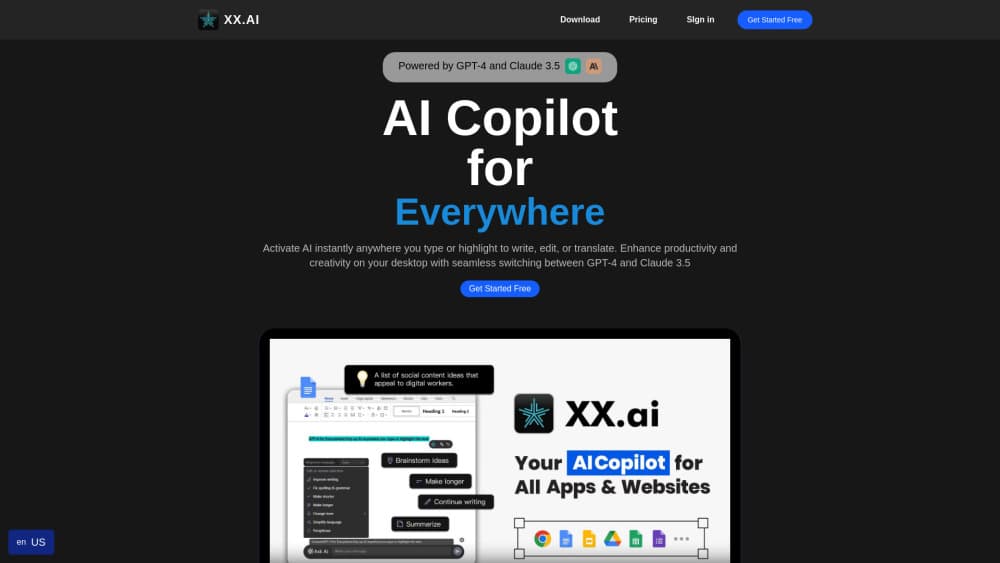
XX.AI is an AI desktop app for Mac and Windows that puts writing, image, video, and web search behind one shortcut, so you can use it inside any program you already work in.
About XX.AI
What Is XX.AI
XX.AI is an all-in-one AI copilot that runs on your computer instead of in a browser tab. It gathers several AI engines for text, images, video, and web search into one window, then sits on top of whatever else you have open. The promise is fewer subscriptions and fewer tabs, not one more tool to manage.
The catch is the credits. The free plan hands you 100 universal credits every 24 hours, and heavy models eat them fast. A single request to GPT-4o, Claude 3.5, or DALL·E 3 costs 30 credits, while GPT-4o mini costs 1. That math decides how much you can do without paying.
It's also desktop only. There's no web version for editing from a Chromebook or a locked-down work machine, and Linux support is still in development. If your day happens on a Mac or a Windows PC, the trade works. If not, it doesn't.
Getting Started
- Go to hixx.ai and download the build for macOS or Windows. The installer takes a couple of minutes and the app checks for updates on its own afterward.
- Sign in and let the free plan start. You get 100 universal credits every 24 hours, which is enough to test text and basic image generation.
- Press Shift + A anywhere on your computer to open the command bar. Pick a model from the dropdown, then type or paste your request.
- Hit Enter to get an answer. Press Ctrl + Enter to drop the result straight into the document, email, or code editor you were using.
- Open the account page when you want more. Paid plans add monthly credits for image and video work, unlimited access to text models, and document chat.
Product Information
A quick look at XX.AI's pricing, supported platforms, and performance.
Best for
The users, tasks, and scenarios where this tool fits best.
Users
- Writers and marketers
- Designers and social media managers
- Students and researchers
- Developers and analysts
Tasks
- Rewriting an email or a Slack message
- Generating a hero image for a blog post
- Turning a still into a short video clip
- Checking a fact mid-sentence
Scenarios
- Working inside a client's web app that blocks extensions
- Drafting in a hurry before a meeting
- Sampling premium models before committing
Key features
One Shortcut Across Every App
Shift + A opens XX.AI over whatever is on screen, whether that's Outlook, Figma, Notion, or a code editor. Ctrl + Enter pushes the answer into the active field, and Shift + Enter adds a line without sending. It's the feature that separates this from a chat site you keep in a pinned tab.
Writing and Rewriting Tools
The AI writing tools cover grammar fixes, translation, summarization, and tone changes, and there are more than 1,000 one-click prompt templates for common jobs. You can save your own prompts too, which matters once you find a phrasing that works for your voice. Paid plans make text models unlimited, so the cap moves to images and video.
Image Generation
XX.AI acts as an AI image generator for logos, illustrations, and social visuals from a text description. Pro removes the image cap and unlocks the full set of image tools. Free and Essential users share a smaller monthly pool, so plan the number of variations you need before you start clicking.
Video Generation from Text or Images
The AI video generator animates a still or builds a clip from a prompt, and the credit cost is where the plans really differ. Pro includes 5,000 monthly video credits, Ultimate raises that to 20,000 and adds priority access to video models. Anyone producing video weekly should price that against a dedicated video tool.
AI Search Assistant
The built-in AI search assistant answers questions with a synthesized response instead of a list of links, and it pulls from live web results. That makes it useful for quick research and market checks. For anything you'll publish, open the sources it cites and verify the claim yourself.
Prompt Library and Model Switching
A prompt library holds expert-written templates you can reuse, and the model dropdown lets you move between a cheap fast model and an expensive capable one per request. Choosing GPT-4o mini for short tasks and reserving the 30-credit models for hard ones is the simplest way to stretch a credit balance.
Pros and cons
Pros
- One subscription covers text, image, video, and search, which replaces three or four separate bills.
- The overlay works in apps and websites where browser extensions are blocked or unavailable.
- A free tier with 100 credits refreshed every 24 hours lets you test the app for weeks before paying.
- Model switching per request means you can spend credits on the task that needs them.
- Answers insert directly into the active document, so there's no copy-paste step.
Cons
- Credit costs add up: 30 credits per GPT-4o or DALL·E 3 request drains the free daily allowance in four messages.
- No Linux build yet and no browser version, so Chromebook and locked-down machine users are out.
- Video generation is capped hard below the Ultimate plan, which limits anyone who mainly wants clips.
- Annual billing carries the advertised prices, and monthly rates cost noticeably more.
Frequently asked questions
XX.AI is an all-in-one AI app that bundles text, image, video, and search into one desktop window. You use it to draft and rewrite text, generate visuals, animate a still into a clip, and get summarized answers from the web without opening separate tools.
Related content
Explore related tools, skills, and articles for XX.AI.
XX.AI Alternatives

Google EmbeddingGemma 2
Google DeepMind · Writing · Image · CodingGoogle EmbeddingGemma 2 is a 740M-parameter open model that turns text, code, images, audio, and video frames into vectors in one 768-dimension space, running on phones and laptops.

MePersona
MePersona, Inc. · Writing · Productivity · MarketingMePersona is an AI unified inbox for creators. It learns your voice, drafts replies to fan messages from 12 platforms, and sends only what you approve.

Fluence
Yay Software (Yannick Huchard) · Writing · Voice & Language · ProductivityFluence is an Android app that reads PDFs, EPUBs, Word files and web articles aloud, follows each sentence as it speaks, and answers questions about the text on the phone itself.