

Year in Code
Year in Code · Coding
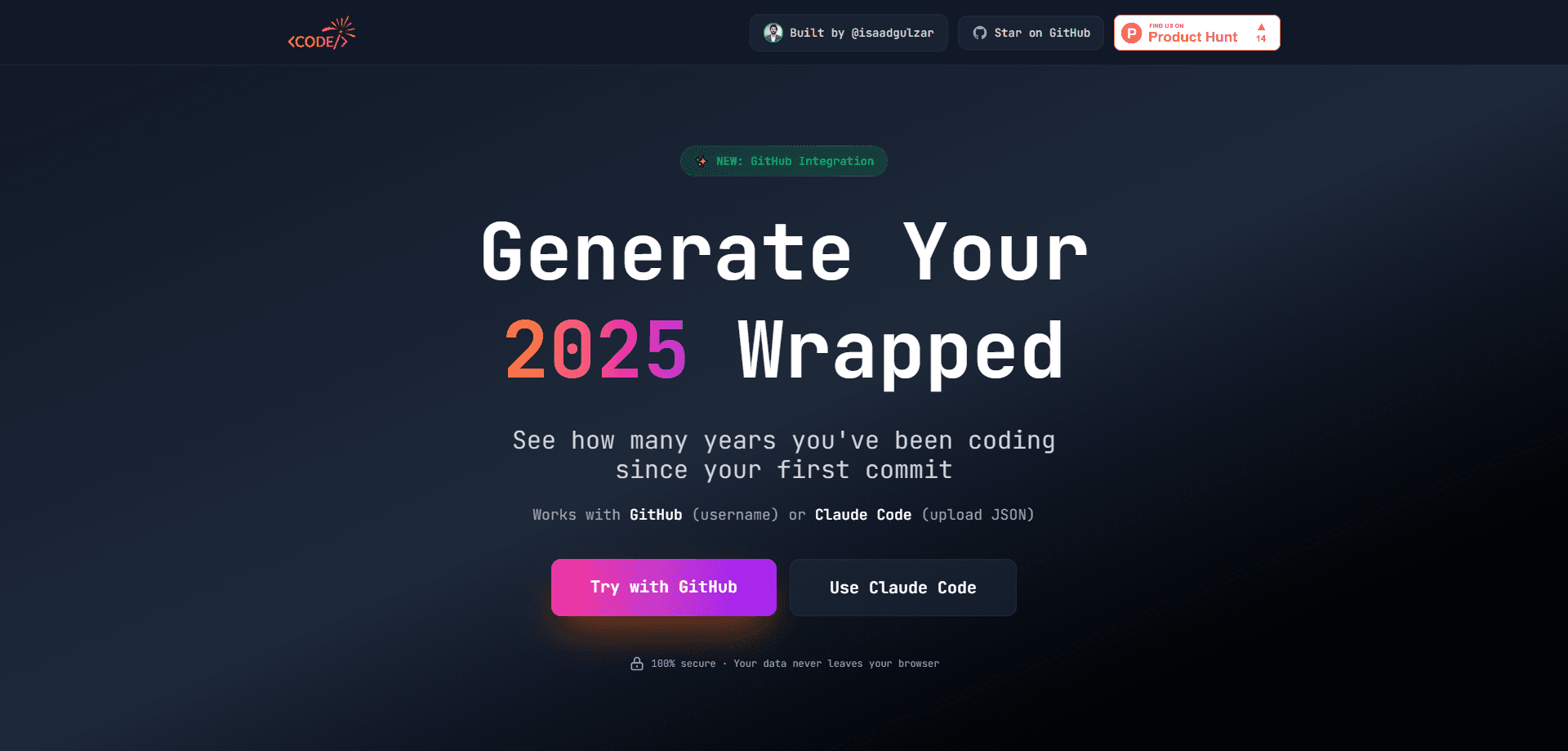
Year in Code is a free developer year in review tool. It turns a year of programming into a shareable visual report, much like the Spotify Wrapped recaps people post every December. Basically, it's a coding stats visualizer for your GitHub history. You link a GitHub username or upload a Claude Code session file, and it pulls your commits, contribution counts, top languages, and the number of years you've been coding into one page. Nothing gets stored on a server, since the report runs in your browser.
About Year in Code
What Is Year in Code
Year in Code is a year-in-review generator built for developers. It reads your coding activity and reshapes it into a story you can actually look at. That means a GitHub contribution report: how many contributions you made, which languages dominated, and how long you've been at this. It works. If you've ever wanted the Spotify Wrapped treatment for your GitHub profile, that's the whole idea.
The tool accepts two inputs. You can point it at a public GitHub username, and it pulls the year's activity automatically. Or, if your work lives inside Claude Code, you can upload the session JSON and get a recap from that data instead. The site also highlights how many years have passed since your first commit, which is a small detail that lands harder than you'd expect when you realize your first real project was over a decade ago.
The catch is scope. Year in Code only knows what its sources expose. A GitHub report sees public activity tied to that account, so private repos or work spread across other platforms won't show up, which catches out plenty of developers who assume their whole history will appear. It's a snapshot for fun and sharing, not an analytics dashboard you'd use for performance reviews.
Getting Started
- Open the Year in Code site and pick your source: GitHub or Claude Code.
- For GitHub, type your username and load your activity. For Claude Code, upload your session JSON file.
- Let the report generate in the browser. No account and no sign-in are needed.
- Read through your wrapped page: contribution totals, top languages, streaks, and years coding.
- Share the result if you want, or run it again later once the year fills out.
Product Information
A quick look at Year in Code's pricing, supported platforms, and performance.
Best for
The users, tasks, and scenarios where this tool fits best.
Users
- Developers who want a yearly recap
- People who post on social media
- Job seekers and portfolio builders
- Teams doing a light year-end review
Tasks
- Reviewing your GitHub contributions for the year
- Identifying your top languages
- Counting years since your first commit
- Summarizing Claude Code sessions
- Making a shareable recap
Scenarios
- Wrapping up the year in December
- Building a personal branding post
- Curious check-ins mid-year
- Onboarding a new machine or account
- Casual bragging rights
Key features
GitHub username integration
Point the tool at a GitHub username and it pulls the year's activity for that account. No connecting. No repo permissions. The site says the data stays in your browser, so the report generates locally rather than on a server, which means you can run it on a work laptop without worrying about what gets logged or stored anywhere outside your own machine.
Claude Code session upload
If your coding happens inside Claude Code, you can upload the session JSON instead of using GitHub. This matters for developers whose work never lands in a public repo. The recap builds from whatever the session file contains, so results depend on how much that file captures. Thin file, thin recap.
Year-in-review report
The core output is a single visual page covering contributions, top languages, and overall activity. It borrows the wrapped format popularized by music and streaming apps, which makes it easy to read and easy to share. The report also states how many years you've been coding since your first commit. That number lands harder than you'd expect.
Top languages breakdown
The report ranks the languages you used most across the period. This is the part most people screenshot, since it says a lot about what you actually spent your time on. It reflects the connected source only, so languages used outside GitHub or Claude Code won't appear. Narrow, but honest. That limit is worth knowing before you compare your breakdown with a friend whose whole workflow happens to live in public repos.
Privacy-first design
Year in Code runs the generation in your browser and states that your data never leaves it. That removes the usual worry about handing a third party access to your code history, and for many developers that single promise is the reason they try it at all. There's no account, no sync, and nothing to clean up afterward. Simple deal.
Free, no-signup access
The tool is free and doesn't ask for a login. You go to the site, pick a source, and get a report. No email required. No waitlist. It just works. That low friction is a big part of why this kind of tool spreads quickly, since a curious developer can go from hearing about it to holding their own recap in the time it takes to make a cup of coffee.
Pros and cons
Pros
- No account or sign-up required, so you can generate a report in under a minute.
- Runs in the browser, which keeps your coding data off a remote server.
- Works with both GitHub usernames and Claude Code session files, covering two common workflows.
- Free to use, with no paid tier hiding parts of the report.
- The wrapped format is genuinely fun to share, which is the point of the tool.
Cons
- Reports reflect only the chosen source, so private repos and other platforms stay invisible.
- Your coding years count starts at your first visible commit, which can look shorter than reality for longtime developers.
- There's no API, so you can't pull the data into your own dashboard or automate it.
- A GitHub-only report depends on public activity, which undercounts anyone working mostly in private repositories.
- If the session file for Claude Code is thin, the resulting recap feels thin too.
Frequently asked questions
It's a free web tool that turns your coding year into a Spotify Wrapped-style report. You feed it a GitHub username or a Claude Code session file, and it builds a visual recap of your contributions, top languages, and years coding.
Related content
Explore related tools, skills, and articles for Year in Code.
Year in Code Alternatives
Forefront
Forefront · CodingForefront is a web platform for building with open-source AI. It lets you fine-tune leading open-source language models on your own data, evaluate how they perform, and run them through an API or export them to host yourself. Developers who want the convenience of a closed-source platform but insist on owning their models and data are the target audience here.

Startkit
StartKit.AI · CodingStartkit is a boilerplate for building AI SaaS and AI wrapper products. Think of it as an AI startup boilerplate with the boring parts already wired up: authentication, Stripe and Lemon Squeezy payments, usage limits, transactional email, and an AI API starter that talks to OpenAI, Anthropic, Groq, or Llama. You clone the repo, set your price, and start on the part of your product that people actually pay for. It's Next.js under React and Tailwind, so most of the boilerplate code already feels familiar.
Testim
Tricentis · CodingTestim is an AI-powered test automation platform for building and running end-to-end tests across web, mobile, and Salesforce applications. It leans on machine learning to keep tests stable when an interface changes, so teams spend less time fixing broken selectors. Not bad for an automated testing tool you can start using today. You create tests by recording actions in a browser, then optionally add JavaScript when you need more control. It's a solid pick for busy QA teams.