

YepCode
YepCode (Trileuco Solutions) · Coding
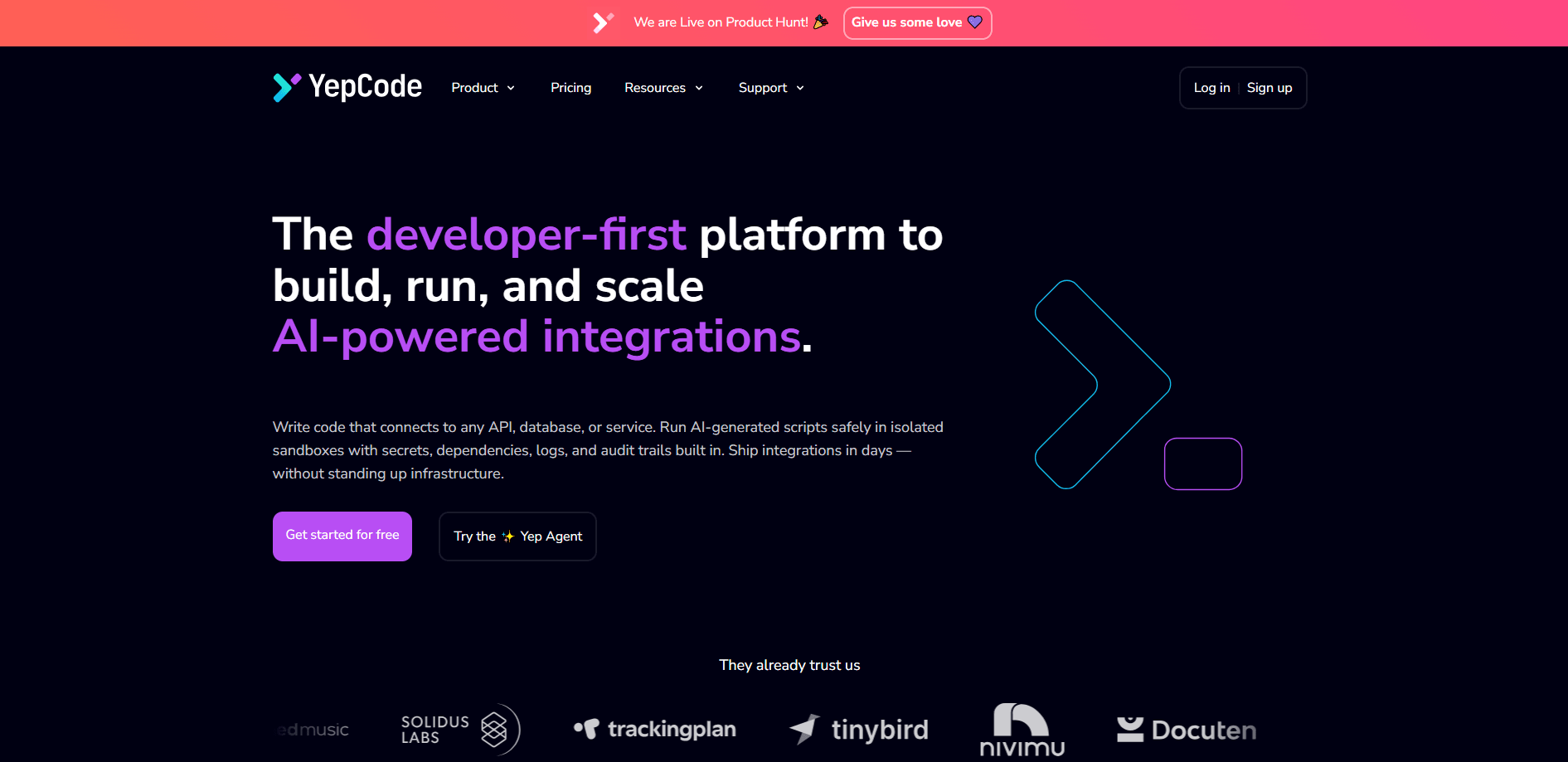
YepCode is a developer-first platform for building, running, and scaling AI-powered integrations and automations. You write real JavaScript or Python that connects to any API, database, or service, and YepCode runs it in secure cloud sandboxes with dependency management, encrypted secrets, and monitoring built in. It handles the boring parts of integration automation so your team ships business logic instead of standing up execution infrastructure. One warning up front: it isn't for everyone. It wants code.
About YepCode
What Is YepCode
YepCode is an execution platform for integrations and automation workflows. Instead of assembling a runtime, a secrets store, a retry layer, and a monitoring stack before you can start on the actual logic, you get all of that as one service. You write code, and the platform handles the plumbing.
The team behind it comes from Trileuco Solutions, a Spanish software agency founded in 2009 that grew to 50 engineers. After years of rebuilding the same execution infrastructure for client projects, they turned that recurring problem into a product. That origin shows in the design: it reads like something built by people who got tired of the setup work, not something built to demo well.
Not everything runs the same way. The free Developer plan caps execution at 30 seconds and one concurrent run, which rules out heavier jobs. Serious automation starts at the paid tiers. That's the trade. You trade scale for zero setup cost.
Getting Started
- Create an account at cloud.yepcode.io. The Developer plan needs no credit card.
- Write a process in the browser editor, or work offline with the CLI and sync from Git.
- Import any NPM or PyPI dependency directly in your code. YepCode installs it on demand.
- Add secrets and environment variables through the dashboard so credentials stay out of your source.
- Trigger the process with a webhook, a schedule or cron job, the REST API, or an MCP tool call, then watch logs and executions.
Product Information
A quick look at YepCode's pricing, supported platforms, and performance.
Best for
The users, tasks, and scenarios where this tool fits best.
Users
- Solo developers and indie builders
- Small development teams
- Platform and integration engineers at larger companies
Tasks
- Connecting internal tools to third-party APIs
- Running AI-generated scripts safely
- Scheduled data syncs and cron jobs
Scenarios
- Automating recurring back-office work
- Prototyping an integration before committing engineering time
- Giving an AI agent a safe way to run code
Key features
Code-First Execution in JavaScript or Python
YepCode runs the code you already write, in the language you prefer. Processes are plain JavaScript or Python, so there's no proprietary scripting layer to learn. You can develop in the web editor for quick tasks or in your own editor with the CLI, then push changes and manage versions, aliases, and environments.
On-Demand Dependency Management
Import any NPM or PyPI package and YepCode installs it automatically. There's no requirements file to maintain and no build step to configure. For teams that have wasted afternoons chasing dependency conflicts, this removes a lot of friction from getting a script to actually run. No lockfile wrangling. It just works.
Isolated Cloud Sandboxes
Every function runs in its own isolated container with strict boundaries. Secrets are encrypted, access is logged, and executions are auditable. Why does isolation matter here? Because the code often comes from somewhere you don't fully control, like an AI agent or a generated script. The sandbox is what keeps that code away from your production systems.
Integration with AI Agents via MCP
YepCode ships an MCP server, so any process can be exposed as an MCP tool that agents can call. There's also a built-in run_code tool for direct execution. If you're wiring an agent into real systems, this is the bridge between the model and your infrastructure.
Flexible Triggers
Processes start from webhooks, schedules, cron jobs, or the REST API. The REST API lets you trigger executions, manage processes, update secrets, and monitor runs programmatically, which covers cases where you need YepCode to be a component rather than the whole system.
Observability and Audit Trails
Logs, execution history, environment variables, and audit trails are all accessible from one place. The Growth plan adds an audit module, and Enterprise adds external log and metrics streaming plus integration with audit systems. For regulated teams, that's the difference between a handy script runner and something that passes review.
Pros and cons
Pros
- Real code in JavaScript or Python, so integrations stay portable and readable instead of locked into a visual builder.
- Automatic dependency installation from NPM and PyPI removes setup work.
- MCP server support makes it straightforward to let AI agents trigger automations safely.
- Multiple trigger types, including webhooks, schedules, cron, and REST API, fit different architectures.
- SOC 2 and GDPR compliance plus on-premise options suit teams with strict governance needs.
Cons
- The free Developer plan's 30-second execution limit and single concurrent run block anything heavier than a quick script.
- Published pricing only lists plan names without per-tier amounts, so you have to contact the team to know what Starter and Growth actually cost.
- Teams without any coding background will find the code-first approach harder to adopt than a drag-and-drop automation tool.
Frequently asked questions
YepCode is used to build, run, and scale integrations and automations. You write JavaScript or Python that connects to APIs, databases, or cloud services, and the platform runs it in isolated cloud sandboxes with secrets, dependencies, and monitoring built in.
Related content
Explore related tools, skills, and articles for YepCode.
YepCode Alternatives
Forefront
Forefront · CodingForefront is a web platform for building with open-source AI. It lets you fine-tune leading open-source language models on your own data, evaluate how they perform, and run them through an API or export them to host yourself. Developers who want the convenience of a closed-source platform but insist on owning their models and data are the target audience here.

Startkit
StartKit.AI · CodingStartkit is a boilerplate for building AI SaaS and AI wrapper products. Think of it as an AI startup boilerplate with the boring parts already wired up: authentication, Stripe and Lemon Squeezy payments, usage limits, transactional email, and an AI API starter that talks to OpenAI, Anthropic, Groq, or Llama. You clone the repo, set your price, and start on the part of your product that people actually pay for. It's Next.js under React and Tailwind, so most of the boilerplate code already feels familiar.
Testim
Tricentis · CodingTestim is an AI-powered test automation platform for building and running end-to-end tests across web, mobile, and Salesforce applications. It leans on machine learning to keep tests stable when an interface changes, so teams spend less time fixing broken selectors. Not bad for an automated testing tool you can start using today. You create tests by recording actions in a browser, then optionally add JavaScript when you need more control. It's a solid pick for busy QA teams.