

Yescribe.ai
Yescribe.ai · Writing
Yescribe.ai is an AI transcription tool that turns audio and video files into text in 98 languages, adding speaker labels, AI summaries, and exports to DOCX, PDF, or TXT.
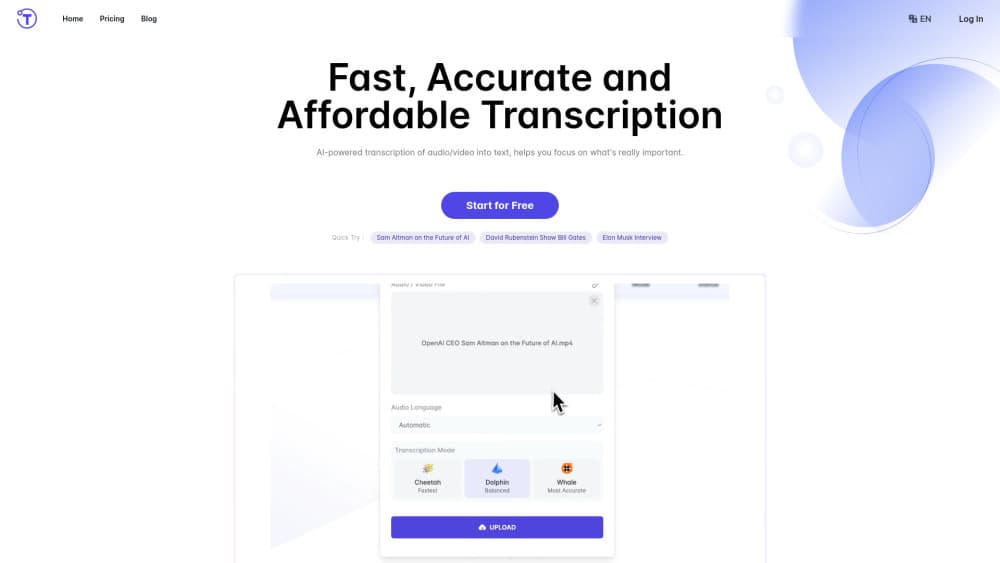
About Yescribe.ai
What Is Yescribe.ai
Yescribe.ai is a browser-based transcription service for people who record more than they can listen back to. You upload an audio or video file, the service runs speech to text on its GPU clusters, and a formatted document comes back with timestamps and speaker labels. The site lists support for 98 languages and files as long as 5 hours.
The obvious use is turning talk into something searchable. Interviews, lecture recordings, client calls, and podcast episodes all share the same problem: the content is useful, but it sits in a format you can't skim. A transcript fixes that in one pass. Yescribe.ai also builds an AI summary on top of the transcript, so a two hour recording gives you a short overview before you commit to reading the whole thing.
The limits matter as much as the features. Everything runs in a web browser, with no desktop or mobile app on offer. File counts are capped per day on the two cheaper plans, which catches people who batch upload a week of interviews. And the 99.9% accuracy figure is the vendor's own number; real results depend on recording quality, accents, and background noise, so budget a review pass on anything important.
Getting Started
- Create a free account with an email address and confirm the message Yescribe.ai sends you.
- Pick a source: upload a file from your device or paste a link to a YouTube video for the YouTube transcript generator.
- Choose the spoken language, then start the job. Short clips finish in a couple of minutes, and long recordings take longer.
- Open the transcript to review it, rename speakers, fix names and numbers, then export to DOCX, PDF, or TXT or share a link with someone else.
Product Information
A quick look at Yescribe.ai's pricing, supported platforms, and performance.
Best for
The users, tasks, and scenarios where this tool fits best.
Users
- Journalists and researchers
- Students and academics
- Podcasters and video creators
- Support and operations teams
Tasks
- Converting interviews into publishable text
- Generating YouTube subtitles
- Summarizing long meetings
- Repurposing webinars into articles
Scenarios
- Clearing a backlog of recorded calls
- Handling a multilingual client base
- Turning a 3 hour conference session into notes
Key features
Multi-language transcription
Yescribe.ai transcribes speech in 98 languages, from common European languages to smaller ones such as Javanese and Zulu. You set the language before the job runs, so mixed language recordings need separate passes. The breadth is the point here: most cheap transcription services stop at a dozen languages.
Speaker classification
The service separates voices and labels who said what in the transcript. For panel discussions and two person interviews, that alone removes the hardest part of manual cleanup. It isn't perfect on overlapping speech, so cross talk still needs a listen.
AI summary
Every transcript gets an AI summary built on top of it. The vendor names Claude 3.5 as the model behind it. A summary is useful for deciding whether a recording deserves a full read, and less useful as a substitute for the transcript itself.
Timestamps and editing
Transcripts carry timestamps that link back to the moment in the recording, which makes fact checking fast. You can edit the text inline, correct speaker names, and share the result with a colleague without exporting anything.
Export options
Finished transcripts export as DOCX, PDF, or TXT. DOCX suits anyone who will keep editing, PDF suits clients who want something fixed, and TXT suits subtitle and caption work. There's no SRT export listed, so subtitle timing needs another tool.
YouTube transcript generator
Paste a YouTube link and Yescribe.ai returns a transcript without asking you to download the video first. Free accounts get 3 video transcriptions a day, Basic gets 10, and Pro gets 100. It's a practical shortcut for research and content repurposing.
Pros and cons
Pros
- 98 language support covers markets that most budget transcription tools skip.
- Speaker labels and timestamps are included on the free plan, not locked behind the paid tiers.
- A 5 hour per file limit handles full day conference recordings without splitting audio.
- Transcription pricing starts at $0, and the $9.9/mo Pro plan removes the daily file cap.
Cons
- No mobile or desktop app, so you need a browser and a stable connection for every upload.
- Daily file limits on Free and Basic slow down anyone processing a backlog in one sitting.
- No public API documentation, which rules out automated pipelines and custom integrations.
- The 99.9% accuracy claim comes from the vendor, and noisy recordings need a manual review pass.
Frequently asked questions
Yes. The free plan allows 3 file transcriptions a day, 3 YouTube video transcriptions a day, and files up to 5 hours, with speaker labels and AI summaries included.
Related content
Explore related tools, skills, and articles for Yescribe.ai.
Yescribe.ai Alternatives

Claude for Google Workspace
Anthropic · Writing · Productivity · BusinessClaude for Google Workspace puts Claude in a sidebar inside Google Docs, Sheets, and Slides, where it reads the file you have open and edits it in place.

Claude Haiku 5.5
Anthropic · Writing · Coding · ChatbotClaude Haiku 5.5 is Anthropic's fastest and cheapest small model, built for high volume tasks at $0.10 per million input tokens with a 1M token context window.

NoteWorthy
Suman Hansada · Writing · Productivity · AI AssistantNoteWorthy is a notes app for iPhone, iPad and Mac that writes titles, tidies formatting, summarizes long notes and files each one with on-device AI. No account, no upload, no network requests.