

YourSitee
YourSitee · Coding
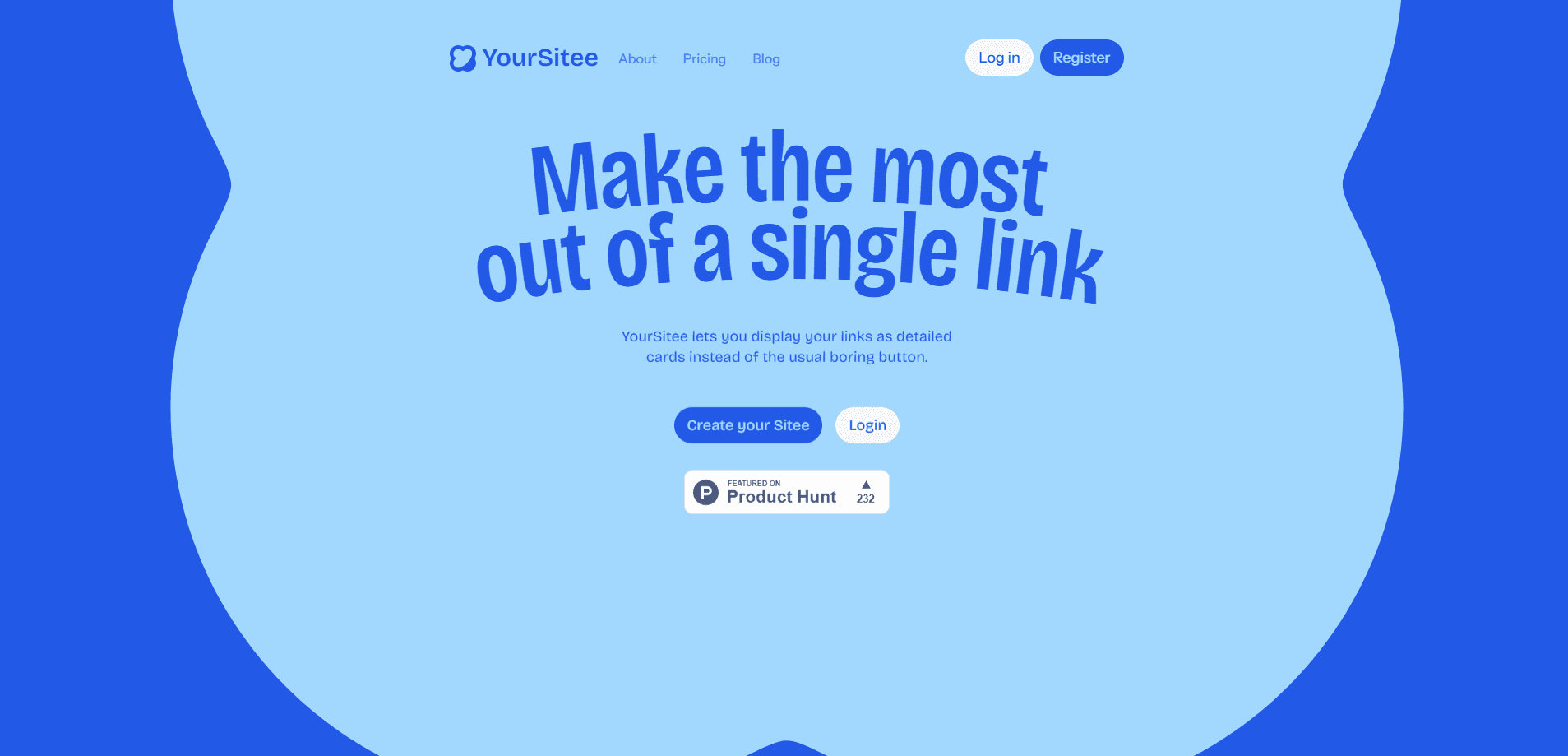
YourSitee is a visual link-in-bio platform that turns a single shareable URL into a fast mini-site. Think of it as a mini-site builder and customizable link page rolled into one. Instead of a plain stack of buttons, it shows your links as detailed cards you can fill with text, media, and widgets. It's a practical link in bio tool for creators, freelancers, and small brands who want one tidy page to point followers at, and it works from any browser with no app install needed.
About YourSitee
What Is YourSitee
YourSitee is a customizable link page and mini-site builder built in Hungary that replaces the usual list of buttons with rich, clickable cards. You claim a username, add the links you want people to find, then shape the page's colors, fonts, and layout until it looks like yours. The whole thing lives at one short URL you drop into your social profiles.
It solves a common problem for anyone with more than one place to send people, and it does so by letting you keep a single page current instead of chasing every profile you've ever posted to and updating the link one by one. Rather than updating a link everywhere you post, you keep one page current and share that instead. The visual profile and widgets give it more room to express a personality than a bare button list. That's the whole pitch. One page, always current.
The main limits are structural. The free tier caps you at 15 widgets and 30 days of analytics history, so heavy users will feel the ceiling quickly. There's no public API for automating page edits, which matters if you want a script or tool to sync your links for you. Tough luck if you need that.
Getting Started
- Open the YourSitee site and claim the username you want for your page.
- Register an account with your email, then confirm it so the page goes live.
- Add your links and pick the widget types that fit them, from social profiles to external links.
- Customize colors, fonts, media, and layout so the page matches your brand.
- Publish and copy your short URL into your social bios.
Product Information
A quick look at YourSitee's pricing, supported platforms, and performance.
Best for
The users, tasks, and scenarios where this tool fits best.
Users
- Creators
- Freelancers
- Small brands
Tasks
- Consolidating social profiles
- Promoting a launch
- Tracking link performance
Scenarios
- Updating a bio once
- Sharing a single link in a video or podcast description
- Testing what resonates
Key features
Rich Link Cards
YourSitee shows each link as a card with a title, description, and optional image instead of a bare button. That extra context helps visitors decide what's worth a click, which matters when you're sending people to very different destinations. Pro members can add images to external-link cards, up to 10 of them. It's a small change that changes a lot.
Customizable Visual Profiles
Colors, profile media, layouts, and typography are all adjustable, so the page can look like a real brand rather than a template. The free tier sticks to standard fonts, while Pro unlocks Pro fonts and gradient backgrounds. It's the feature most people touch first, and the one that decides whether the page feels like yours. Skip it and the page looks generic.
Flexible Widgets
Widgets give the page its structure, holding links, text, media, and integrations. The free plan allows up to 15 widgets and 2 image widgets; Pro doubles the widget count to 30 and raises image widgets to 10. This is the cap most active creators bump into as their list of links grows.
Built-in Analytics
The platform tracks how visitors interact with your page and stores that history for a set window, up to 30 days on free and 90 days on Pro. It's enough to spot which cards earn attention and which get ignored. Owners who revamp a page often lean on this to justify rearranging it. No guessing required.
Spotlight and Visibility Controls
Pro adds a spotlight option that features one widget at the top, plus the ability to hide widgets without deleting them. That's handy for seasonal promos, because you can pull a card out of view and bring it back later without rebuilding it. Sponsored-content labels are also included for anyone running paid placements. Useful. And it saves a rebuild.
Contact Buttons
You can add contact buttons so visitors reach you directly instead of bouncing to another app, which keeps the whole conversation on one page rather than sending people on a detour through a second app they may not even have installed. The free plan includes one contact button, and Pro lifts that to two, with custom colors and icons on top. It keeps a simple way for brands to collect inquiries on the same page as everything else.
Faster Profile Changes
Username changes run on a cooldown that tightens as you upgrade: every 14 days on free, every 24 hours on Pro. Profile edits also process faster for paying members. If you rebrand often, that difference is noticeable in a way that a feature list doesn't capture. Does it matter to everyone? No. But it matters if you pivot a lot.
Pros and cons
Pros
- Free plan builds and publishes a full page with no time limit, so you can test it properly before paying.
- Link cards carry descriptions and images, giving visitors more reason to click than plain buttons.
- Pro is a flat $5 per month with no confusing tiers in between.
- Analytics history is built in, so you can see what works without a separate tool.
Cons
- No public API means you can't automate link updates or sync them from another system.
- Free tier's 15-widget cap and 30-day analytics window will frustrate anyone with a long list of links.
- The username cooldown on free (once every 14 days) is clumsy if you're still testing names.
- Analytics retention is short even on Pro, so you can't compare performance across an entire year.
Frequently asked questions
It's a link-in-bio platform that turns one URL into a mini-site for your links, social profiles, and contact details. You share that single link instead of scattering several across your bios.
Related content
Explore related tools, skills, and articles for YourSitee.
YourSitee Alternatives
Forefront
Forefront · CodingForefront is a web platform for building with open-source AI. It lets you fine-tune leading open-source language models on your own data, evaluate how they perform, and run them through an API or export them to host yourself. Developers who want the convenience of a closed-source platform but insist on owning their models and data are the target audience here.

Startkit
StartKit.AI · CodingStartkit is a boilerplate for building AI SaaS and AI wrapper products. Think of it as an AI startup boilerplate with the boring parts already wired up: authentication, Stripe and Lemon Squeezy payments, usage limits, transactional email, and an AI API starter that talks to OpenAI, Anthropic, Groq, or Llama. You clone the repo, set your price, and start on the part of your product that people actually pay for. It's Next.js under React and Tailwind, so most of the boilerplate code already feels familiar.
Testim
Tricentis · CodingTestim is an AI-powered test automation platform for building and running end-to-end tests across web, mobile, and Salesforce applications. It leans on machine learning to keep tests stable when an interface changes, so teams spend less time fixing broken selectors. Not bad for an automated testing tool you can start using today. You create tests by recording actions in a browser, then optionally add JavaScript when you need more control. It's a solid pick for busy QA teams.