

YouWare
Shenzhen Xinyan Technology · Coding
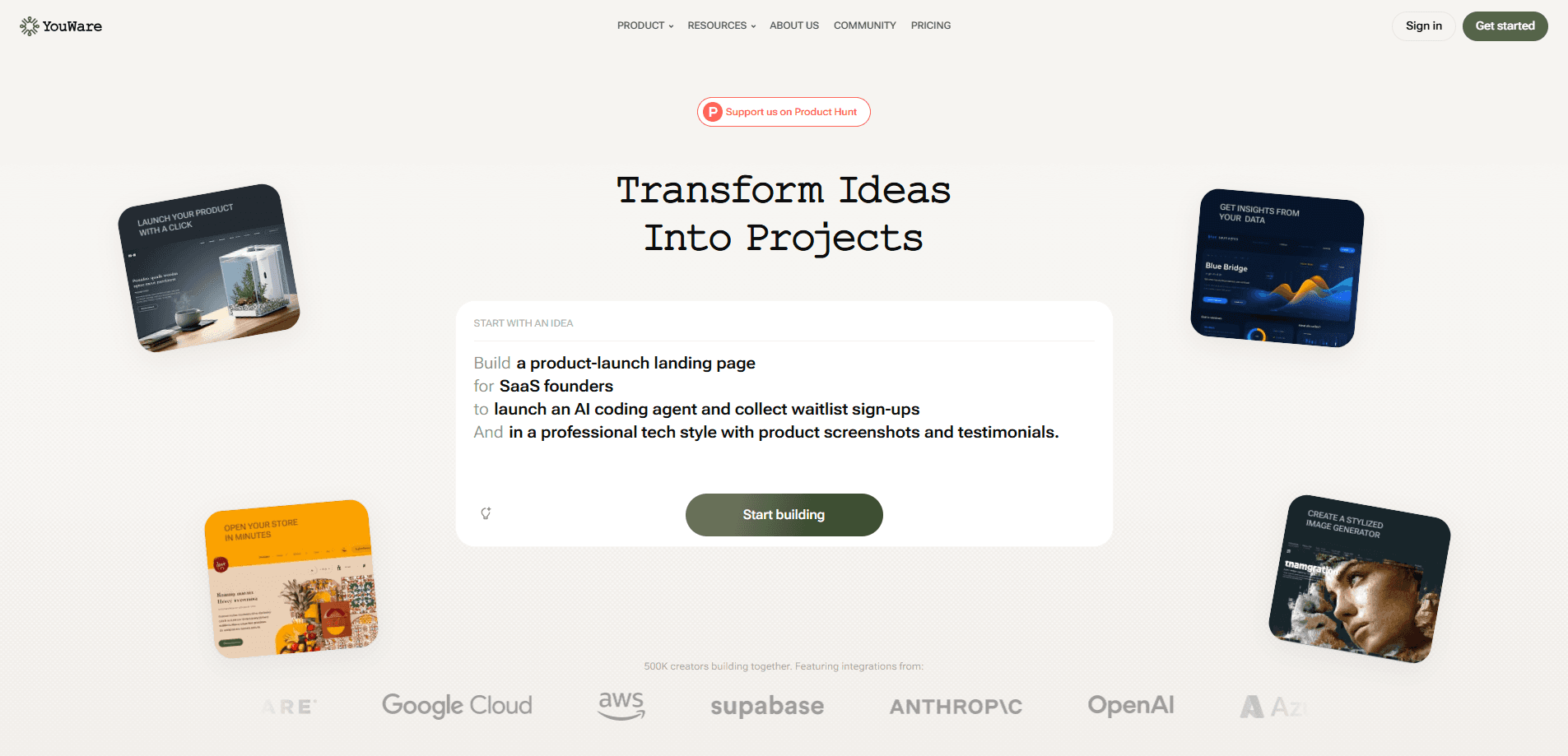
YouWare is an AI "vibe coding" platform that turns a plain-language idea into a working, publishable website, dashboard, prototype, or mini game. You describe what you want, the built-in agent writes and runs the code in a sandbox, and you get a live preview you can tweak and share with a link. It acts as an AI app builder and a hosting platform at once. The AI handles the code. YouWare handles the running, previewing, and publishing. The appeal is the missing middle step. Build websites with AI, then ship them, in one place. Most AI tools hand you raw code that you then have to download, install, and deploy yourself. YouWare skips that. If you've ever wanted a landing page, a portfolio, or a small internal tool but didn't want to learn a framework or wrangle a server, this is the pitch: describe it, watch it appear, publish it, share it. The company also runs a community where people remix each other's projects, which gives beginners a place to start from something that already works. This review covers what YouWare actually does, how the plans compare, and where it holds up in real use.
About YouWare
What Is YouWare
YouWare is an AI coding and content platform built around the idea that making software shouldn't require being a programmer. You type a description, and the platform's own AI agent generates runnable code, executes it in a secure sandbox, and shows you the result in real time. From there you can keep chatting to change things, fix errors the agent spots on its own, or hit Boost to push the visuals up to a more polished level.
It was created by Shenzhen Xinyan Technology and launched publicly in 2025, starting as a place for "vibe coders" to share AI-built web creations and grow into a broader work platform. Today it covers websites, dashboards, interactive prototypes, internal tools, and playable mini games, with a mobile app that lets you build by voice while you're away from a desk. Projects can ship to a YouWare subdomain, and paid tiers add custom domains and backend services like databases and authentication.
The through-line is a community: every project can be published, liked, and remixed. YouWare calls itself the first vibe-coding community, and that's a fair description. The point isn't only to build something. It's to build something other people can see, reuse, and iterate on.
Getting Started
- Open youware.com and create an account. You get sign-up credits to start building right away.
- Describe your idea in the chat box in plain language, for example "a landing page for a dog-walking business" or "a small tool to track my reading."
- Watch the live preview render, then keep chatting to adjust layout, colors, or content. Use Boost when you want a quicker visual upgrade.
- Fix anything that looks broken by pointing it out; the agent locates the error and repairs it without you reading a stack trace.
- Publish the project to get a shareable link, or connect a custom domain on a paid plan.
Product Information
A quick look at YouWare's pricing, supported platforms, and performance.
Best for
The users, tasks, and scenarios where this tool fits best.
Users
- Non-programmers with a clear idea and no coding background
- Designers and marketers who want fast, shareable pages and prototypes
- Founders and side-project builders testing a concept before committing to real development
- Hobbyists who want to build small tools or games for fun
Tasks
- Turning a written brief into a live, interactive website
- Building dashboards, internal tools, and clickable prototypes
- Creating mini games and creative widgets from a prompt
- Editing, fixing, and republishing AI-generated code without touching an editor
Scenarios
- Shipping a landing page for a product or event in an afternoon
- Prototyping an app idea to show teammates something clickable
- Building a personal portfolio or a page to show off your work
- Recording a screen clip to describe a UI and letting the agent build it
Key features
Conversational Building From a Single Prompt
The core loop is a chat. You describe what you want in ordinary language, and YouWare's agent produces a runnable web project, not just a code snippet. What sets it apart from a chat assistant is what happens next: the code runs immediately in a live preview, so you judge the result by looking at it rather than by reading it. If the first attempt misses, you keep talking. "Make the header smaller." "Switch to a warmer color scheme." "Add a contact form." Each message updates the running page. You can also describe it from a Figma file or paste existing code as a starting point, which helps if you already have an asset and just want it made real. So why does it work? Because the feedback is visual and the revision is a sentence, not a pull request. Someone with no technical vocabulary can still get to a working page. No framework to learn. No server to configure.
Live Preview and One-Click Boost
Because the preview updates as you go, YouWare works like a what-you-see-is-what-you-get editor with an AI on the other end. You watch changes land in real time, which makes the difference between a rough draft and something presentable a matter of minutes rather than hours. When a project works but looks flat, Boost applies a stronger visual treatment automatically, lifting spacing, typography, and color into something closer to a finished product. For people who can get the function right but stall on aesthetics, that shortcut matters. It's the difference between shipping something you're happy to share and leaving it half-finished in a folder.
Automatic Error Detection and Repair
Generated code breaks. Loops misfire, a component fails to load, something renders blank. YouWare's agent watches for those failures and fixes many of them on its own, so you don't have to read a stack trace or hunt through files to find the problem. When you do need to step in, you describe the symptom and the agent locates the cause. This self-healing behavior is a big part of why the platform is approachable for beginners. The scariest part of working with code, for most people, is the moment it stops working. Having the tool absorb that moment changes how confident you feel experimenting.
Screen Recording and Voice Input
You can describe a requirement by recording a short clip of the interaction or interface you have in mind, and the agent reads the intent from the video instead of asking you to type it out. On mobile, you can speak your idea and build by voice, then get notified when a project updates so you can tweak it on a phone. This is more useful than it sounds. For interface work, showing is often faster and more precise than describing, and being able to capture an idea the moment it arrives, rather than when you next sit at a computer, keeps projects moving.
Publishing and the Remix Community
Every project publishes to a shareable link with access controls and basic traffic analytics, and paid plans add custom domains and remove the YouWare badge. The community layer is what makes YouWare more than a builder: you can browse other people's projects, like them, and remix them, forking a working starting point and reworking it with a single prompt. Public sections span games, productivity tools, education, presentations, dashboards, and portfolios. For someone stuck at a blank canvas, remixing is often the fastest on-ramp, since you begin from something that already runs.
Backend Services and Mobile Apps
Paid plans open up backend capabilities such as databases and authentication (grouped as YouBase), which means a project can store data and manage users instead of being a static page. Combined with the iOS and Android apps, this turns YouWare from a toy for single pages into something you can use for small real products. A tool that remembers what a user entered, or that gates content behind a login, is a meaningfully different thing from a one-off page, and those building blocks are what let a weekend project grow into something people actually use.
Pros and cons
Pros
- Turns a plain-language idea into a live, runnable project without any setup or deployment work
- Live preview and one-click Boost make visual polish fast for non-designers
- Self-repairing agent reduces the fear of hitting a broken build
- Remixable community gives beginners a proven starting point
- Mobile app and voice or screen-recording input keep ideas moving wherever you're working
Cons
- Generated projects can hit a ceiling when you need custom, production-grade logic
- Credits are consumed by building and refining, so heavy experimentation costs more on higher tiers
- Exact USD pricing isn't listed up front and requires checking the plans page
- Backend features like databases and auth are locked behind paid plans
- Complex, multi-step apps still reward some technical judgment to keep on track
Frequently asked questions
YouWare is an AI platform for building and publishing web projects from plain-language prompts. You describe what you want, the AI writes and runs the code in a sandbox, and you get a live page or app you can refine and share. It's aimed at people who want to make things without learning to program.
Related content
Explore related tools, skills, and articles for YouWare.
YouWare Alternatives
Forefront
Forefront · CodingForefront is a web platform for building with open-source AI. It lets you fine-tune leading open-source language models on your own data, evaluate how they perform, and run them through an API or export them to host yourself. Developers who want the convenience of a closed-source platform but insist on owning their models and data are the target audience here.

Startkit
StartKit.AI · CodingStartkit is a boilerplate for building AI SaaS and AI wrapper products. Think of it as an AI startup boilerplate with the boring parts already wired up: authentication, Stripe and Lemon Squeezy payments, usage limits, transactional email, and an AI API starter that talks to OpenAI, Anthropic, Groq, or Llama. You clone the repo, set your price, and start on the part of your product that people actually pay for. It's Next.js under React and Tailwind, so most of the boilerplate code already feels familiar.
Testim
Tricentis · CodingTestim is an AI-powered test automation platform for building and running end-to-end tests across web, mobile, and Salesforce applications. It leans on machine learning to keep tests stable when an interface changes, so teams spend less time fixing broken selectors. Not bad for an automated testing tool you can start using today. You create tests by recording actions in a browser, then optionally add JavaScript when you need more control. It's a solid pick for busy QA teams.