

Zed
Zed Industries · Coding
Zed is a fast, open-source code editor for macOS, Linux, and Windows with built-in AI agents and live collaboration for developers.
About Zed
What Is Zed
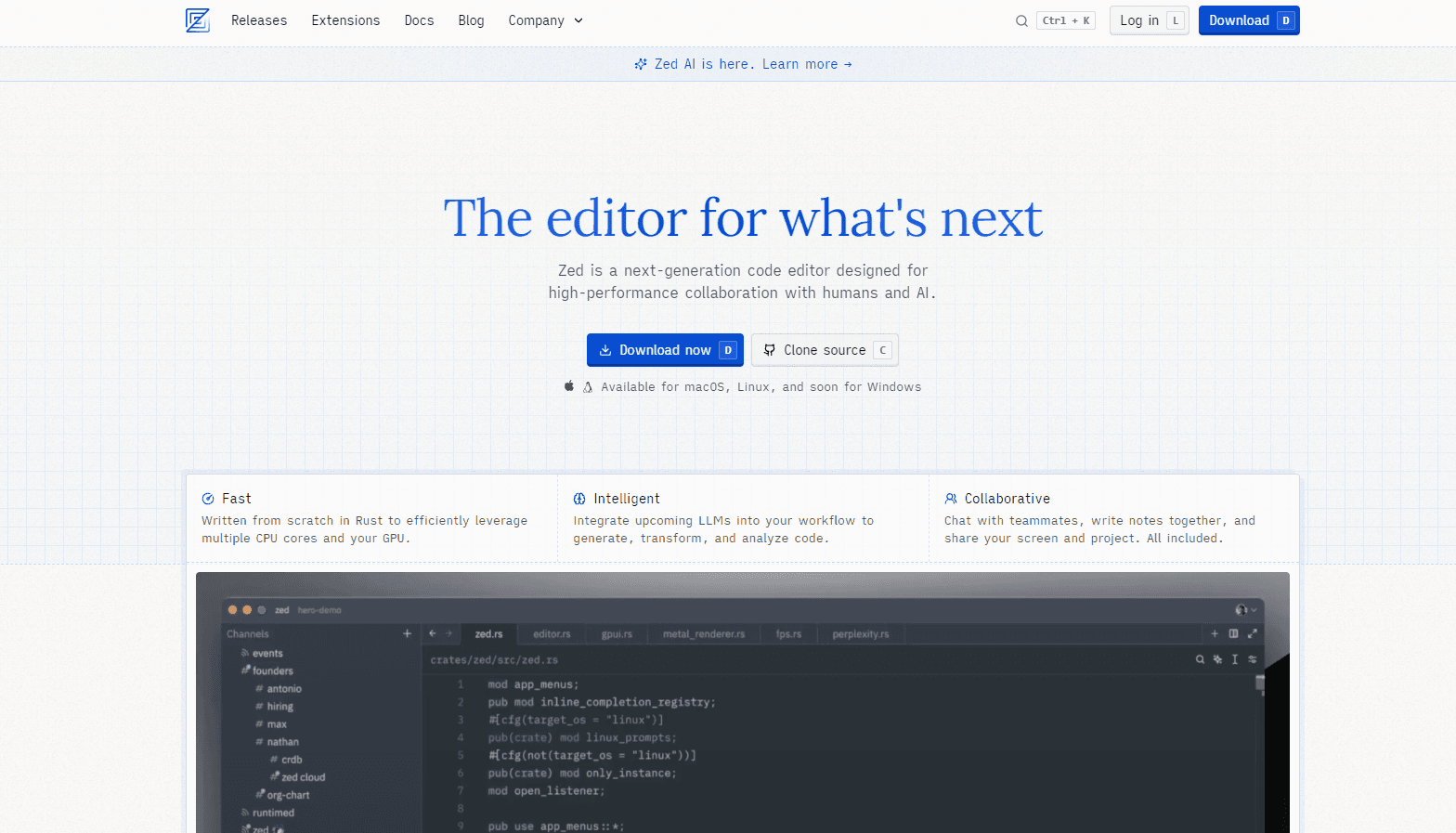
Zed is a code editor built from scratch in Rust by Zed Industries, the team behind the Atom editor and the Tree-sitter parsing library. It targets one thing above almost everything else: speed. The whole interface is drawn with a custom GPU framework called GPUI, so scrolling, typing, and file search stay smooth even in large projects.
Where it stands out is AI and teamwork. An Agent Panel lets an AI agent read your codebase, make edits, and run tools, and you can run several agents at once. Real-time collaboration is baked in as well. You can share a project, chat with teammates, and edit the same files together without extra setup.
The biggest thing to know before you commit: the AI features are tied to a paid plan or your own API keys. The free Personal plan is a solid editor, but it ships without Zed-hosted AI. The Business tier also lacks SSO and SCIM for now, which matters if your company needs centralized login.
Getting Started
- Download the installer for macOS, Linux, or Windows from zed.dev, or build it from source on GitHub.
- Open a folder or clone a repository to load your project into the editor.
- Add your theme, keybindings, and extensions such as language servers and Vim mode.
- Sign in to a Zed account if you want hosted AI models, or paste your own API keys from a provider.
- Open the Agent Panel and describe a task in plain text to have an agent edit files or answer questions.
Product Information
A quick look at Zed's pricing, supported platforms, and performance.
Best for
The users, tasks, and scenarios where this tool fits best.
Users
- Professional developers who care about input latency and want an editor that keeps up on big codebases.
- Teams that pair program or review code together, since live collaboration is built in rather than bolted on.
- Programmers who want AI help without handing their code to a single vendor, because your own API keys work here.
Tasks
- Multi-file refactoring
- Quick navigation in unfamiliar code
- Collaborative debugging
Scenarios
- You keep your editor open all day and want one that never stutters, even with dozens of files open.
- A colleague needs to look over your shoulder remotely, so you start a shared session and work in the same window.
- You're trying AI coding tools for the first time and want to test them against your own provider account.
Key features
Fast, Rust-Built Core
Zed is written in Rust and renders through GPUI, a GPU-accelerated UI framework the team built for the editor. The payoff is low input lag and quick project-wide search, which you notice most in large repositories where other editors start to drag. If you have ever waited on a slow "find in files," this is the part you'll feel first. Speed sounds like a small thing until your editor makes you wait. It isn't small.
Agent Panel With Parallel Agents
The Agent Panel takes a plain-text request and lets an AI agent search your codebase, edit files, and call tools to finish it. You can run more than one agent at the same time, so a long task doesn't block you from working elsewhere. According to Zed, agents can also work through a task in the background while you keep typing.
Live Collaboration and Shared Projects
Collaboration is a core feature, not a plugin. You can share a project, chat with teammates, and edit the same files together, and shared screen and terminal views are part of the same flow. As a collaborative code editor, Zed makes pairing feel like sitting at the same desk. For remote teams, this cuts out the usual dance of screen-sharing during a review, where one person drives and everyone else leans in to see a shared screen that keeps blurring at the exact moment it matters most.
Flexible AI Model Access
Zed Pro includes hosted models out of the box, but you can also bring your own API keys from Anthropic, OpenAI, Google, and others. That gives you a way to keep using an existing AI contract instead of paying twice. Think of Zed as a flexible AI coding assistant that plugs into whichever provider you already trust, rather than locking you to one. The free trial even bundles some usage credit so you can test hosted models first.
Edit Predictions
Beyond chat-style agents, Zed predicts your next edits as you type and you accept them with a keystroke. It's the kind of feature meant to disappear into your normal workflow rather than demand attention, and unlimited accepted predictions come with Pro. Not flashy. Just useful.
Open-Source and Extensible
The whole thing matters most when you're deep in work. The whole editor is open source under GPL v3, including the AI work, so you can read exactly what the agent panel does under the hood. No black box. Extensions cover language servers, themes, and Vim-style keybindings for people who can't live without modal editing.
Pros and cons
Pros
- Genuinely fast, with GPU-rendered UI that holds up on large codebases.
- Collaboration and AI agents are built in, not stitched on through plugins.
- Open source, so you can inspect and self-host build it if you want.
- Bring-your-own API keys work alongside hosted models, giving you pricing flexibility.
- Runs on macOS, Linux, and Windows with the same core experience.
Cons
- The free Personal plan has no Zed-hosted AI, so AI features need Pro or your own keys.
- Business plans lack SSO and SCIM for now, which blocks some company login requirements.
- Zed Pro bills hosted usage at API list price plus 10%, so heavy AI use adds up.
- The extension library is smaller than what you'd find for older, more established editors.
Frequently asked questions
Yes. The Personal plan costs nothing and gives you the full editor without AI. AI capabilities require the $20/mo Pro plan or your own API keys from a provider.
Related content
Explore related tools, skills, and articles for Zed.
Zed Alternatives

Base Code
Base44 (Wix) · Coding · ProductivityBase Code is a shared cloud development environment from Base44. Teammates describe changes to an existing GitHub codebase in chat, preview them live and send them back as pull requests.

Google EmbeddingGemma 2
Google DeepMind · Writing · Image · CodingGoogle EmbeddingGemma 2 is a 740M-parameter open model that turns text, code, images, audio, and video frames into vectors in one 768-dimension space, running on phones and laptops.

GitGlow
GitGlow · Coding · ProductivityGitGlow is a local-first desktop Git client that lets independent developers review their own code and their AI agents' changes in one place before shipping.