

Zeemo AI
Bluepulse Inc. · Writing · China AI
Zeemo is an AI caption and video translation tool that turns spoken video into subtitles in 95 languages and translates them into 113 more.
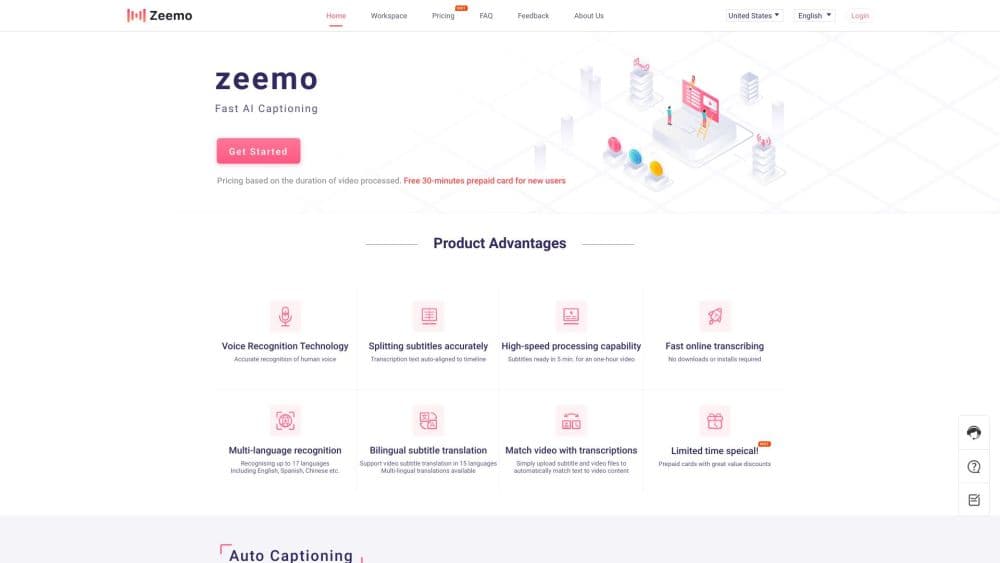
About Zeemo AI
What Is Zeemo
Zeemo is a web and mobile studio built around one job: getting clean, accurate captions onto a video without hand-typing timestamps. You upload a clip or point it at a link, and the tool transcribes the speech, breaks it into timed subtitle lines, and lets you fix anything the AI misheard. From there you can restyle the captions, translate them for a foreign audience, and export a subtitle file or a burned-in video.
The reason people reach for a caption generator instead of doing it manually is time. A ten-minute interview can take hours to subtitle by hand, and the tedious part isn't the words, it's matching each line to the exact moment it's spoken. Zeemo handles that timing automatically, which is the part most creators want to hand off.
The limits matter too. The free plan caps video length at one minute and 200 MB with 720p exports, and it only keeps your files for three days. Longer videos, 4K output, and the AI video and image generators sit behind paid plans. So it works as a quick caption tool on the free tier, but heavy or long-form work needs a subscription.
Getting Started
- Sign up for a free account at zeemo.ai, or install the Zeemo app on iOS or Android.
- Upload a video or paste a link, then pick the spoken language. The tool detects it automatically if you're not sure.
- Let the AI transcribe the audio into timed captions, then open the editor to fix words, split or merge lines, and shift the timing.
- Pick a caption style and, if you want a wider audience, translate the subtitles into another language.
- Export an SRT or ASS file, or render a finished video with the captions burned in.
Product Information
A quick look at Zeemo AI's pricing, supported platforms, and performance.
Best for
The users, tasks, and scenarios where this tool fits best.
Users
- Content creators
- Social media managers
- Educators and trainers
- Media and localization teams
Tasks
- Subtitling interview and podcast footage
- Translating a video for a foreign market
- Turning video into text
- Captioning course and tutorial content
Scenarios
- Posting a batch of short clips on a deadline
- Reaching viewers who don't speak your language
- Clearing a backlog of long recordings
Key features
AI Caption Generator
Zeemo's core subtitle generator transcribes the speech in a video and lays it out as timed subtitles, covering 95 languages. The accuracy is the selling point, and so is the fact that you never touch the timeline: the AI places each line where it belongs. You get an editable transcript afterward, so fixing a name or a technical term is a quick edit rather than a redo.
Caption Translation Into 113 Languages
After captions exist, Zeemo translates them into more than a hundred languages while preserving the original timing. This is the feature that turns a single video into a dozen localized versions without a separate subtitle service. It's translation for captions, not dubbing, so the result changes reading text rather than the spoken audio.
Dynamic Caption Templates
Instead of plain white text on a black bar, Zeemo ships caption styles with motion, emphasis, and font options that fit short-form video. These templates are the reason creators pick it over a bare transcription tool, since the look of captions affects whether people keep watching. You can apply a style across a whole project for consistency.
Built-In Caption Editor
The editor lets you correct wording, split and merge lines, and nudge the timing of individual captions. Trimming is done by editing the transcription, so cutting a filler word or a pause is a text change rather than a video cut. Filler-word and gap removal tools speed up cleanup on rough recordings.
Batch Upload and Multi-Device Access
Higher plans accept batch uploads and let one account work across up to ten devices. For teams producing content on a schedule, that means queuing several videos at once instead of processing them one at a time. The storage window also stretches on paid tiers, from three days on the free plan to thirty.
Export Options and the Wider Studio
You can export SRT and ASS subtitle files or a transcript, or render the video with captions burned in, at up to 4K on the top plans. The platform has grown past captions into AI video and image generation, an upscaler, and text-to-speech, all sharing one credit balance. That range is useful if you want one account for several jobs. The captioning tools still remain the reason most people sign up.
Pros and cons
Pros
- Captions in 95 languages and translation into 113, so one video reaches a wide audience without extra tools or editors.
- Automatic timing removes the slowest part of subtitling, which matters most on interviews and long recordings.
- A genuinely usable free tier, even if the one-minute and 200 MB caps mean it's best for short clips.
- SRT and ASS export means the output drops into whatever editor you already use.
- Dynamic caption templates give short-form videos a polished look without manual animation work.
Cons
- The free plan caps videos at one minute and 200 MB and only keeps files for three days, so real projects need a paid plan.
- Translation handles the reading text but not the spoken audio, so there's no voice-over if you want a fully localized version.
- Accuracy drops on heavy accents, crosstalk, and technical jargon, and you'll need to review the transcript before publishing.
Frequently asked questions
Zeemo adds subtitles to video and translates them. You upload a clip, and it transcribes the speech into timed captions, which you can restyle, translate into another language, and export as an SRT or ASS file.
Related content
Explore related tools, skills, and articles for Zeemo AI.
Zeemo AI Alternatives

Google EmbeddingGemma 2
Google DeepMind · Writing · Image · CodingGoogle EmbeddingGemma 2 is a 740M-parameter open model that turns text, code, images, audio, and video frames into vectors in one 768-dimension space, running on phones and laptops.

MePersona
MePersona, Inc. · Writing · Productivity · MarketingMePersona is an AI unified inbox for creators. It learns your voice, drafts replies to fan messages from 12 platforms, and sends only what you approve.

Fluence
Yay Software (Yannick Huchard) · Writing · Voice & Language · ProductivityFluence is an Android app that reads PDFs, EPUBs, Word files and web articles aloud, follows each sentence as it speaks, and answers questions about the text on the phone itself.