

Zerg Router
ZergAI · Coding · Productivity
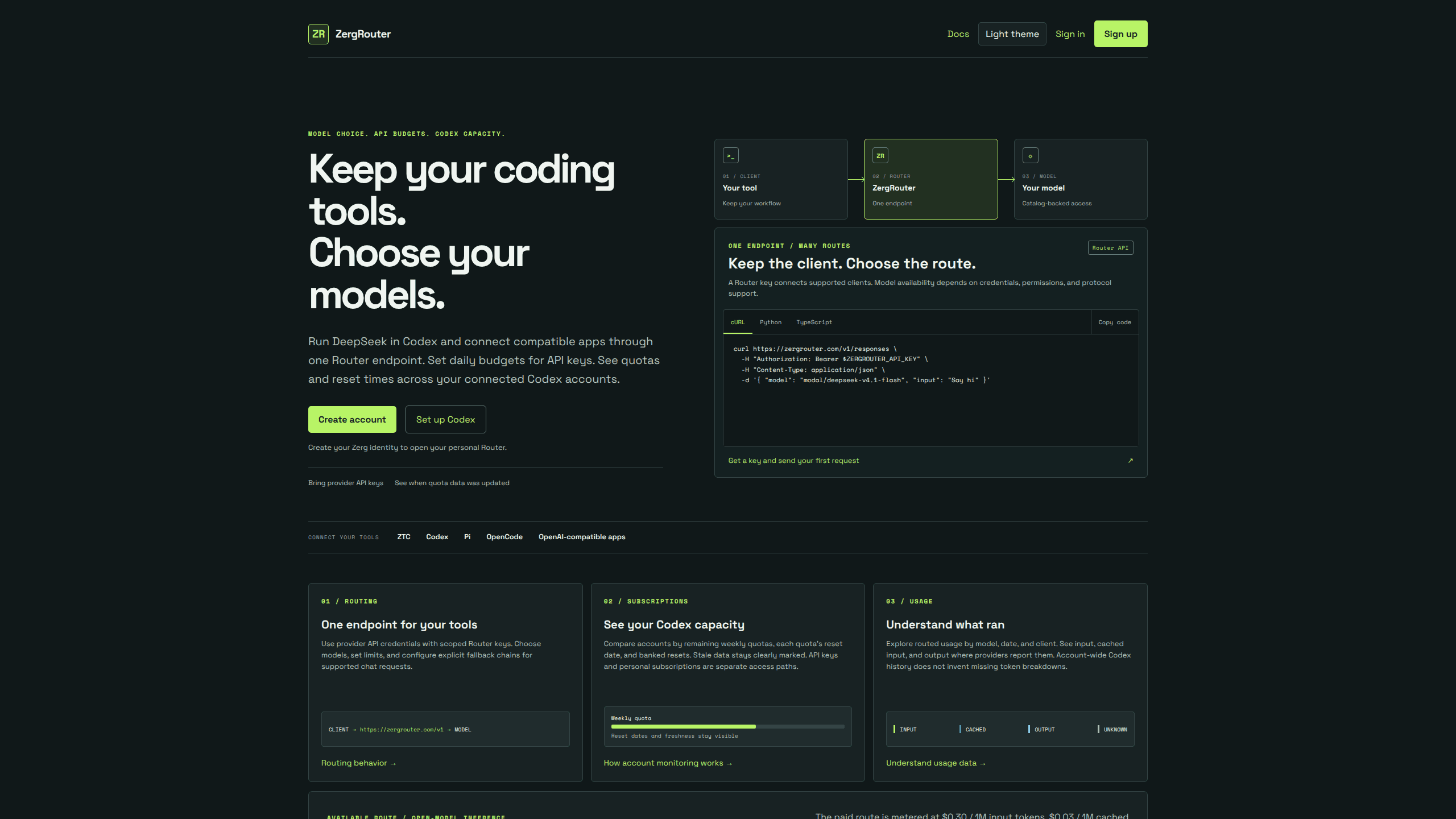
ZergRouter is a hosted AI model router that runs DeepSeek V4.1 Flash inside Codex and connects other coding clients through one endpoint, with key budgets, quota views, and usage records.
About Zerg Router
What Is ZergRouter
ZergRouter is a routing layer that sits between a coding client and a model provider. You keep Codex, Pi, or OpenCode as your daily tool, point it at one address, and the router sends each request to a model your account can reach. That model may run on platform-funded capacity or on a provider key you added yourself.
The product solves a bookkeeping problem as much as a wiring one. Coding agents usually tie one client to one provider, and each provider brings its own keys, quotas, and invoices. ZergRouter works as an API router for coding agents: a Router API key carries scopes and daily budgets, stored credentials keep provider secrets out of client config files, and one usage view records input, cached input, and output per model and client.
Limits are worth knowing before you commit. The platform-funded route covers DeepSeek V4.1 Flash only, not other DeepSeek or Modal models. Requests go to shared Modal endpoints or Fireworks, so there's no private deployment and no data residency promise. Access, trial allowances, and billing are confirmed inside ZergAI, not inferred from a marketing page.
Getting Started
- Sign in at zergrouter.com with ZergAI. The sign-in creates a personal Router account, and a browser session lasts up to 24 hours.
- Create a Router API key under API keys and store the secret in a password manager. The full key is shown once, and the default scopes cover chat:write, models:read, and usage:read.
- Check Billing for the no-card DeepSeek trial, then add a card if you plan to keep working past it. For other models, add provider credentials in Credentials rather than pasting keys into a client.
- Install the CLI with
npm install --global @zergai/zrouteron Node.js 22 or newer, then runzrouter login,zrouter codex models, andzrouter codex configure --model modal/deepseek-v4.1-flash. - Start Codex with
codex --profile zergrouter. Your normal Codex profile stays as it was, andzrouter codex restoreputs the machine back.
Product Information
A quick look at Zerg Router's pricing, supported platforms, and performance.
Best for
The users, tasks, and scenarios where this tool fits best.
Users
- Codex users who want another model without another client
- Developers juggling several provider accounts
- Small teams that need a spend ceiling
- Anyone who already pays for Codex and wants to see where the weekly quota went
Tasks
- Running DeepSeek in Codex
- Comparing routes on one coding task
- Auditing a week of agent work
- Handing a project to a teammate
Scenarios
- A laptop with Codex CLI and one Router key
- Several Codex accounts with weekly quotas
- Trying a model before buying a subscription
- A shared workstation where secrets shouldn't sit in config
Key features
One Endpoint for Coding Clients
Every supported client uses the same base URL at zergrouter.com/v1. The router speaks the OpenAI chat completions format and also accepts Responses requests, which is what Codex sends. Pi, OpenCode, ZTC, and the Zerg agent apps connect through the same OpenAI-compatible endpoint, so a new tool needs a key and a base URL rather than a new integration.
A DeepSeek Route Built for Codex
The Codex Responses API path is the one the docs spend the most time on. The DeepSeek V4.1 Flash catalog entry declares a 1M context window, image input, four reasoning levels, and freeform patch edits. Codex still runs shell commands, approvals, and sandboxing on your machine. Modal ignores native custom tools, so the router translates apply_patch into a function call and restores the event on the way back.
Router Keys With Scopes and Daily Budgets
Keys are minted in the dashboard and hashed in storage. You choose scopes at creation, and the default set covers chat, model reads, and usage reads. A daily_budget_usd value caps spending per key in UTC, and requests get a 429 once recorded spend reaches it. The budget is a guardrail, not a hard stop for work already in flight.
Provider Credentials With Ordered Failover
Credentials holds provider API keys for routes that bill your own account. Each row has a nickname, an enabled state, and a priority number, and a lower number is tried first among credentials for the same provider. Failover only covers eligible credential failures before output starts, so a half-finished stream won't silently switch models. Fallback chains can also be configured per chat request.
Codex Quota Monitoring Across Accounts
Subscriptions connects supported accounts and reports their weekly quotas, reset dates, and banked resets. Older readings stay visible and marked as stale instead of being smoothed over. The router shows the numbers and leaves the choice to you: it never signs in to Codex or moves a session to another account on its own.
Usage Records by Model, Date, and Client
The usage view breaks routed traffic into input, cached input, and output tokens. You can filter by model, date, and client, which makes it easy to see which tool spent the budget. When a provider doesn't report a token breakdown, the row says unknown instead of estimating a number, and account-wide Codex history stays separate from routed requests.
Pros and cons
Pros
- The client stays put. Codex, Pi, and OpenCode each need a base URL and a key, not a fork or a patched build.
- Trial terms are stated in dollars and tokens, so you can see the ceiling before the first paid request.
- A daily budget on the key is the simplest spend control we've seen in this category, and it works without a separate billing tool.
- Quota monitoring answers a real question for anyone with two or three Codex accounts, and stale readings are labeled rather than hidden.
- The restore command archives only the files it wrote, which keeps an experiment from damaging a working Codex setup.
Cons
- Platform-funded access covers one model. If you want DeepSeek V4 Pro or another Modal model, you need your own provider credential or another route.
- Inference runs on shared Modal endpoints or Fireworks. There's no private deployment, and the FAQ declines to promise a data residency region.
- Quota data doesn't move your session. You still decide which Codex account to use, which is extra work for people who wanted automatic switching.
- Manual setup expects comfort with a TOML profile and an environment variable. The CLI hides most of it, but it needs Node.js 22 or newer.
Frequently asked questions
It puts one authenticated endpoint in front of the models your account can use. You send OpenAI-format or Responses requests with a Router key, and the router forwards them to the selected provider. It also tracks spending, quotas, and token counts for those requests.
Related content
Explore related tools, skills, and articles for Zerg Router.
Zerg Router Alternatives

Base Code
Base44 (Wix) · Coding · ProductivityBase Code is a shared cloud development environment from Base44. Teammates describe changes to an existing GitHub codebase in chat, preview them live and send them back as pull requests.

Google EmbeddingGemma 2
Google DeepMind · Writing · Image · CodingGoogle EmbeddingGemma 2 is a 740M-parameter open model that turns text, code, images, audio, and video frames into vectors in one 768-dimension space, running on phones and laptops.

GitGlow
GitGlow · Coding · ProductivityGitGlow is a local-first desktop Git client that lets independent developers review their own code and their AI agents' changes in one place before shipping.