

Zero
Mail-0 · Writing
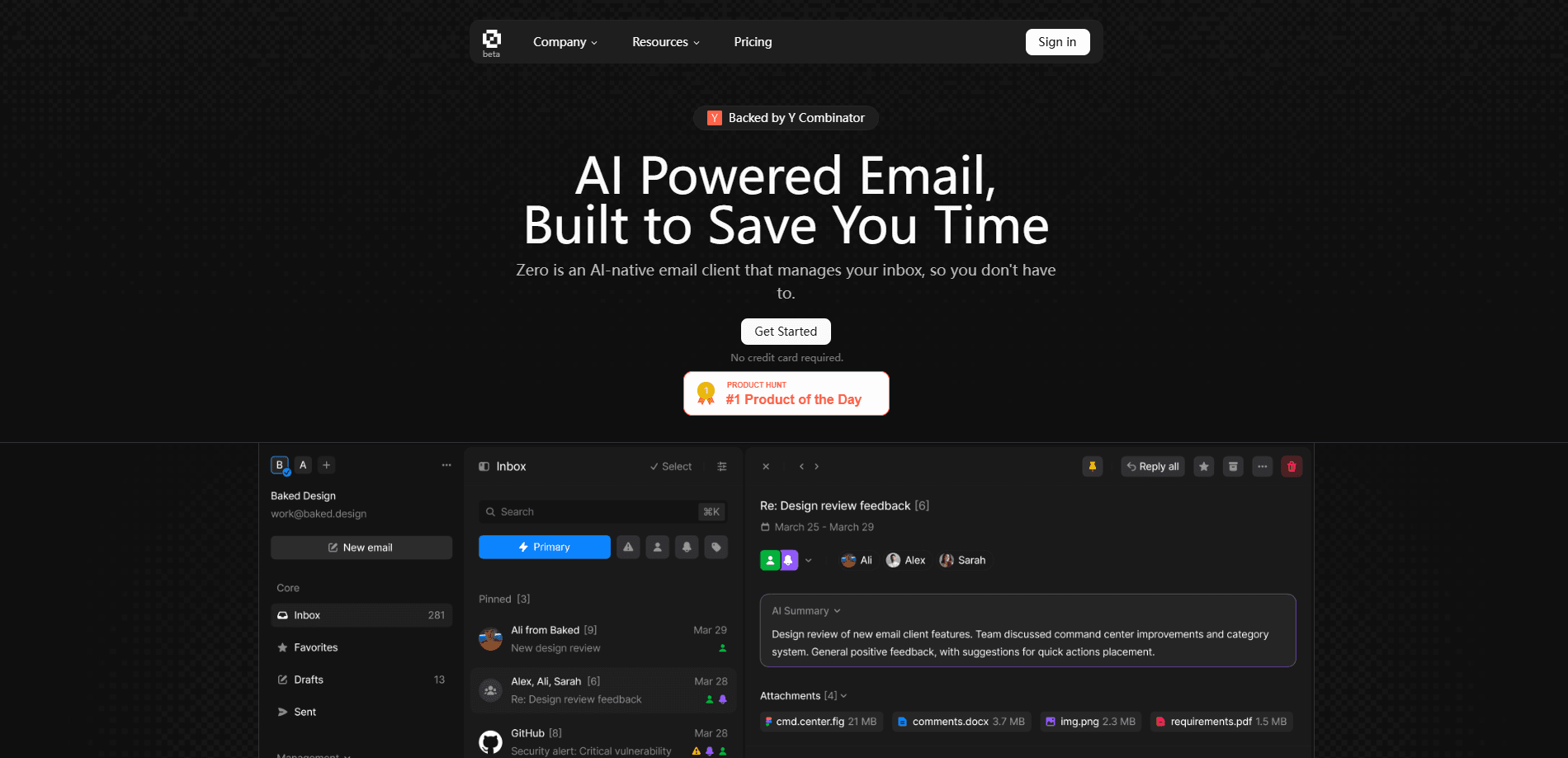
Zero is an open-source AI email client that merges Gmail and other providers into one inbox. It runs AI agents to sort, summarize, and draft mail, and you can self-host the whole app.
About Zero
What Is Zero
Zero is an open-source AI email client, and a self-hosted email app, built by the Mail-0 team and published at 0.email. It works as a Gmail alternative that connects the mail accounts you already own, such as Gmail and Outlook, into a single inbox, then layers AI on top to help you get through that inbox faster. The source code sits on GitHub, so anyone can read it, run it, or change it.
The project targets a specific frustration: most email apps are closed-source, hungry for your data, or painful to self-host. Zero tries to sit on the other side of all three. It publishes its code, states that it doesn't track or sell your data, and ships setup steps plus Docker so you can run the app on your own machine.
The trade-off is that Zero asks more of you than a mainstream email app. Self-hosting means managing a Postgres database, environment variables, and OAuth credentials for Gmail, which is a lot for someone who just wants a working inbox. Even the hosted version is young, and features are still moving fast.
Getting Started
- Visit 0.email and sign in with your email account, or clone the GitHub repository if you plan to self-host.
- Connect your providers, such as Gmail or Outlook, and approve the OAuth permissions for each account.
- On a self-hosted setup, start the Postgres database, configure the environment variables, and run the app locally.
- Land in the unified inbox and let the AI assistant summarize threads, suggest replies, and sort what needs attention.
Product Information
A quick look at Zero's pricing, supported platforms, and performance.
Best for
The users, tasks, and scenarios where this tool fits best.
Users
- Privacy-minded users
- People juggling several accounts
- Developers and tinkerers
Tasks
- Clearing a crowded inbox
- Drafting replies
- Deciding whether to self-host
Scenarios
- Managing a mixed work and personal inbox
- Running email on your own server
- Trying an early-stage app
Key features
Open-Source Foundation
Every part of Zero is published on GitHub under an open license, and the team says it has no hidden agenda. That matters if you care about knowing exactly what runs on your mail: you can read the code, file issues, or submit changes. Projects that go closed or get acquired can't take that away from you.
AI Agents and LLM Assistance
Zero puts AI agents and large language models directly into the inbox. They summarize threads, suggest replies, help draft messages in your tone, and flag the mail that needs action. The goal is to cut the time you spend reading, so you can answer more and scroll less.
Unified Inbox Across Providers
Connect Gmail, Outlook, and other accounts and read them together in one view. Instead of bouncing between apps, you see every message in a single list and can search across accounts at once. It's the feature that makes Zero usable as a daily driver rather than a curiosity.
Self-Hosting Freedom
Zero ships with setup docs, a Docker-based database, and environment configuration so you can run the whole app yourself. Data lives in your own Postgres instance, and you control the OAuth flow. This is the part that separates Zero from hosted-only email apps.
Customizable Interface and Features
The UI is built with Next.js, React, TailwindCSS, and Shadcn UI, and the team advertises a customizable email app. You can adjust how the app looks and extend behavior to fit your workflow, since the front end is open and easy to modify.
Developer-Friendly Architecture
The stack reads like a modern web project: Node.js and Drizzle ORM on the back end, PostgreSQL for storage, and Better Auth with Google OAuth for sign-in. Adding a provider, a feature, or an integration means working with tools most web developers already know.
Pros and cons
Pros
- Fully open-source code that you can read, fork, and self-host
- AI agents summarize threads, suggest replies, and sort the inbox
- One unified inbox for Gmail, Outlook, and other providers
- Free to use, with no tracking or data selling according to the team
- Built on a familiar modern stack that's easy for developers to extend
Cons
- Self-hosting requires managing Postgres, environment variables, and OAuth credentials, which is heavy for casual users
- The hosted product is young, so features and stability move quickly and may change
- No public API for developers to build on, and a mobile app isn't available yet
Frequently asked questions
Zero is an open-source AI email client from the Mail-0 team, available at 0.email. It connects the email accounts you already use into a single inbox and adds AI help for summarizing, drafting, and sorting messages. The source code is public, and you can self-host it.
Related content
Explore related tools, skills, and articles for Zero.
Zero Alternatives

Claude for Google Workspace
Anthropic · Writing · Productivity · BusinessClaude for Google Workspace puts Claude in a sidebar inside Google Docs, Sheets, and Slides, where it reads the file you have open and edits it in place.

Claude Haiku 5.5
Anthropic · Writing · Coding · ChatbotClaude Haiku 5.5 is Anthropic's fastest and cheapest small model, built for high volume tasks at $0.10 per million input tokens with a 1M token context window.

NoteWorthy
Suman Hansada · Writing · Productivity · AI AssistantNoteWorthy is a notes app for iPhone, iPad and Mac that writes titles, tidies formatting, summarizes long notes and files each one with on-device AI. No account, no upload, no network requests.