

Zero-G App
Bartosz Idzik · AI Assistant
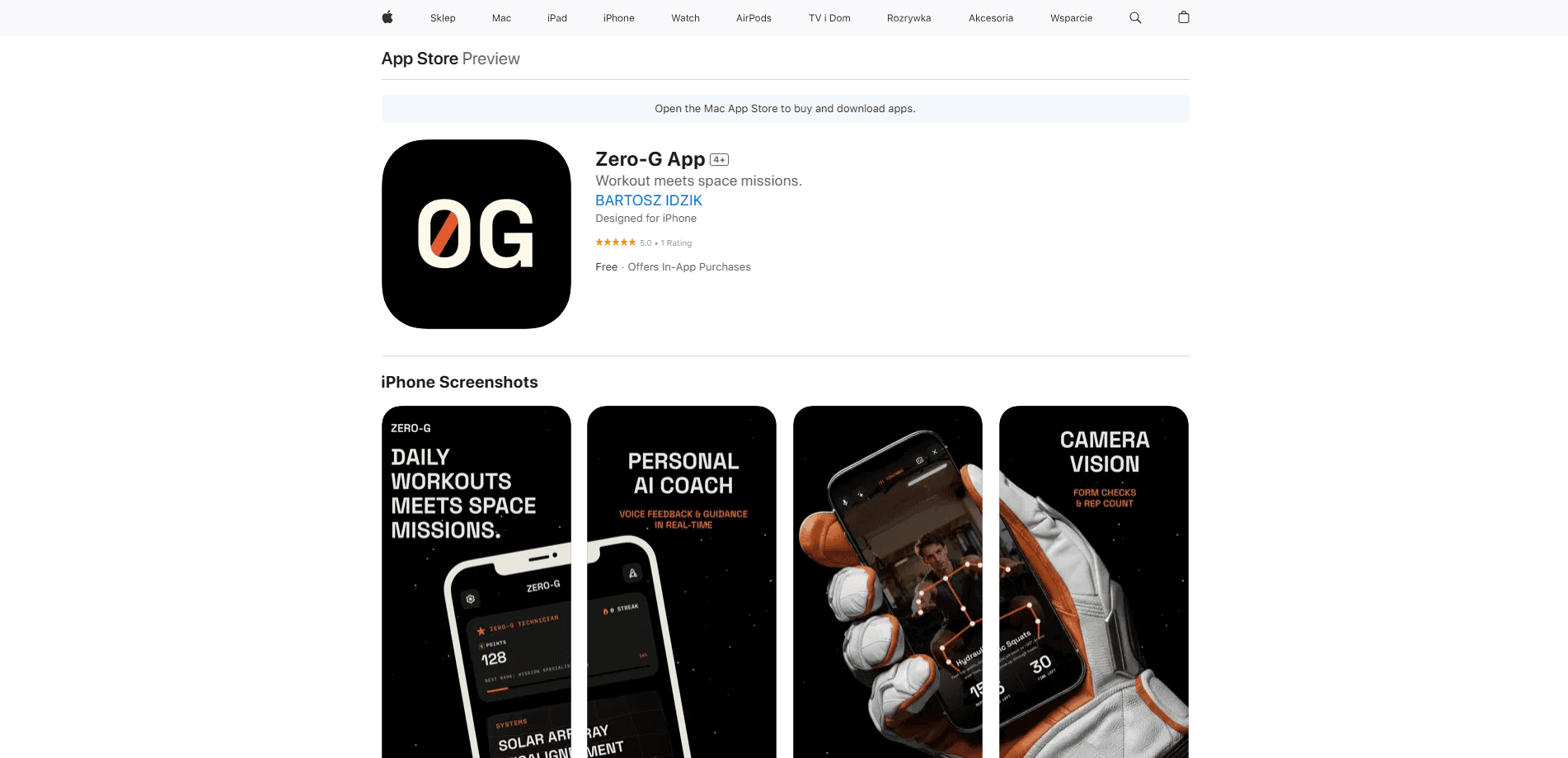
Zero-G App is an AI fitness app that recasts your home workout as a mission aboard a spaceship. Each session opens with a crisis briefing from the Mothership, then guides you through focused missions covering strength, endurance, mobility, stability, balance, and recovery. A personal AI coach narrates the whole thing, delivering live cues during a set and answering quick questions along the way. Your iPhone camera watches your form while you move. It's part workout, part space fitness game.
About Zero-G App
What Is Zero-G App
Zero-G App is a fitness app built around a simple idea: the reason people quit workouts isn't the exercise, it's the boredom. So it wraps a standard daily routine inside a science fiction storyline. You're a crew member on the Mothership, and every morning brings a new system failure to fix with your body.
The app leans on three things to keep you going. Camera vision runs on-device pose detection to check your form and count reps, which is what makes this a real camera vision workout tracker rather than a stopwatch with a theme. A personal AI coach speaks through the session with live cues instead of leaving you to follow a silent animation. And AI-generated missions spin up a fresh storyline every day from real astronaut training and spacecraft incident lore.
It's made by a solo developer, Bartosz Idzik, and it's iOS only. That matters if you train with an Android phone or want a web version, because neither exists here. It also needs iOS 18.1 or later, so anyone holding onto an older iPhone from before that release is simply out of luck. Older phones won't run it. The core experience sits behind a subscription, which means you can't evaluate the full mission loop without paying first. No free tier softens that.
Getting Started
- Download Zero-G App from the App Store on an iPhone running iOS 18.1 or newer.
- Open the app and start a subscription. The premium mission features sit behind one.
- Run the morning briefing to see the day's crisis and the six missions it maps to.
- Prop your phone where the camera can see you, then follow the AI coach through each set.
- Check the debrief screen for points, streak updates, and crew rank progress.
Product Information
A quick look at Zero-G App's pricing, supported platforms, and performance.
Best for
The users, tasks, and scenarios where this tool fits best.
Users
- Gamers who want exercise to feel like a quest
- Home exercisers who train alone
- Routine quitters
Tasks
- Daily bodyweight circuits
- Checking squat or pushup form
- Warm-ups
Scenarios
- A 15-minute morning session before work
- Beating a training slump
- Competing with friends
Key features
Camera Vision Form Tracking
Zero-G App uses your iPhone camera to detect your pose during a set. It counts reps, watches joint alignment, and checks posture as you move, then awards a Form Clean badge when your technique holds up. All the analysis runs on the device, so no workout video leaves your phone and a weak connection won't stall a session mid-set. That's a real privacy point.
Personal AI Coach
A spoken AI coach leads you through each mission. It delivers briefings, calls out real-time cues during sets, answers quick questions, and pushes you when a rep count starts to slip. The hands-free delivery is the useful part. You don't have to stop and read a screen between exercises.
AI-Generated Daily Missions
Every day, the app writes a new storyline and maps it to a set of missions. The scenarios draw on real astronaut training and spacecraft incident records, so the narrative shifts rather than repeating a fixed script. You still get the same functional categories underneath, but the surface changes enough to keep the ritual from turning stale, which matters more than it sounds when you're the kind of person who quits a routine right around the third week.
Drift Mode Warm-Ups
Drift Mode turns your phone into a motion sensor for precision warm-up drills, reading the gyroscope and accelerometer as you move. It's a short, controlled block meant to prime your body before the main mission. It also gives the hardware a job beyond just watching you, which is a clever bit of reuse on a device that's already sitting on the floor in front of you.
Challenge Mode Duels
Challenge Mode sets up real-time multiplayer duels so you can compete against other users instead of only against your own history. For people who train better with a rival than with a streak, this is the feature that adds a kind of pressure you simply can't manufacture when the only competitor is yesterday's version of you.
Gamified Progress and Crew Ranks
Every completed task earns G Points, and keeping a streak alive moves you up through crew ranks. The Mission Log and Calendar record finished missions, flag missed days, and mark personal records, so progress is visible rather than assumed. It's a light system. The ranks still give the daily routine a longer arc than a single session, and that arc is what turns a one-off workout into something you keep coming back to.
Talk to Mothership
The Mothership companion answers questions, offers motivation, or just chats between missions. It's less a training tool than a presence that keeps the fiction intact. It's the piece that ties the app's story wrapper to everything else you do inside it, so the mission briefing, the coach, and the debrief all feel like they belong to the same world. Is it needed? Not really. But it holds the theme together.
Pros and cons
Pros
- The mission framing genuinely changes how a workout feels. That's the hard part most home workout apps never solve.
- Camera vision runs on-device, so your camera feed and workout data stay on your phone.
- The AI coach narrates sessions hands-free, useful when you can't look at a screen mid-set.
- Six mission categories in one daily session mean you hit strength, mobility, and recovery without planning it yourself.
- Daily AI-written storylines keep the routine from turning into the same silent loop every morning.
Cons
- iOS only, and it needs iOS 18.1 or later. Android users and anyone on an older iPhone is locked out.
- Premium features require a subscription, and there's no free tier to test the full mission loop before paying.
- Camera tracking needs the right setup, which means a stable spot for your phone and enough room to stay in frame.
- It's a young app from a solo developer. The pacing and storyline variety haven't had years of iteration behind them.
Frequently asked questions
It turns a daily workout into a space mission simulation. You get a morning briefing, work through six functional missions, and the app tracks your form with the camera and an AI coach. Simple premise. It's an AI coach app wrapped in a game.
Related content
Explore related tools, skills, and articles for Zero-G App.
Zero-G App Alternatives

Iplan AI
Iplan AI · Productivity · AI AssistantIplan AI is an AI travel planner that turns a few trip details into a full day-by-day itinerary in seconds. You answer questions about your destination, interests, budget, and travel companions, and the tool builds a plan you can edit, share, and carry with you on any device. It targets travelers who want a solid draft without spending hours in spreadsheets and browser tabs. Think of it as an itinerary generator that does the tedious part for you.

Screenhelp
Screenhelp · Productivity · AI AssistantScreenhelp is an AI screen assistant that turns a single keyboard shortcut into real-time help. You press Ctrl+Shift+Space, it captures what's on your screen, and it streams an answer into a private panel in about two seconds. Think of it as an AI screenshot helper you trigger on demand. It runs on Mac, Windows, and the web, starts free with 30 answers a month, and stays invisible during screen sharing on Zoom, Teams, and Google Meet.

Rainbow
Rainbow · AI AssistantRainbow is an AI weather forecast app built around short-term precipitation nowcasting. Its engine pushes min-by-min rain and snow predictions up to four hours ahead, blending live satellite and radar feeds into hyperlocal forecasts. The app adds live rain radar, a seven-day outlook, precipitation alerts, home-screen widgets, and a hurricane tracker, and it runs on both Android and iOS with a free tier plus paid upgrades.