

Zero Setup AI Coding with OpenHands
All Hands AI · Coding
OpenHands is an open source platform for AI software engineering agents. It runs coding agents from a browser GUI, terminal CLI or SDK, with no local setup required on the cloud version.
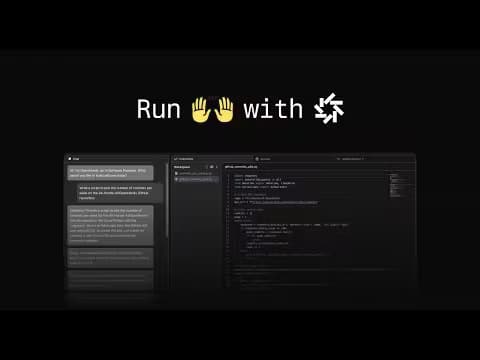
About Zero Setup AI Coding with OpenHands
What Is OpenHands
OpenHands is an open source platform for running software engineering agents, the kind of AI that reads a codebase, edits files, runs tests and opens pull requests on its own. It gives you four ways to work with the same agent: Agent Canvas in the browser, a terminal CLI, a Python SDK for embedding agents in your own tools, and an enterprise deployment you run inside your own network.
The problem it targets is the setup tax that usually comes with coding agents, and zero setup AI coding is the pitch. Running one locally often means installing Docker, wiring an LLM key, and managing a sandbox before you write a single prompt. OpenHands Cloud skips most of that: you sign in at the web app, point the agent at a repository, and start a conversation. Everything happens in a managed sandbox, so a laptop rarely needs to be part of the loop. The open source core stays under an MIT license, so you can read, self-host and modify the same software the cloud runs on.
Because it is a general agent rather than a fixed feature, it handles a wide range of work: bug fixes, tests, refactors, dependency upgrades, code review and legacy migrations. The main limit to weigh is that a coding agent is only as good as the task you hand it. Vague instructions and huge multi-file rewrites still need breaking down, and any change to production code deserves a human read before it ships.
Getting Started
- Open the OpenHands Cloud web app and sign in, or install the CLI locally if you prefer the terminal.
- Connect a repository through the GitHub, GitLab or Bitbucket integration, or point the agent at a local workspace.
- Add an LLM by key, or use the OpenHands provider for agentic coding models, then pick an agent profile.
- Describe the task the way you would brief a teammate: what to change, where the relevant files are, and how you will know it works.
- Review the agent's diff, run the tests it suggests, and merge the pull request it opens.
Product Information
A quick look at Zero Setup AI Coding with OpenHands's pricing, supported platforms, and performance.
Best for
The users, tasks, and scenarios where this tool fits best.
Users
- Developers who want an open source coding agent without installing anything
- Solo builders and small teams
- Platform and DevEx engineers
- Engineering leads at larger companies
Tasks
- Fixing bugs with clear reproduction steps
- Adding test coverage
- Upgrading dependencies
- Reviewing pull requests
- Modernizing legacy code
- Triaging incidents
Scenarios
- Kicking off a coding agent in minutes
- Keeping a repo tidy over time
- Answering questions about unfamiliar code
- Scaling autonomous coding across a team
Key features
Agent Canvas browser GUI
Agent Canvas is the browser client and control center for OpenHands conversations and automations. You start sessions, watch the agent work step by step, and branch off a previous message when you want to try a different path. It connects to a local, self-hosted, cloud or enterprise backend, so the same interface follows you across setups. For anyone who wants to skip local installation, this is the fastest way in.
Cloud with no local setup
OpenHands Cloud is the managed service that removes the sandbox work. Hosted execution, integrations, access controls and budget management all run on OpenHands infrastructure, so you connect a repository and go. Usage reporting and spending limits keep an eye on cost as a team grows. It is the option for people who want the agent working today rather than after a Docker install.
Software Agent SDK
The OpenHands SDK is a composable Python library for building agents that work with code. It ships the reasoning loop, tools, conversations and workspaces as reusable parts, and the same repo includes Agent Server, which exposes agent execution through REST and WebSocket APIs. Teams building their own products use it to embed agentic development instead of inventing the loop. Custom tools and file-based sub-agents extend it without a rewrite.
Skills and reusable instructions
Skills give the agent specialized behavior through structured prompts, triggered by keywords, file paths or the repository itself. Instead of repeating the same instructions every session, you write a skill once for how your team reviews code or upgrades a library. Global skills shared across users and organization-level skills keep policy consistent. It is the layer that turns a general agent into one that follows your house rules.
Automations and integrations
Automations run agent work on a schedule or on an event, and OpenHands wires into GitHub, Slack and Jira so the right agent fires when something happens. An issue opens, an agent picks it up, does the work and raises a pull request, all logged and governed by the same cost and security policies as a manual session. Automated QA testing runs the software rather than only reading the diff. That event-to-PR path is where repetitive chores stop landing on a person.
Enterprise control plane
OpenHands Enterprise adds the governance layer for teams running agents at scale. It self-hosts in your VPC via Kubernetes with RBAC, an LLM gateway, budgeting and observability, all source-available. You keep control over which models run, which data they touch and who can start a task. For regulated teams, that control is the difference between a pilot and a rollout.
Model flexibility and local LLMs
OpenHands connects to any model supported by LiteLLM, covering OpenAI, Anthropic, Google, AWS Bedrock, Azure, Groq and OpenRouter among others. You can point it at a local server such as Ollama, vLLM or LM Studio, or use the OpenHands provider for agentic coding models. LLM profiles let you switch models mid-conversation or route cheap work to a smaller one. That range matters when data rules or budget push you off a single vendor.
Pros and cons
Pros
- The cloud version skips local installation, so you get a coding agent running from a browser login.
- The open source core is MIT-licensed, which suits teams that want to read or self-host the code they trust with a repository.
- One agent spans a browser GUI, a terminal CLI and a Python SDK, so the same workflow follows different preferences.
- It connects to any LiteLLM-supported model, including local ones, which keeps vendor lock-in low.
- Integrations with GitHub, Slack and Jira let agents trigger on events and open pull requests without a human in the loop.
Cons
- A coding agent needs clear, well-scoped tasks, so vague goals like "make it better" still stall and force you to break the work down.
- Long-running sessions and very large codebases hit time and context limits, which means big tasks have to be split.
- The enterprise control plane is a paid, self-hosted product, so smaller teams weighing governance features face a bigger commitment.
- Agents are weaker at front-end visual QA and tasks they cannot run end to end, so those still need a human check.
Frequently asked questions
OpenHands is an open source platform for AI software engineering agents. It lets a coding agent read your codebase, edit files, run tests and open pull requests, accessed through a browser GUI, a terminal CLI or a Python SDK.
Related content
Explore related tools, skills, and articles for Zero Setup AI Coding with OpenHands.
Zero Setup AI Coding with OpenHands Alternatives

Base Code
Base44 (Wix) · Coding · ProductivityBase Code is a shared cloud development environment from Base44. Teammates describe changes to an existing GitHub codebase in chat, preview them live and send them back as pull requests.

Google EmbeddingGemma 2
Google DeepMind · Writing · Image · CodingGoogle EmbeddingGemma 2 is a 740M-parameter open model that turns text, code, images, audio, and video frames into vectors in one 768-dimension space, running on phones and laptops.

GitGlow
GitGlow · Coding · ProductivityGitGlow is a local-first desktop Git client that lets independent developers review their own code and their AI agents' changes in one place before shipping.