

Zipy
Zipy Inc. · Coding · Marketing
Zipy is an AI debugging platform for web and mobile teams, pairing session replay with error tracking and analytics.
About Zipy
What Is Zipy
Zipy is a digital experience platform that puts session replay, error tracking, and product analytics in one place. Instead of juggling a session replay tool, a crash reporter, and a separate analytics dashboard, a product team can watch a real user session, see the exact error that fired during it, and check how the page performed, all from the same screen. That mix is what most teams mean when they call it an AI debugging tool.
The problem it solves is familiar to anyone who has shipped software. A customer writes in saying "the checkout button doesn't work," and your support and engineering teams spend hours guessing. Zipy starts recording user actions, console events, network requests, and errors after you drop in a small SDK, so that guesswork turns into a recording you can replay. Do you want to keep guessing? Most teams don't. It's built for teams that don't have a full observability stack yet, or that want a lighter option than wiring up several services.
There are real limits worth knowing. Zipy isn't a project management tool. It's built for the observability side of customer experience, nothing more. Mobile support covers Android, iOS, React Native, and Flutter, while the web SDK works through a script tag, npm, or Google Tag Manager. On the free plan, data retention is short at 15 days, so teams with strict compliance needs will look at the paid tiers.
Getting Started
- Sign up at the Zipy website and create your first project in the dashboard.
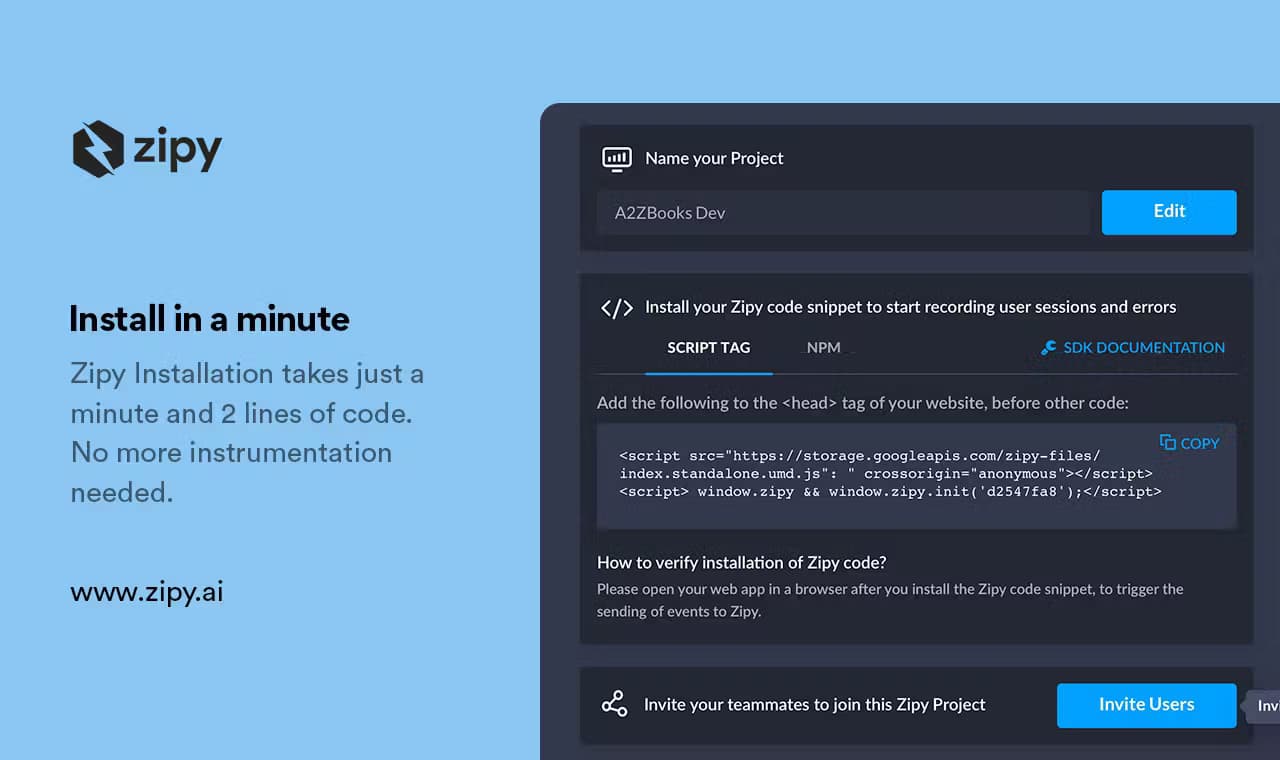
- Add the SDK to your app: a two-line JavaScript snippet for web, or the package for Android, iOS, React Native, or Flutter.
- Set up user identification with zipy.identify() so sessions link to real accounts instead of anonymous visitors.
- Enable the modules you want, such as errors, heatmaps, API performance, and page performance.
- Watch your first session replay, then connect Slack, Jira, or email alerts for the errors that matter.
Product Information
A quick look at Zipy's pricing, supported platforms, and performance.
Best for
The users, tasks, and scenarios where this tool fits best.
Users
- Frontend and mobile developers
- Product managers
- Support teams
- QA engineers
Tasks
- Debugging a checkout error that only shows up for some users
- Tracking down a flaky button
- Cutting noise from a bloated error feed
- Reviewing page speed after a release
Scenarios
- A support ticket describes a broken flow but the team can't reproduce it
- A marketing launch drops conversions and nobody knows why
- Late-night stability check before a big release
Key features
Session Replay for Web and Mobile
Zipy records what a user did, not just what they clicked. Think of it as session replay software that ships with the rest of your debugging stack. You get their actions, console output, network calls, and screen transitions in a single replay, so when a customer reports a broken flow you can watch the exact sequence of clicks and errors that led to it. The gap between "the app broke" and "here's the exact moment" closes fast. The same view exists for web and for Android, iOS, React Native, and Flutter apps.
Error Tracking with Stack Traces
Zipy groups errors, shows a stack trace with source maps, and can even classify them by type. This is the error monitoring half of the platform. Instead of scrolling through a raw log, you open an error and see how many users hit it, on which release, and what the session looked like. Ignore rules filter out noise from third-party scripts. Slack and Teams alerts push new errors where your team already talks.
AI Summary and Repro Steps
Two AI features cut down the watching time. AI Summary gives you a plain-language recap of any session without playing the whole replay. Repro Steps generates the steps that led to an error. For a developer staring at a bug report, that's the difference between a hunch and a to-do. It's quick.
Heatmaps and Clicked-Element Filters
Heatmaps show which parts of a page get attention and how far people scroll. Clicked-element filters let you slice sessions by the element a user interacted with. Together they answer a question analytics usually can't: why people stopped clicking. If a button gets plenty of views but almost no taps, the layout or the copy is probably the problem.
API and Page Performance
Zipy tracks the health of your API calls and your page's core web vitals from the user's side. It flags common causes of slow requests, like high DNS time or a large response payload. So the fix doesn't start with guesswork. For teams already tuning performance, this sits next to the replay data instead of in a separate tool.
Alerts and Team Integrations
Alerts reach Slack, Microsoft Teams, and email. You can tune rules for daily digests or live notifications. Jira and Slack links let a session drop straight into a ticket. Role-based access keeps project permissions tidy as the team grows. When something breaks at 2 a.m., that channel is already open.
Ask AI and Oopsie Agent
Zipy's Ask AI lets you query your captured data in plain language, and the Oopsie AI agent handles common investigation questions. It's not a replacement for a developer. It shortens the first five minutes of any bug hunt.
Pros and cons
Pros
- Session replay, error tracking, heatmaps, and performance stats live in one dashboard, which cuts tool-switching.
- SDK setup is small, and the web version is a two-line snippet or Google Tag Manager.
- AI Summary and Repro Steps save hours when a bug report is vague.
- Free tier covers 1,000 sessions a month, enough for a small app to test the workflow.
- SOC2 Type II and GDPR compliance makes it easier to pass a security review.
Cons
- The free plan keeps only 15 days of data, so you'll need a paid tier to see longer trends.
- Mobile coverage is limited to Android, iOS, React Native, and Flutter; other stacks aren't supported yet.
- Sessions capture sensitive fields unless you mask them, so PII blocking needs setup rather than being automatic.
- Pricing scales with captured sessions, which gets expensive for high-traffic apps.
Frequently asked questions
Zipy records user sessions and tracks errors, then helps you understand both together. You replay what a user did, see the error that hit them, and check how the page and API performed, all in one place.
Related content
Explore related tools, skills, and articles for Zipy.
Zipy Alternatives

Base Code
Base44 (Wix) · Coding · ProductivityBase Code is a shared cloud development environment from Base44. Teammates describe changes to an existing GitHub codebase in chat, preview them live and send them back as pull requests.

Google EmbeddingGemma 2
Google DeepMind · Writing · Image · CodingGoogle EmbeddingGemma 2 is a 740M-parameter open model that turns text, code, images, audio, and video frames into vectors in one 768-dimension space, running on phones and laptops.

GitGlow
GitGlow · Coding · ProductivityGitGlow is a local-first desktop Git client that lets independent developers review their own code and their AI agents' changes in one place before shipping.