

Zona AI Song Music Generator App
AppVision LTD · Other
Zona AI Song Music Generator App is an AI song generator that turns a written idea, a set of lyrics, or a short voice recording into a finished track with vocals, melody, and production. You can write every line yourself or let the app write them for you, then split the result into vocals and instrumental for editing elsewhere. It runs in the browser and as an Android and iOS app, but generating your own songs on the web needs a paid subscription.
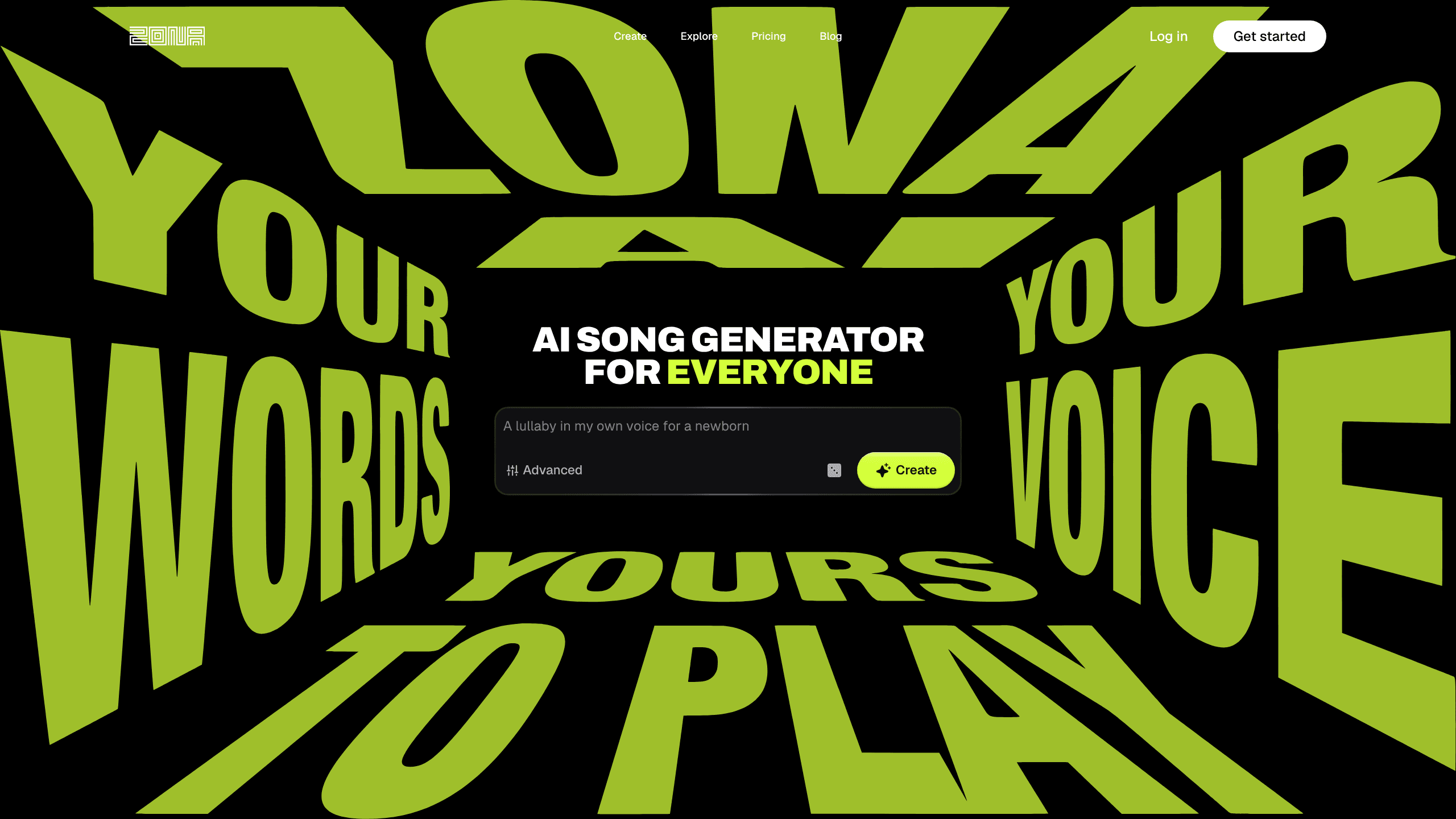
About Zona AI Song Music Generator App
What Is Zona AI Song Music Generator App
Zona AI Song Music Generator App is a music creation tool built around one simple promise: you describe what you want, and it hands back a complete song. Type a few words about a mood, a genre, or a story, and the AI writes the lyrics, sings them, and produces the backing track. Switch vocals off and you get an instrumental instead. Simple. That dual role is why people call it both an AI song generator and an AI music generator.
The wider appeal sits in what happens after the first draft. Record a short sample once and have every future song come back in your own voice, pick from a set of AI voices across 40+ languages, extend or remaster a track, and pull the vocals and instrumental apart as separate stems for later mixing. Most AI song makers stop at a finished file. Zona hands over the parts. That matters if you plan to finish a mix in a DAW or release something to a streaming platform.
The main limit is billing. Listening to public, community-made songs stays free, but actually creating your own songs through the web editor requires a subscription. So there's no lasting free tier for generation. Everything is AI-generated, so the output depends on how clearly you describe what you want. The voice cloning feature also means you're handing over a sample of your own voice.
Getting Started
- Open the app on the web, Android, or iOS and create an account. You need to sign in before you can generate anything.
- Pick a plan. Listening is free, but song creation runs through a subscription. Budget for a paid tier if you plan to make music often.
- Describe your song in a sentence, or open Advanced mode to paste your own lyrics and set the style.
- Turn vocals on for a full track or off for an instrumental, then generate.
- Record a voice sample if you want future songs in your own voice, then export MP3 or a lossless WAV. Keep it short.
Structure and Genre Coverage
Zona handles most genres and will sing in any of more than 40 languages, which is broader than most AI music apps that lock you into a handful of English-first styles. A rap verse, a lo-fi beat, an orchestral piece: the prompt is the only control you really need.
Product Information
A quick look at Zona AI Song Music Generator App's pricing, supported platforms, and performance.
Best for
The users, tasks, and scenarios where this tool fits best.
Users
- Songwriters and hobby musicians
- Content creators
- Non-musicians with an idea
Tasks
- Turning a written idea into a full song
- Writing lyrics with a starting point
- Separating a track into parts
- Making an instrumental
Scenarios
- A late-night idea you want to capture before it fades.
- Building a small library of release-ready songs
- Adding original music to videos or streams
- Writing in a language other than English
Key features
Text to Song in One Pass
The core of the app is a text-to-song workflow. You type a description, and the AI writes the words, composes the melody, and produces the track with vocals, all from that single prompt. The practical win is speed. You go from a sentence to something listenable in minutes rather than hours. That makes it easy to test several directions before settling on one.
Advanced Lyrics and Style Control
If you'd rather not leave the words to the AI, Advanced mode lets you paste your own lyrics and set the musical style yourself. You can keep the parts you like and regenerate the rest. This matters for anyone with a half-finished verse or a specific sound in mind and no patience for the basic prompt-and-wait loop.
Voice Cloning and AI Voices
Record a short sample once, and every song can come back in your voice. Don't want to use your own? The app offers a range of AI voices and sings in more than 40 languages. This is where Zona separates itself from text-only tools. The output has a human-sounding lead vocal instead of a synthetic placeholder.
Stems and Lossless Export
Every track can be split into vocals and instrumental, and you can export studio-quality MP3 or a lossless WAV. Most AI music generators hand over a single finished file. Zona doesn't. Getting the parts means you can rebalance, add your own instruments, or drop the stems into a DAW and keep working. That's the difference between a novelty and a tool you finish projects with.
Editing After Generation
Generated songs aren't locked. You can extend a track, remaster it, or replace a section you're not happy with. Combined with stems, this turns a one-shot generation into an iterative process. That's closer to how people actually finish music.
Commercial Rights and Licensing
Songs made on paid plans ship with commercial-use rights, so you can release and monetize them. That clarity matters more than any single feature for creators who need clean, original music for a channel or a small release.
Pros and cons
Pros
- Produces complete songs with vocals in minutes. That makes it easy to test ideas fast.
- Voice cloning and AI voices across 40+ languages give the output a real-sounding lead vocal.
- Stem separation and lossless WAV export fit into a normal editing workflow.
- Editing tools (extend, remaster, replace sections) let you refine instead of regenerating from scratch.
- Commercial rights on paid plans make it usable for content that earns money.
Cons
- Generating your own songs requires a subscription, so there's no lasting free tier for creation.
- The web editor loads pricing dynamically, so you'll need to sign in to see exact plan rates.
- No public API, which rules out building automated or batch workflows on top of it.
Frequently asked questions
It generates complete songs from a text prompt or your own lyrics, including vocals, melody, and production. Switch to instrumental mode, split a track into stems, or export the result whenever you're ready.
Related content
Explore related tools, skills, and articles for Zona AI Song Music Generator App.
Zona AI Song Music Generator App Alternatives

Odyssey 3
Odyssey · OtherOdyssey-3 is Odyssey's foundation world model. It simulates physics in real time, turns a prompt into an interactive environment, and adapts to robots, cars and games.

JarvisCore
Prescott Data · Coding · Productivity · OtherJarvisCore is an open source Python runtime where AI agents work as equal peers on an agent mesh, claim tasks from a shared ledger, and reach external services through a zero-trust broker.
Clef
Cloudflare · Business · OtherClef is Cloudflare's open-source decision model for Workers AI. It returns calibrated probabilities for typed questions, not generated text, so agents can classify, route, and act fast.