
Zyro
Hostinger · Coding
Zyro is a drag-and-drop website builder with AI tools for logos, text and images. It suits small businesses and creators who want a site online fast without coding.
About Zyro
What Is Zyro
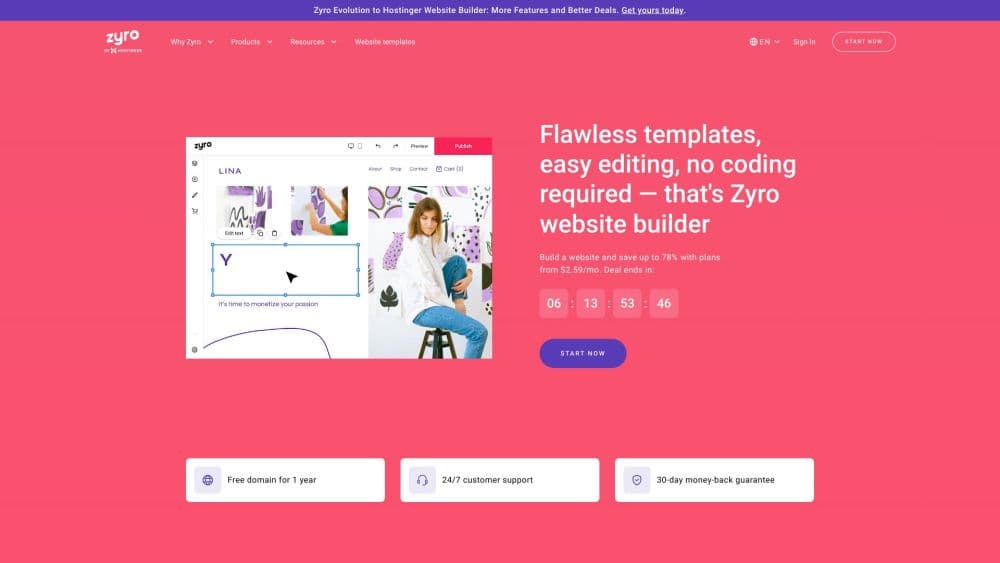
Zyro is a website builder that lets you assemble a site by dragging blocks into place instead of writing code. It came out of the AI-first generation of builders, and it bundles a set of AI helpers for logos, copy and product photos next to the usual template editor. The pitch is speed: pick a layout, swap in your own words and pictures, and publish. As an online store builder it can also run a small shop once you move to a paid plan.
The bigger picture matters here. Hostinger, the hosting company, acquired Zyro and folded its builder into the Hostinger website builder, so anyone landing on zyro.com today ends up inside Hostinger's product. The editor, the templates and the AI tools still exist, and they now sit alongside web hosting, email and a domain in a single subscription.
Two limits are worth knowing up front. You get the most out of the AI tools on a paid plan, since the free route is really a trial rather than an unlimited account. And the deepest control over layout sits behind preset blocks, so a designer who wants to hand-tune every pixel will feel boxed in.
Getting Started
- Start from a template or describe your business and let the builder draft a first layout.
- Swap in your logo, text and images, then adjust colors and fonts in the editor.
- Connect a custom domain, or use a free subdomain while you test the setup.
- Add an online store, booking form or blog if the site needs to do more than introduce you.
- Preview on desktop and mobile, then publish.
Product Information
A quick look at Zyro's pricing, supported platforms, and performance.
Best for
The users, tasks, and scenarios where this tool fits best.
Users
- Small business owners
- Freelancers and creators
- First-time website owners
- Growing teams
Tasks
- Building a first website
- Making a logo
- Writing page copy
- Setting up a small online store
- Producing product images
Scenarios
- A shop that needs a site this week
- A startup's first landing page
- A side project gone public
- A site that grows into a business
Key features
Drag-and-Drop Editor
The editor works by dragging sections and blocks onto a canvas and editing text right where it sits. You see the result as you build, so there is no separate preview step to break your rhythm. It keeps the tool approachable for people who have never built a site before.
AI Tools for Content
The builder ships with an AI writer, an AI logo maker and AI image tools. You describe what you want and get a first draft of copy, a logo concept or a cleaned-up image, which you can then adjust. They cut the blank-page problem. The output usually needs a human pass before it goes live.
Template Library
The platform offers a few hundred templates grouped by type, from portfolios and blogs to stores and business pages. Each one is responsive, so a layout designed on desktop still reads well on a phone. Templates give a fast starting point, but they set the structure you work within.
Ecommerce Tools
On the higher plans you can sell directly: add products, take payments and manage orders without leaving the builder. Email marketing and a mailbox come bundled, so a small shop keeps its storefront and its customers in one account. This is what turns a brochure site into a business one.
Hosting and Domain in One Plan
Because the builder lives inside Hostinger, hosting, a domain and a mailbox arrive with the subscription instead of as separate purchases. A custom domain is included for the first year on the plans listed, and hosting is tuned for speed. It simplifies the setup for anyone who does not want to shop for pieces separately.
Responsive Design and SEO Basics
Every template adapts to phones and tablets, and the builder exposes the basic settings search engines look for, such as page titles and descriptions. You won't hand-code structured data, but the essentials are there. For a new site, that's enough to get indexed.
Pros and cons
Pros
- The drag-and-drop editor and ready templates let a beginner publish a working site without writing code.
- AI tools for logos, copy and images handle the parts most non-designers get stuck on.
- Hosting, a domain and a mailbox come bundled, so there's no separate shopping list.
- The entry plans are inexpensive, and a higher plan adds unlimited sites and ecommerce as you grow.
- Templates are responsive, so a site built for desktop still works on a phone.
Cons
- The free route is a trial with limits, so a real site needs a paid plan.
- Working inside preset blocks caps how far you can customize the layout, which frustrates designers who want exact control.
- There is no public API, so you can't wire the builder into another system or automate publishing.
- Zyro now lives inside Hostinger, so some older Zyro tutorials and brand references no longer match the current product.
Frequently asked questions
Zyro is a drag-and-drop website builder with AI tools for logos, copy and images. It's aimed at small businesses, freelancers and creators who want a site online quickly without coding, and it now runs inside Hostinger's platform.
Related content
Explore related tools, skills, and articles for Zyro.
Zyro Alternatives

Base Code
Base44 (Wix) · Coding · ProductivityBase Code is a shared cloud development environment from Base44. Teammates describe changes to an existing GitHub codebase in chat, preview them live and send them back as pull requests.

Google EmbeddingGemma 2
Google DeepMind · Writing · Image · CodingGoogle EmbeddingGemma 2 is a 740M-parameter open model that turns text, code, images, audio, and video frames into vectors in one 768-dimension space, running on phones and laptops.

GitGlow
GitGlow · Coding · ProductivityGitGlow is a local-first desktop Git client that lets independent developers review their own code and their AI agents' changes in one place before shipping.