
24me Smart Personal Assistant
24me Ltd · Productivity
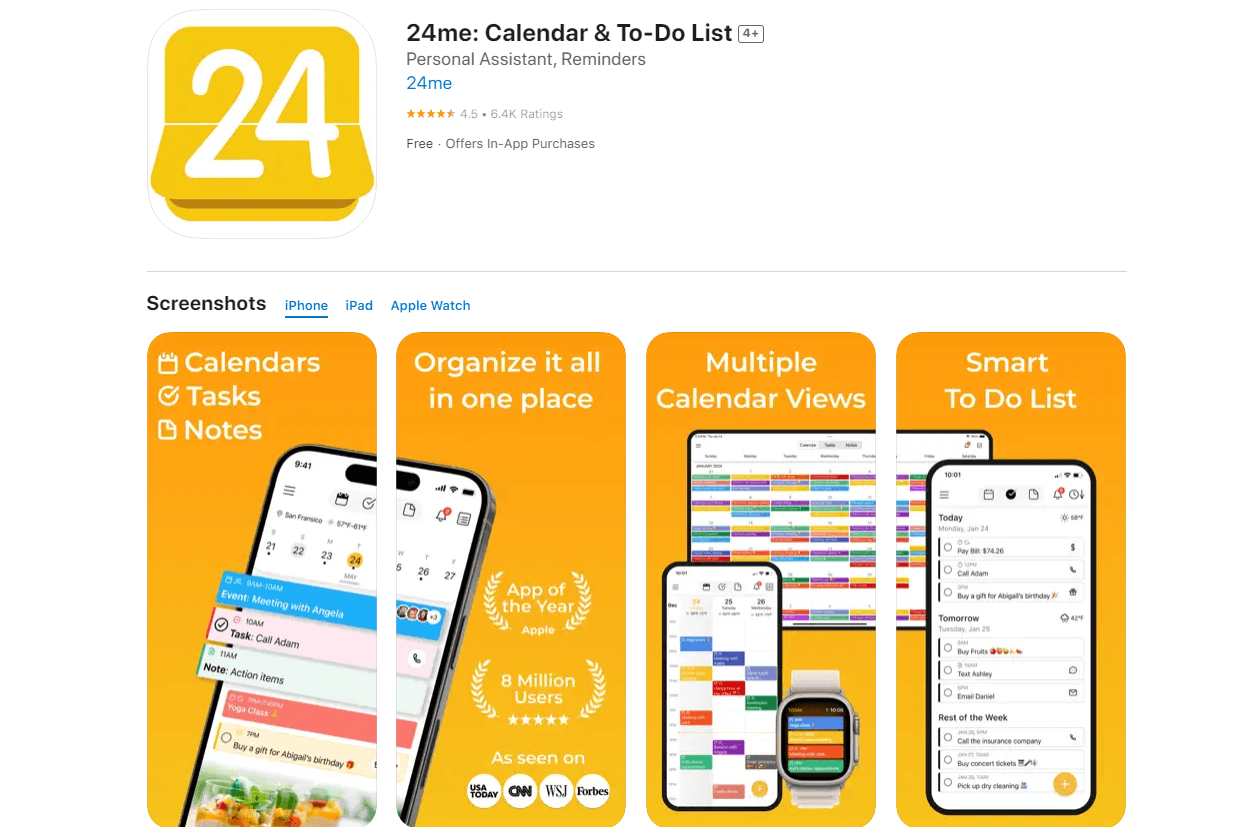
24me is a smart AI personal assistant app that unifies calendars, tasks, notes, and reminders. The productivity assistant syncs Google, Outlook, and Apple accounts, then sends alerts to keep your day on track.
About 24me Smart Personal Assistant
What Is 24me Smart Personal Assistant
24me is an AI personal assistant app and AI scheduling app built by 24me Ltd. It pulls your events, tasks, notes, and personal accounts into a single synced calendar, so you stop bouncing between separate apps to check what's next.
The pitch is less about storing lists and more about acting on them. 24me watches your schedule for incoming meetings, bill payments, birthdays, and travel, then nudges you with a reminder and a button that completes the task right there. Call someone, pay a bill, join a conference call, or send a gift without hunting through menus.
The catch is that the deepest automation leans on Apple's software. Features like Live Activities, Apple Intelligence, and Dynamic Island support are iPhone-only, and some smart alerts depend on location and traffic data, which can affect battery life. Android users get the core calendar and task experience, but not the newest system-level extras.
Getting Started
- Download 24me from the App Store or Google Play and create an account.
- Connect your calendars, such as Google Calendar, Microsoft Outlook, or Apple iCal, and grant notification and location permissions.
- Add your first task, note, or reminder by typing or using voice input.
- Review the smart alerts 24me generates, then tap the action button to pay a bill, call a contact, or join a meeting.
- Customize label colors, reminder sounds, and calendar photos to match how you work.
Product Information
A quick look at 24me Smart Personal Assistant's pricing, supported platforms, and performance.
Best for
The users, tasks, and scenarios where this tool fits best.
Users
- Busy professionals
- Parents juggling school runs and errands
- Students tracking exams and projects
Tasks
- Joining conference calls
- Paying bills on time
- Turning emails into tasks
Scenarios
- Leaving for a meeting on time
- Planning tomorrow tonight
- Remembering a friend's birthday
Key features
Unified Calendar, Task, and Note Hub
24me puts your events, to-do list, notes, and personal accounts on one synchronized calendar. Instead of checking three apps, you see a task and the meeting it relates to side by side. It's the foundation the rest of the assistant builds on, and it works the same way on iPhone, iPad, and Android.
Smart Alerts That Act on Time
The app watches for the moments you'd otherwise miss. A "be there on time" alert reads traffic conditions and tells you when to leave for a meeting. Weather alerts remind you to grab an umbrella, and birthday alerts give you a window to send a greeting or gift. Each alert arrives with a next step attached, not just a notification.
One-Tap Task Completion
Many reminders come with an action button that finishes the job without opening another app. You can pay a bill, call a contact, send a text or email, join a conference call, or order a gift straight from the alert. This is where 24me feels more like an assistant than a list.
Voice and Email Capture
You can add tasks, notes, and meetings by speaking, which is handy while driving or between errands. 24me also turns emails into tasks, so a message that needs follow-up lands in your schedule instead of scrolling out of sight. Natural language input on iOS 27 lets you say phrases like "create an event in 24me" and let Siri handle the rest.
Live Activities and Apple Intelligence
On iOS 27, 24me introduced "Track Live," which turns a reminder into a real-time countdown on the Lock Screen and Dynamic Island. From there you can launch Zoom, Teams, or Google Meet, start navigation, or fire off a call or message. Apple Intelligence and App Intents extend these actions into Siri, Spotlight, and Shortcuts.
Cross-Calendar Sync and Sharing
24me connects to Google Calendar, Microsoft Outlook, Microsoft Exchange, Yahoo Calendar, Apple iCal, and more. Events, tasks, and reminders sync in real time when you share them with family or teammates, so a shared grocery run or project deadline stays current for everyone.
Apple Watch and Customization
The assistant works on Apple Watch, so reminders and quick actions stay on your wrist. Inside the app you can set label colors, choose reminder sounds, and even add personal photos to the calendar background, which makes a dense schedule easier to scan at a glance.
Pros and cons
Pros
- Combines calendar, tasks, notes, and reminders in one synced app
- Smart alerts include one-tap actions like calling or paying a bill
- Syncs with Google, Outlook, Exchange, Yahoo, and Apple calendars
- Works on iPhone, iPad, Android, and Apple Watch
- Free to use, with optional Pro upgrades
Cons
- Newest system features like Live Activities and Apple Intelligence are iPhone-only
- Location and traffic alerts can drain battery if left running constantly
- Pro customization sits behind a $4.99/month subscription
Frequently asked questions
24me is a calendar and task app, and a to-do list and note app, rolled into one AI assistant. It brings your calendars, tasks, notes, and reminders into one place, syncs your accounts, then sends smart alerts with one-tap actions so you can act on your schedule instead of just reading it.
Related content
Explore related tools, skills, and articles for 24me Smart Personal Assistant.
24me Smart Personal Assistant Alternatives

Base Code
Base44 (Wix) · Coding · ProductivityBase Code is a shared cloud development environment from Base44. Teammates describe changes to an existing GitHub codebase in chat, preview them live and send them back as pull requests.

Knocket
Knocket (Tencent RTC team) · Productivity · Business · ChatbotKnocket is a free live chat and contact page tool that lets visitors message you from your website, app, or a shareable link, with every reply handled from Telegram or one inbox.

FloorGen
Vinit Kumar (FloorGen) · Productivity · China AIFloorGen is a browser-based floor plan maker that turns a sentence or a sketch into an editable 2D plan and a 3D walkthrough. Export to PDF, DXF or video, and draw without an account.