

2dto3D
Euphoria Labs · Image
2dto3D turns one product photo into a realistic, AR-ready 3D model in about 5 minutes, with a viewer, embed code, and export in 7 formats.
About 2dto3D
What Is 2dto3D
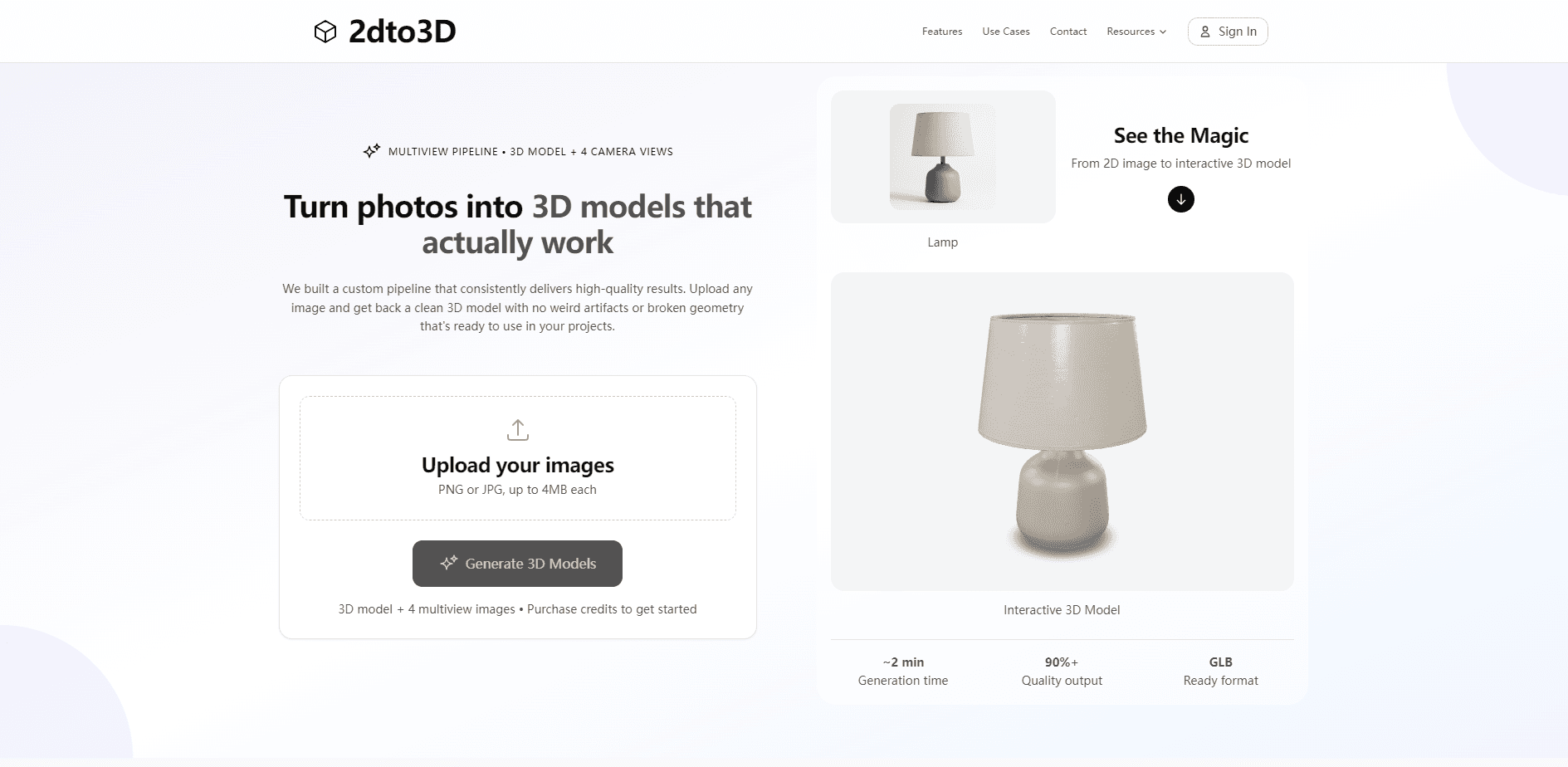
2dto3D is a web app that generates a realistic 3D model from a single product photo. You upload a picture, an AI pipeline works out what the object is and generates the angles your photo never captured, then it builds a textured mesh and hands it back as a GLB file, the standard 3D format the web understands.
It's built for people who sell or show real products and don't own a studio rig or a 3D artist. The pitch is narrow on purpose: the image to 3D step is the whole point, and you can't type a prompt to invent something that was never there. You digitize the thing in front of you instead. The same file then works on a store page, in Blender, inside an AR scene, or at a 3D printer.
Two limits shape how you use it. It isn't CAD-accurate, so it won't hold engineering tolerances if you need exact dimensions. And it deliberately favors realism over speed, which is why a model takes about 5 minutes instead of seconds.
Getting Started
- Sign in at 2dto3d.app and start with the first model for $2, or try the free interactive demo first.
- Upload one clear product photo as a JPEG or PNG, up to 4 images at 18 MB each.
- Wait about 5 minutes while the pipeline generates extra angles and builds the mesh.
- Preview the finished model in the interactive viewer and switch on Augmented Reality to check real size.
- Download the GLB or export another format, then paste the embed code onto your product page.
Product Information
A quick look at 2dto3D's pricing, supported platforms, and performance.
Best for
The users, tasks, and scenarios where this tool fits best.
Users
- Online store owners
- 3D artists and designers
- Game and AR/VR developers
Tasks
- Turning a product photo into a listing asset
- Checking size before a purchase
- Getting clean product packshots
- Making a printable or engine-ready asset
Scenarios
- Building out a catalogue on a small team
- Prototyping a product page
- Regenerating a weak result
Key features
One Photo In
Most 2D to 3D converters want a multi-image scan or a full capture rig. This one asks for a single clear picture and reads the product from it. That lowers the barrier for anyone who owns a phone and a product, and it means you don't need to reshoot an item just to get a model.
Automatic Multiview
This AI 3D model step starts from a photo that shows one side of a thing. The pipeline identifies the subject and generates the angles the camera never saw, then builds the mesh from all of them. This is what lets a single image become a model with a back and sides instead of a flat card.
Interactive Viewer and Embed
Every generation ships with a viewer shoppers can drag, spin, and zoom. A single embed snippet drops it onto any product page with no plugin and no CORS headaches. The model becomes part of the listing rather than a separate file people have to hunt for.
Augmented Reality at Real Size
AR is built in, not sold as an upgrade. On Android and iOS, a shopper points a phone and sees the product at true scale in their own space. For anything where size or fit drives the decision, that view does work a photo can't.
Free Generated Packshots
Each model comes with four clean product photos on a plain background, produced automatically. If you only wanted the stills, you still leave with usable listing and ad images. It's a quiet bonus that often justifies the first run on its own.
Export in 7 Formats
You can pull the model out as GLB, GLTF, FBX, OBJ, USDZ, STL, or 3MF. GLB is free and included, and other formats cost a small credit fee. That range covers a store, an engine, and a 3D printer from one source file.
Pros and cons
Pros
- One product photo is enough, so there's no studio rig or multi-angle scan to arrange.
- Pay-as-you-go credits never expire and there's no subscription to cancel.
- AR, the viewer, embed code, and packshots are included with every model rather than sold separately.
- Seven export formats mean one generation serves a store, an engine, and a printer.
- The first model is $2 and refundable within 14 days, so trying it carries little risk.
Cons
- No free tier, so you pay to make anything beyond the free demo.
- It isn't CAD-accurate, which rules it out for work that needs exact engineering dimensions.
- Reflective, transparent, or very detailed items convert less reliably, so some products need several tries.
- About 5 minutes per model is slow next to tools that promise seconds, and that wait is a deliberate trade.
Frequently asked questions
It's a web tool that turns a single product photo into a realistic 3D model. The AI generates the angles your photo is missing, builds the mesh, and returns a GLB you can view, embed, or export.
Related content
Explore related tools, skills, and articles for 2dto3D.
2dto3D Alternatives

Google EmbeddingGemma 2
Google DeepMind · Writing · Image · CodingGoogle EmbeddingGemma 2 is a 740M-parameter open model that turns text, code, images, audio, and video frames into vectors in one 768-dimension space, running on phones and laptops.

Tractionwave
TractionWave · Image · MarketingTractionWave is an AI attention heatmap tool for static ads. Upload a PNG or JPG and it returns predicted attention, ranked hotspots, and fixes before you spend budget.

Imejis.io
Imejis.io · Image · MarketingImejis.io is an AI design studio for agents and marketing teams. Describe an image in plain words, and it writes the copy, builds the layout, reflows it to every size, then exports a finished file.