

Imejis.io
Imejis.io · Image · Marketing
Imejis.io is an AI design studio for agents and marketing teams. Describe an image in plain words, and it writes the copy, builds the layout, reflows it to every size, then exports a finished file.
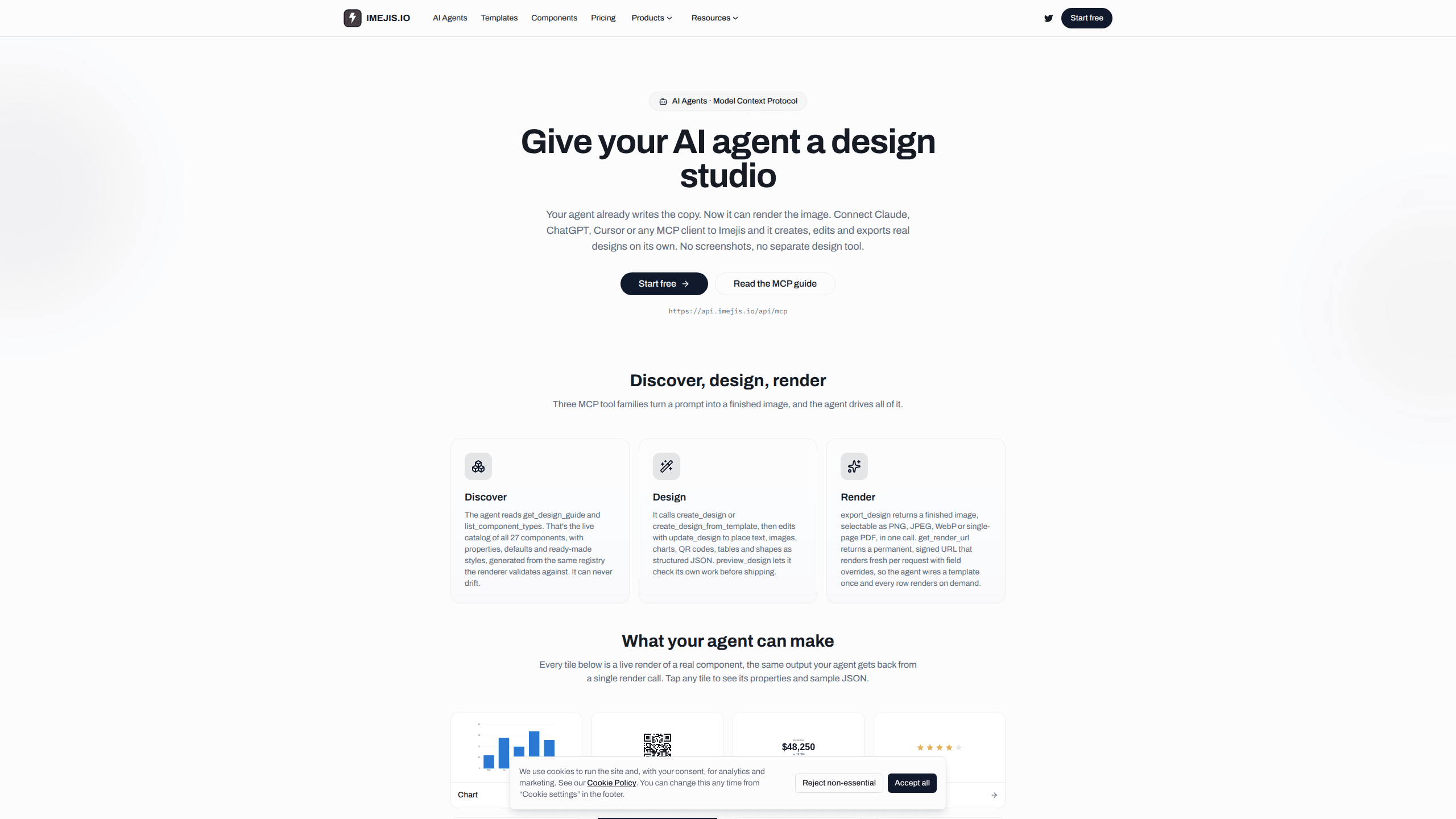
About Imejis.io
What Is Imejis.io
Imejis.io is a browser-based design tool with an image generation API and an MCP server behind it. You build a template once, name its editable fields, then let an AI agent, a script or a no-code workflow fill it with new content. What comes back is a rendered image with your fonts, colors and layout intact.
The product targets a specific gap. Image models are good at inventing a picture from a prompt, and poor at putting the right price, date or product name on it. Marketing teams end up rebuilding the same asset in five sizes by hand. Imejis.io treats each design as a template with shared keys, so one edit updates every size and one API call produces a file that matches the master.
Three limits are worth knowing before you sign up. Templates still need a human to design them, so the tool saves production time rather than the first hour of creative work. Every render is metered, including a render URL that re-renders when a page loads. Video export is listed as coming soon, and scheduling or auto-publishing inside Imejis.io is not available yet.
Getting Started
- Create a free account at app.imejis.io. The free plan includes 100 renders a month and needs no card.
- Start a design from a template in the gallery or from a blank canvas, then set your fonts, colors and logo.
- Name the fields your agent or script will change, such as headline.text, price.text or cover.image.
- Connect an AI client to https://api.imejis.io/api/mcp and authorize once over OAuth, or create an API key for direct HTTP calls.
- Ask your agent for the image, or POST a JSON body to the template endpoint. Export as PNG, JPEG, WebP or a single-page PDF.
Product Information
A quick look at Imejis.io's pricing, supported platforms, and performance.
Best for
The users, tasks, and scenarios where this tool fits best.
Users
- Marketing teams without a designer on call
- Developers adding image output to a product
- People already working inside Claude, ChatGPT, Gemini or Cursor
Tasks
- Social posts and Open Graph images at several sizes
- Personalized print runs
- Data-heavy visuals
Scenarios
- A blog publishes several posts a week and needs a fresh OG image for each one
- An online store runs a seasonal sale and needs banners for four channels by morning
- An agency hands a client a locked template
Key features
AI design from a written brief
The built-in assistant takes a plain description and produces a layout, headline, subline and price field. It picks a structure that fits the content, then lets you refine with follow-up prompts. The same assistant is reachable through the agent connection, so a request typed in Claude can create a design without opening the editor.
One design, every size
A single design can hold as many sizes as you need, chosen from presets or set to any custom width and height. Each new size starts as an auto-reflow of the master, which keeps margins and relative proportions. Every size shares one configuration and one set of keys, so changing the headline on the master updates the story and LinkedIn versions too.
Templates as API endpoints
Every template exposes a render endpoint under render.imejis.io, and every field is a JSON key. A POST request returns the image bytes, a hosted URL or a signed URL in the same response, with no webhook or polling step. Output goes up to 4096 by 4096 pixels, and JPEG quality is adjustable from 1 to 100.
Render URLs that stay current
get_render_url returns a permanent signed link that re-renders on each request with new field overrides. That suits email footers, dashboards and any place where the same slot needs fresh numbers. Each call counts as a render, which matters when a link sits on a high-traffic page.
27 components, including charts and QR codes
Designs can contain text, images, shapes, tables, QR codes, barcodes, ratings, progress bars and 19 chart types such as bar, line, pie, radar, sankey, treemap, funnel and candlestick. The editor, the agent and the API read from the same component registry, so a preview matches the final render. Agents can query the live catalog before building, which avoids guessed property names.
Brand assets and shared fonts
You can upload typefaces, logos and photos once and reuse them across designs. Uploaded fonts appear in the icon picker for every size and every template in the workspace. That keeps a campaign consistent when several people or agents produce images from the same library.
Draft, publish and roll back versions
Edits save automatically as a private draft, and API calls or share links keep serving the published version until you publish. Each publish creates a named version with a preview image, and restoring an older one creates a new version instead of rewriting history.
No-code automation through Zapier, Make and n8n
The same render endpoint works from no-code tools. A new spreadsheet row, form entry or CRM lead can trigger a render and pass the returned image to email, Slack or cloud storage. This covers teams that want automated social media images without writing code or connecting an agent.
Pros and cons
Pros
- Text, prices and dates render exactly as typed, which removes the misspellings that image models produce on small type.
- The template model gives repeatable output: the same JSON produces the same pixels on every run.
- The MCP server exposes 59 tools, covering discovery, editing, preview, export and version management, so an agent can finish a job without a human switching apps.
- The free tier is permanent and includes 100 renders a month with no watermark, which is enough to test a real workflow.
- Four export formats plus signed render URLs cover both one-off downloads and live dashboards.
Cons
- You still have to design the master template, and a weak template produces weak images at scale.
- Renders are metered per call, so a render URL embedded in a page consumes quota every time someone loads it.
- Video export is not live yet, which rules out animated social assets for now.
- The workspace runs in a browser, and the agent experience depends on how well your MCP client handles long tool lists.
Frequently asked questions
Imejis.io produces on-brand images from templates. Marketing teams use it for social posts, Open Graph images, banners, certificates and chart-driven reports, either through the editor, an API call or an AI agent.
Related content
Explore related tools, skills, and articles for Imejis.io.
Imejis.io Alternatives

Google EmbeddingGemma 2
Google DeepMind · Writing · Image · CodingGoogle EmbeddingGemma 2 is a 740M-parameter open model that turns text, code, images, audio, and video frames into vectors in one 768-dimension space, running on phones and laptops.

Tractionwave
TractionWave · Image · MarketingTractionWave is an AI attention heatmap tool for static ads. Upload a PNG or JPG and it returns predicted attention, ranked hotspots, and fixes before you spend budget.

Layoutr
Van Dijk Ontwikkeling · Image · China AILayoutr is a browser floor plan tool that scales your own plan, places furniture at true size, shows the room in 3D and renders it with AI.