
3D Logo AI
3dlogoai (Darayuth Hang) · Image
3D Logo AI generates 3D or 2D logos from a brand name, a slogan, and one of 11 style presets, with commercial rights and transparent PNG files.
About 3D Logo AI
What Is 3D Logo AI
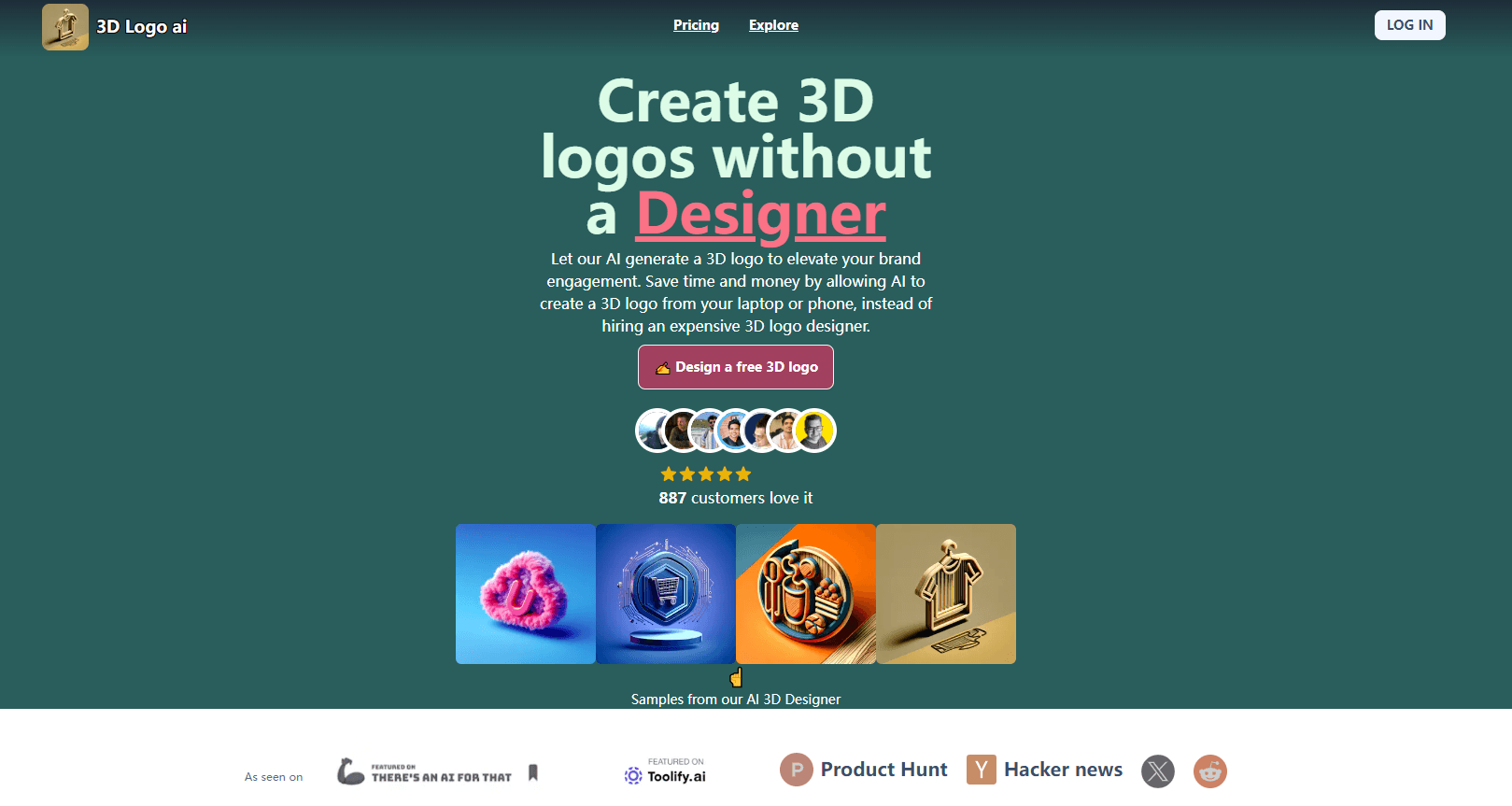
3D Logo AI is a web app that builds a logo from words instead of a design file. You type the brand name, add a slogan if you have one, describe the concept, then pick a style. The site renders finished 3D or 2D logo concepts in under a minute. No layers, no pen tool, no brief for a designer.
Think of it as an AI 3D logo generator with a form attached. Most AI logo generator tools hand you a grid of random marks and call it a day. This one asks for a concept first, which is the difference between a logo that fits and a logo you settle for.
The gap it closes is the first week of a new brand. A founder with a name and no budget usually faces two options: a $500 to $2,000 designer quote or a flat template that looks like everyone else's. This tool sits between them, at $19 for a 30-day pass. The renders carry depth, specular lighting, and shadows, so a logo holds up on a storefront sign, a product box, or an app icon.
The limits show up once you need precision. You can't move a single shape by two pixels, swap one element between concepts, or hand the file to a printer as a true vector without asking support. Editing happens through prompts, style presets, and font controls, which is fast for concepts and thin for pixel-level polish.
Getting Started
- Open the site and click Get Started for Free. No card is needed to start generating.
- Enter the logo name, an optional slogan, and a short concept description such as a coffee bean replacing the letter O. The Surprise me button fills in a styled concept if you're stuck.
- Choose one of 11 design presets, from minimalist wordmarks to claymorphic mascots.
- Let the render pipeline run. The queue produces transparent background variants, which you can regenerate as many times as your pass allows.
- Download at 1024x1024, or upscale to 2K and 4K for print, merchandise, and storefront use.
Product Information
A quick look at 3D Logo AI's pricing, supported platforms, and performance.
Best for
The users, tasks, and scenarios where this tool fits best.
Users
- Solo founders and small business owners
- Creators running a side project
- Freelancers and small agencies
Tasks
- Turning a brand name into first-round concepts
- Making a 3D logo design for merchandise
- Testing a new visual direction
- Filling a brand kit gap
Scenarios
- A launch week with a logo still missing
- A rebrand test on a small budget
- A pitch deck due tomorrow
Key features
Logo Generation From Brand Details
The input form asks for three things: logo name, optional slogan, and a concept description. That's the whole AI logo generator workflow. That last field is where the output stops looking generic. Describe a brown coffee bean replacing the O, or a compass shaped like a letter C, and the model builds around that idea. If nothing comes to mind, Surprise me writes a styled concept for you, which is the fastest path for people who don't want to learn prompt writing.
Eleven Style Presets
Style decides most of the result. Eleven presets cover minimalist wordmarks, signature scripts, vintage badges, mascot cartoons, Scandinavian folk art, retro 3D serif lettering, and claymorphic cartoon characters. Each preset previews sample outputs before you commit a generation, so you can judge the aesthetic against your industry instead of guessing from a label. The spread is wide enough that a bakery and a gaming channel land in different corners of the same tool.
Depth, Specular Lighting, and Shadow Rendering
This is the part that separates a real 3D logo from a drop shadow on flat text. The pipeline calculates three-dimensional vectors, simulates metallic and glossy highlights, and applies shadow curves before it exports. The result reads as a physical object with weight, which is why these files work on packaging, signage, and app icons where a flat mark loses presence.
Transparent Exports and 2K to 4K Upscaling
Every render downloads as a transparent background PNG at 1024x1024, plus WebP for web use. Both paid passes include unlimited upscaling to 2K and 4K, which covers print work and large format signage. The transparent PNG logo drops straight into Canva, Figma, or a print template without cutout work.
Font and Typography Controls
Text carries a logo, and the editor lets you change font family after generation. You can move between modern sans-serifs, editorial serifs, and engraved luxury styles, then adjust the text alongside the graphic. It's a narrow control set compared with a design suite, yet it covers the usual complaint that AI logos ship with the wrong typeface baked in.
Commercial Rights and Bundled Name Tools
Both passes include a full commercial license, and the FAQ states that generated assets are yours to trademark, copyright, and license. The site also markets free commercial use. The account bundles a business name and slogan generator plus free utilities such as a logo analyzer and a startup cost calculator, so naming and logo work stay in one place.
Pros and cons
Pros
- Fast enough to test several brand directions in one sitting, which beats waiting weeks for a designer's first round.
- The 3D render pipeline produces lit, dimensional marks that hold up at signage size, not just as flat mockups.
- One-time passes start at $19 with no subscription, so a single project doesn't turn into a recurring bill.
- Both passes include a commercial license and unlimited 2K to 4K upscaling, which is the pair most small brands actually need.
- Font switching and 11 style presets give more control than a template library allows, without a design app.
Cons
- Vector output is listed as available on request, not as a direct download, which slows anyone handing files to a print shop.
- No layer editor means you can't nudge a shape or recolor one element, so a near-miss concept has to be regenerated instead of fixed.
- Passes run for 30 days. Come back for a resize or a new variation after that, and you buy another pass.
- The workspace is browser only. There's no mobile app for approving concepts on a phone.
Frequently asked questions
It generates logo concepts from a brand name and a style choice, then exports them as transparent PNG files at up to 4K. Small businesses, creators, and freelancers use it for launch logos, merchandise marks, and quick concept rounds.
Related content
Explore related tools, skills, and articles for 3D Logo AI.
3D Logo AI Alternatives

Google EmbeddingGemma 2
Google DeepMind · Writing · Image · CodingGoogle EmbeddingGemma 2 is a 740M-parameter open model that turns text, code, images, audio, and video frames into vectors in one 768-dimension space, running on phones and laptops.

Tractionwave
TractionWave · Image · MarketingTractionWave is an AI attention heatmap tool for static ads. Upload a PNG or JPG and it returns predicted attention, ranked hotspots, and fixes before you spend budget.

Imejis.io
Imejis.io · Image · MarketingImejis.io is an AI design studio for agents and marketing teams. Describe an image in plain words, and it writes the copy, builds the layout, reflows it to every size, then exports a finished file.