

Acedit AI
Acedit AI · AI Assistant · Business
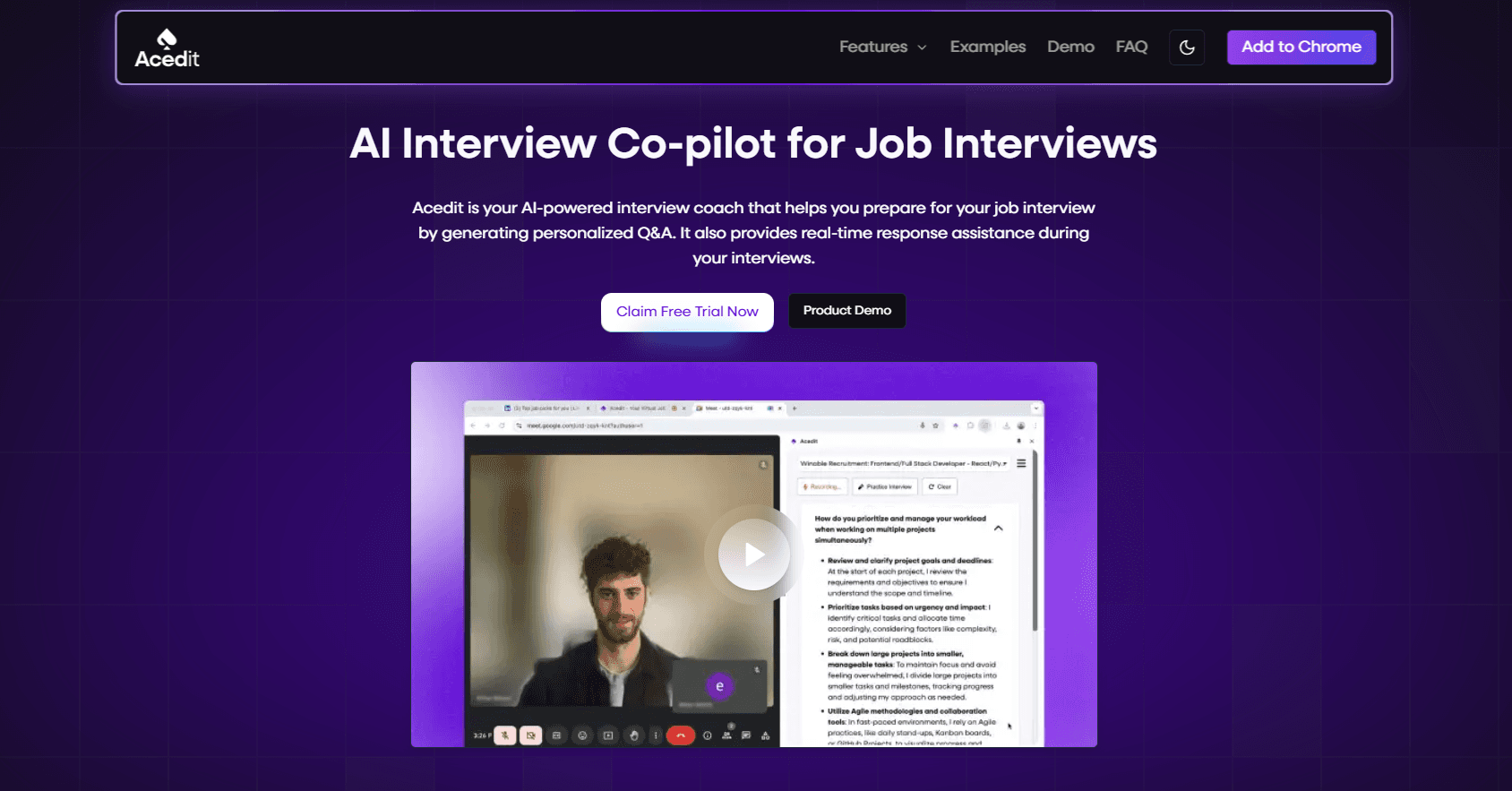
Acedit AI is an AI interview coach that runs mock interviews, suggests live answers during real calls, and writes cover letters for job seekers.
About Acedit AI
What Is Acedit AI
Acedit AI is an AI interview coach built for people who blank out under pressure. It pairs practice sessions with real-time help, so the same assistant that trains you beforehand can feed you answer ideas while a live interview is happening. The idea is simple: rehearse until the words come naturally, then keep a safety net in place for the moment nerves take over.
The product targets a common job search pain point. Most people can explain their background on paper but freeze when asked to talk about it on the spot. Acedit AI analyzes a job description, matches it against your experience, and drafts responses that sound like you rather than a generic template. A Chrome extension hooks into job sites like LinkedIn, which keeps setup light. You don't juggle a separate window or copy-paste job posts.
There are limits worth knowing. The real-time suggestions depend on accurate question detection, so heavy accents or spotty audio can reduce how well it keeps up. Whether that's a dealbreaker depends on how you interview. For phone and video screens where audio is clean, the gap is small. So who should care about this?
Anyone whose job search involves repeated screening calls. The tool shines when you're applying to many roles and want consistent interview preparation without a human coach every time.
Getting Started
- Create an account on the Acedit AI website with your email.
- Add the Chrome extension and sign in, so it can read job pages you visit.
- Upload your resume or profile details to anchor suggestions to your real experience.
- Run a mock interview for your target role, or open a live interview where the extension can listen.
- Review the suggested responses as they appear and use them as talking points.
Product Information
A quick look at Acedit AI's pricing, supported platforms, and performance.
Best for
The users, tasks, and scenarios where this tool fits best.
Users
- Job seekers preparing for competitive roles
- Career switchers
- Students facing first interviews
Tasks
- Running mock interviews
- Handling live screening calls
- Writing cover letters
- Interview preparation at scale
Scenarios
- A phone screen scheduled tomorrow morning
- A role that leans heavily on behavioral questions
- Applying to many similar jobs
Key features
Live Question Detection
The extension listens during a real interview and flags questions as they're asked. It works on major video and voice platforms, so most remote screens are covered. Detection quality tracks audio clarity, which matters if your connection is unstable. Bad audio, bad results.
Smart Response Suggestions
Once a question is picked up, Acedit AI drafts an answer built from your experience, the role, and the specific wording of the question. You get talking points rather than a script to read aloud. That distinction matters, because reading from a script sounds stiff on a real call.
Realistic Mock Interviews
Practice mode simulates interview conditions for your target role and adapts as you go. You can run unlimited sessions, which is the part most users lean on hardest. Repetition is where confidence actually comes from. The real strength sits in the combination, because practicing in the same environment you'll actually interview in removes the surprise factor that trips most people up during a live screening call.
Job Description Matching
Paste or open a job post and the tool maps its requirements to your profile. This shows you the gaps before an interviewer finds them, and it does so without you having to manually cross-reference a dozen bullet points against a resume that may not even use the same wording. It's the most practical feature if you're applying to roles slightly above your current level.
Cover Letter Generator
Acedit AI produces a draft cover letter from the job description and your background, and while the first version rarely sounds perfect, it gives you a structured skeleton to rewrite instead of starting from a blank page. Edit the tone to match your voice.
Invisible Coaching
The coaching runs quietly during live interviews and isn't visible to the interviewer, which is the part that reassures anyone worried about how it looks to be getting help while answering questions under pressure.
Pros and cons
Pros
- Combines practice and live support in one tool, so you don't switch between apps.
- The Chrome extension works inside LinkedIn listings, cutting setup friction.
- Unlimited mock interviews give plenty of room to rehearse.
- Cover letter drafts save time. You get a usable draft in seconds.
- Free tier lets you test the core experience before paying.
Cons
- Real-time help depends on clean audio, so poor connections or strong accents can weaken detection.
- Suggested answers still need your own details to sound believable, which takes editing.
- Pricing details aren't clearly listed on the public site, so you may need to sign up to see plans.
Frequently asked questions
It's an AI interview coach that runs mock interviews, detects questions during real interviews, and suggests tailored answers based on your experience. It also drafts cover letters.
Related content
Explore related tools, skills, and articles for Acedit AI.
Acedit AI Alternatives
Agibot
Agibot · Productivity · AI Assistant · ChatbotAgibot is a personal AI agent for Mac that keeps running after you close the window, runs routines on a schedule, and works from Telegram or Slack with your own API keys.

Foley
Hanamori Labs, LLC · Voice & Language · Productivity · AI AssistantFoley is a voice to-do list that turns a spoken sentence into a filed task, complete with project, date and time, then helps you plan the day around what is already there.

Ghost Core
Ghost · Productivity · AI AssistantGhost Core is a $3,499 screenless personal AI computer that runs local AI models on its own hardware, builds context from your apps and devices, and acts without waiting for a prompt.