

Adapted
Adapted · AI Assistant
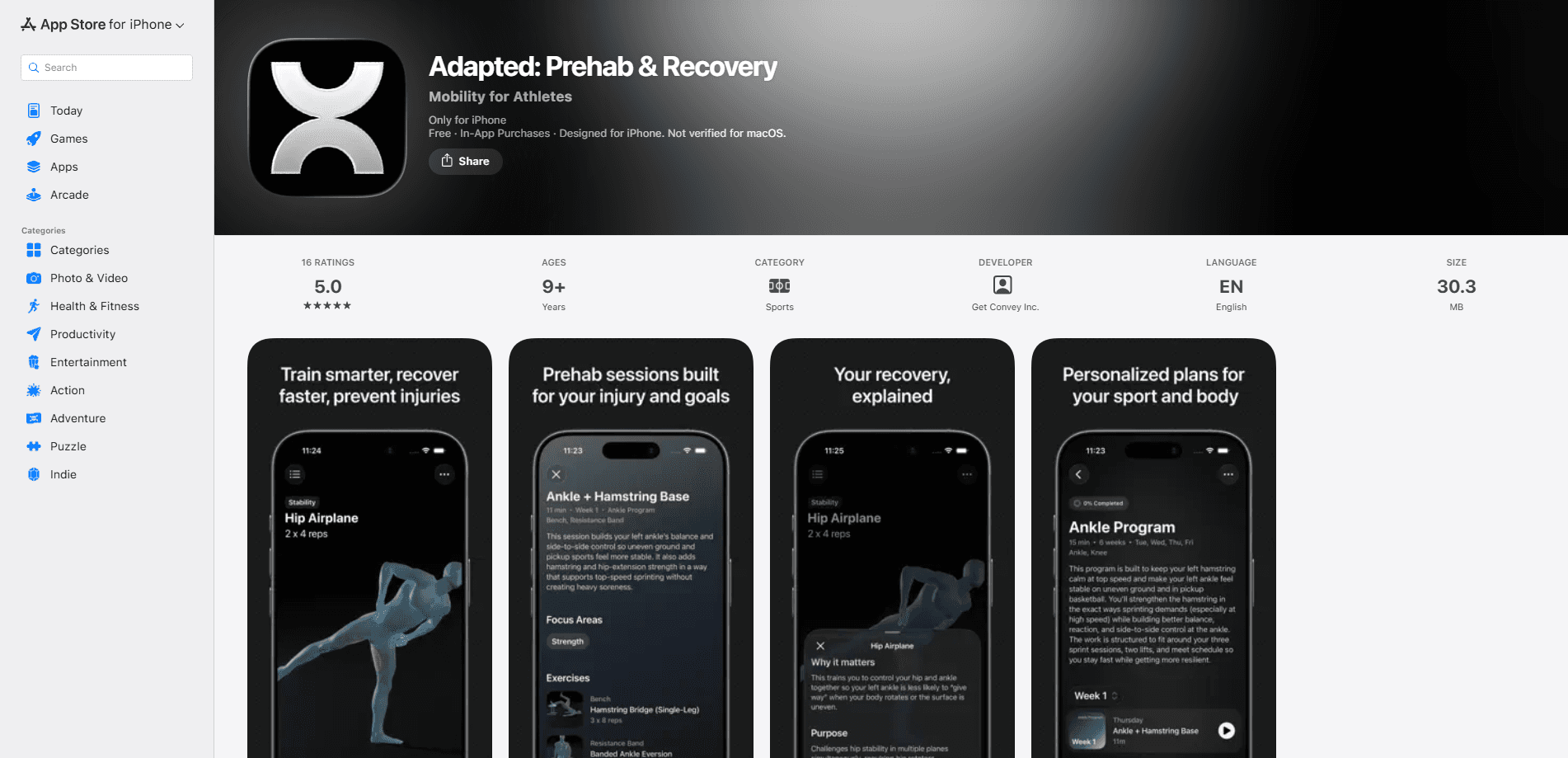
Adapted is a personalized prehab and recovery app for athletes. It builds adaptive mobility training programs that respond to your sport, your injury history and your performance goals. Fewer guesswork drills. More time available to train. Think of it as an injury prevention app that treats prevention and athlete recovery as training, not something you squeeze in after the fact.
About Adapted
What Is Adapted
Adapted is a prehab and recovery app built for people who train hard and want to stay in the game. Instead of handing you a generic stretching video, it generates a mobility program around the sport you play, the injuries you've had, and what you're trying to get better at. That combination is the point. A runner with a cranky Achilles and a lifter with a stiff shoulder shouldn't get the same routine, and Adapted doesn't pretend they should.
The problem it solves is a real one. Most athletes either skip mobility work entirely or copy a random routine off social media that ignores their history. Adapted turns that into a guided program you can actually follow, with the specifics handled for you. That's the difference between a mobility training app and a stretch video.
The catch is scope. Adapted is a training companion, not a medical service, so it doesn't diagnose injuries or replace a physical therapist. So who should use it? Athletes who are healthy enough to train but want to cut their injury risk. If you're rehabbing something serious, it's a tool to use alongside professional care, not instead of it. It's also an iPhone app, so Android users are out of luck for now.
Getting Started
- Download Adapted from the App Store and create an account.
- Enter your sport, training background and any current or past injuries.
- Set your performance goals so the program knows what to prioritize.
- Run your first adaptive mobility session and follow the guided movements.
- Check in after sessions so the program can adjust the plan over time.
Product Information
A quick look at Adapted's pricing, supported platforms, and performance.
Best for
The users, tasks, and scenarios where this tool fits best.
Users
- Athletes in individual sports
- Recreational gym-goers with a history of minor injuries
- Coaches who want a repeatable mobility plan for clients
Tasks
- Building a prehab routine before a training block
- Structuring recovery after hard sessions
- Adjusting mobility work as goals change
Scenarios
- Returning to training after a minor setback
- Managing a busy season with limited time
- Off-season maintenance
Key features
Adaptive Program Generation
Adapted doesn't hand you a static routine. It builds your mobility program from three inputs: your sport, your injury history and your goals. Change any of them and the plan shifts with you. That's the whole reason the app exists. For athletes who've bounced between random YouTube routines, that single idea saves real time.
Sport-Specific Mobility Work
A program for a pitcher looks nothing like one for a marathoner. Adapted treats that as obvious. Movement selection follows the demands of your discipline, so you're training the joints and ranges that actually take load in your sport. It's a small thing on paper and a big one when your shoulder or hip finally stops complaining.
Injury History Tracking
You tell Adapted what you've hurt, and it keeps that in the picture as it plans sessions. That means old problem areas get attention instead of being forgotten. It won't diagnose anything. It isn't a substitute for a clinician. But having your history baked into the plan beats starting from zero every time.
Goal-Based Planning
Set a performance goal and the program organizes around it, whether that's improving overhead range for a throwing sport or keeping hips mobile through a heavy squat cycle. Goals aren't decoration here. They're an input the app acts on, and updating them reshapes what you do next, which is exactly what you'd want from a tool that claims to adapt to you.
Guided Sessions
Each session walks you through the movements in order, so you're not left assembling a routine mid-workout. The guidance keeps form and sequence consistent. That matters when the point is doing the right work rather than just any work.
Progress Check-ins
Adapted asks how sessions went and folds that feedback back into your plan. If something feels off or a movement is too much, the program can pull back. This loop is what separates a living training plan from a PDF you downloaded once and never opened again.
Pros and cons
Pros
- Programs adapt to sport, injury history and goals instead of shipping one generic routine.
- Guided sessions remove the planning work, which is often the reason mobility training gets skipped.
- Sport-specific movement selection means time goes to joints and ranges that matter for your discipline.
- Feedback check-ins let the plan change as you progress or as something flares up.
Cons
- iPhone only, so Android athletes can't use it at all.
- No free plan, meaning you have to commit before you can judge whether the programming suits you.
- It's not a medical tool, so anyone rehabbing a serious injury still needs a physical therapist involved.
Frequently asked questions
It generates personalized prehab and recovery programs for athletes, built around your sport, injury history and performance goals. Think of it as a mobility training plan that adjusts as your situation changes, rather than a fixed routine you follow until it stops fitting and you quietly give up on it.
Related content
Explore related tools, skills, and articles for Adapted.
Adapted Alternatives

Iplan AI
Iplan AI · Productivity · AI AssistantIplan AI is an AI travel planner that turns a few trip details into a full day-by-day itinerary in seconds. You answer questions about your destination, interests, budget, and travel companions, and the tool builds a plan you can edit, share, and carry with you on any device. It targets travelers who want a solid draft without spending hours in spreadsheets and browser tabs. Think of it as an itinerary generator that does the tedious part for you.

Screenhelp
Screenhelp · Productivity · AI AssistantScreenhelp is an AI screen assistant that turns a single keyboard shortcut into real-time help. You press Ctrl+Shift+Space, it captures what's on your screen, and it streams an answer into a private panel in about two seconds. Think of it as an AI screenshot helper you trigger on demand. It runs on Mac, Windows, and the web, starts free with 30 answers a month, and stays invisible during screen sharing on Zoom, Teams, and Google Meet.

Rainbow
Rainbow · AI AssistantRainbow is an AI weather forecast app built around short-term precipitation nowcasting. Its engine pushes min-by-min rain and snow predictions up to four hours ahead, blending live satellite and radar feeds into hyperlocal forecasts. The app adds live rain radar, a seven-day outlook, precipitation alerts, home-screen widgets, and a hurricane tracker, and it runs on both Android and iOS with a free tier plus paid upgrades.