

Adobe
Adobe Inc. · Image
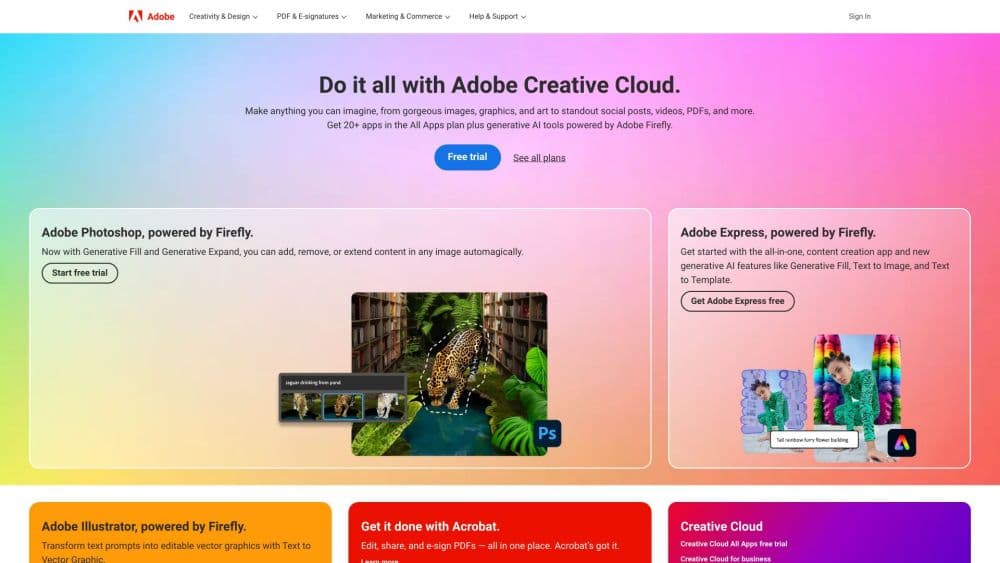
Adobe Creative Cloud is a subscription suite from Adobe Inc. that bundles Photoshop, Illustrator, Premiere and 20+ creative apps with Firefly AI tools for photos, video, and design.
About Adobe
What Is Adobe
Adobe is a creative software company whose flagship subscription, Creative Cloud, gives you access to more than 20 desktop, web, and mobile apps. Photoshop handles photo work, Illustrator covers vector design, Premiere Pro and After Effects take on video, and Acrobat manages PDFs. You pick which apps to install, and everything stays tied to one account and one cloud library.
The suite solved a specific headache. Before Creative Cloud, you bought each app once and paid for major upgrades separately. Now you pay monthly or yearly and get new features as they ship, which matters because Adobe ships changes constantly. Around that core sits Firefly, Adobe's own set of image, video, and audio generators trained on licensed and public-domain art, plus partner AI models from Google, OpenAI, and others.
The catch is cost and commitment. Full access runs $60 or more a month, and most plans lock you into a year. Individual licenses activate on two computers but run on one at a time. If you only need one tool, a single app plan costs far less than the whole suite, and casual users may find Adobe Express or free apps enough.
Getting Started
- Go to adobe.com, pick a plan, and create an Adobe ID with your email.
- Install the Creative Cloud desktop app, which acts as the hub for downloading and updating every app you're entitled to.
- Sign in, install the apps you want, and open the one you need to start working.
- Save files to Creative Cloud storage so they sync across your devices and show up in the web and mobile versions.
- Use Firefly credits for generative features, and add more credits or a separate Firefly plan if you run out.
Product Information
A quick look at Adobe's pricing, supported platforms, and performance.
Best for
The users, tasks, and scenarios where this tool fits best.
Users
- Professional designers
- Photographers
- Video creators
Tasks
- Editing photos
- Designing graphics
- Editing video
- Working with PDFs
Scenarios
- A brand refresh
- A wedding shoot
- A college project
Key features
Photoshop and Generative Fill
Photoshop is the photo editing anchor of the suite, and Generative Fill is the feature most people come for. You select an area, type what you want there, and Firefly builds it to match the surrounding pixels. Expand stretches a canvas and fills the new space, which saves a reshoot when a client wants a wider crop.
Illustrator and Vector Design
Illustrator builds logos, icons, and illustrations as vectors, so the artwork stays sharp at any size. The web and iPad versions carry most of the core tools, letting you sketch or clean up a file away from your desk. It pairs naturally with InDesign when a design needs to move into print.
Premiere Pro and After Effects
Premiere Pro handles editing, color, and audio, while After Effects adds motion graphics and visual effects. Text-Based Editing lets you cut video by editing a transcript, which speeds up interview and podcast work. Premiere on iPhone now covers short-form edits, and Generative Extend can stretch a shot that ends too soon.
Adobe Firefly and Partner Models
Firefly is Adobe's generative engine for images, video, and audio, built to be safe for commercial use. It lives inside the apps you already use, so you generate without switching tools. You can also reach third-party models like Google Imagen, OpenAI's image tools, and Runway from the same place. Just know that premium features burn through credits faster.
Acrobat and Document Tools
Acrobat covers PDF editing, conversion, and e-signatures, and its AI assistant answers questions about a document and generates summaries. Acrobat works on desktop, web, and mobile, so a contract can be read on a phone and signed in seconds. It stands alone as a cheaper plan if PDFs are all you need.
Creative Cloud Libraries and Cloud Storage
Libraries hold your colors, fonts, and assets so every app pulls from the same set, which keeps a team on brand. Files saved to Creative Cloud sync across desktop, web, and mobile, and Creative Cloud Libraries keep shared components in one place. Cloud storage starts at 100GB and scales with higher tiers.
Pros and cons
Pros
- One subscription covers Photoshop, Illustrator, Premiere, and 20+ apps, so you stop juggling separate licenses.
- Firefly generative tools are built for commercial use, which lowers the legal risk of shipping AI-made work.
- Cloud libraries and storage keep assets and files aligned across every device and every app.
- Files move cleanly between apps, so a design can start in Illustrator and finish in InDesign without rework.
- Regular updates add features and AI models without a separate upgrade fee.
Cons
- Full access costs $60 or more a month, and the yearly commitment makes it expensive for casual users.
- Individual licenses run on only one computer at a time, which complicates shared workstations.
- Premium AI features burn generative credits quickly, so heavy users need to buy add-ons.
- The volume of apps and settings is heavy on older hardware, and the learning curve is steep for beginners.
Frequently asked questions
It's a bundle of creative apps for photo editing, graphic design, video production, and document work. Most people subscribe for Photoshop, Illustrator, Premiere Pro, or Acrobat, or for Firefly's AI tools across all of them.
Related content
Explore related tools, skills, and articles for Adobe.
Adobe Alternatives

Google EmbeddingGemma 2
Google DeepMind · Writing · Image · CodingGoogle EmbeddingGemma 2 is a 740M-parameter open model that turns text, code, images, audio, and video frames into vectors in one 768-dimension space, running on phones and laptops.

Tractionwave
TractionWave · Image · MarketingTractionWave is an AI attention heatmap tool for static ads. Upload a PNG or JPG and it returns predicted attention, ranked hotspots, and fixes before you spend budget.

Imejis.io
Imejis.io · Image · MarketingImejis.io is an AI design studio for agents and marketing teams. Describe an image in plain words, and it writes the copy, builds the layout, reflows it to every size, then exports a finished file.