

Adobe: Project Neo (Beta)
Adobe · Image
Adobe: Project Neo (Beta) is a free web-based 3D design tool that turns flat shapes into dimensional artwork for logos, isometric scenes and vector graphics.
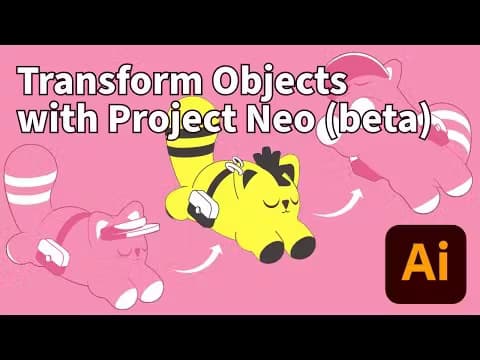
About Adobe: Project Neo (Beta)
What Is Adobe: Project Neo (Beta)
Adobe: Project Neo (Beta) is a browser-based design tool for building 3D artwork out of simple shapes. Instead of modeling every surface by hand, you stack and bend basic forms, then adjust perspective, lighting and style until the composition looks right. Adobe pitched it at Adobe MAX 2024 as a companion to its existing 3D line, aimed less at 3D artists and more at everyday designers who work in 2D.
That focus matters. Most design work still happens flat, in Illustrator, Photoshop or a posting tool, and clients keep asking for shapes that look "a little more 3D" without the schedule of a full 3D pipeline. Project Neo targets exactly that gap. You get dimensional-looking graphics without learning Blender or Cinema 4D, and you export them as editable layers rather than a flattened render. The catch is the beta label. Adobe is still changing features, some workflow steps assume you're inside the Creative Cloud, and there's no firm release date for a paid public version. So should you build a client project on it? Not yet, not for anything critical. Treat it as a fast-moving experiment, not a production standard.
Getting Started
- Open projectneo.adobe.com in a desktop browser and sign in with a free Adobe account.
- Add a base shape from the library, then stack or bend more shapes on top of it.
- Open the perspective and lighting panels to set the camera angle, shadows and materials.
- Style the result with color, gradients and outlines until the graphic fits your brand.
- Export the scene (or copy it) into Illustrator or Photoshop as editable layers.
Product Information
A quick look at Adobe: Project Neo (Beta)'s pricing, supported platforms, and performance.
Best for
The users, tasks, and scenarios where this tool fits best.
Users
- Graphic designers
- Brand and marketing teams
- Illustrators and hobbyists
Tasks
- Turning a 2D logo into a 3D version
- Building isometric scenes
- Making stand-out icons
- Making dimensional icons and stickers
Scenarios
- Adding depth to a product launch graphic
- Mocking up packaging and signage
- Producing social and web banners
Key features
2D-to-3D shape building
Project Neo starts with the shapes you already know. This is 2D to 3D design in the simplest sense: you stack, bend and blend basic forms, and the tool handles the math underneath. For designers who think in flat layers, that keeps the learning curve low.
Perspective and camera controls
A dedicated panel gives you control over camera angle, focal length and horizon, so isometric grids and one-point views are a few clicks away. This is the difference between a flat shape and a graphic that reads as a real object. Get the angle wrong and nothing else saves it.
Lighting and material styling
You set light direction, softness and surface materials, then watch shadows and highlights update in the scene. It's a quick way to test how a mark looks before committing to a final render. Move one light and the whole mood shifts.
Vector-friendly export
Projects move into Illustrator and Photoshop as editable artwork rather than a single flattened image. Layers stay separate, so you can restyle a scene after the fact instead of starting over. That last part matters more than it sounds.
Shape library and presets
A built-in library of primitives and ready-made scenes gets you past the blank canvas fast. Presets are handy when you need a working composition in minutes, not hours. Start with one, then break it.
Brand color control
You apply and reuse color styles across objects, which keeps a set of graphics visually consistent. For teams producing many assets, that consistency saves a lot of manual matching. It's the kind of detail you miss only after handling a dozen files by hand.
Pros and cons
Pros
- Free while in beta, with no paid tier gating the core tool.
- Runs in the browser, so there's nothing to install.
- Turns flat assets into dimensional graphics without a full 3D workflow.
- Exports stay editable in Illustrator and Photoshop.
Cons
- It's still a beta, so features and menus can change without notice.
- No public API means it can't be automated into a custom pipeline yet.
- Desktop browser only, so it won't run on a tablet or phone.
- Best results assume some familiarity with Adobe's creative apps.
Frequently asked questions
It's used to build 3D artwork out of simple shapes for logos, icons, isometric scenes and other dimensional graphics. You style the result with perspective, lighting and color, then export it as editable layers. Think of it as a quick path from a flat sketch to something with real depth.
Related content
Explore related tools, skills, and articles for Adobe: Project Neo (Beta).
Adobe: Project Neo (Beta) Alternatives

Google EmbeddingGemma 2
Google DeepMind · Writing · Image · CodingGoogle EmbeddingGemma 2 is a 740M-parameter open model that turns text, code, images, audio, and video frames into vectors in one 768-dimension space, running on phones and laptops.

Tractionwave
TractionWave · Image · MarketingTractionWave is an AI attention heatmap tool for static ads. Upload a PNG or JPG and it returns predicted attention, ranked hotspots, and fixes before you spend budget.

Imejis.io
Imejis.io · Image · MarketingImejis.io is an AI design studio for agents and marketing teams. Describe an image in plain words, and it writes the copy, builds the layout, reflows it to every size, then exports a finished file.