

AFAnotes
Coneura Technologies · Productivity
AFAnotes is an AI productivity app that filters Slack noise for engineering teams. It watches the channels and DMs you choose, then turns them into short notes and AI summaries.
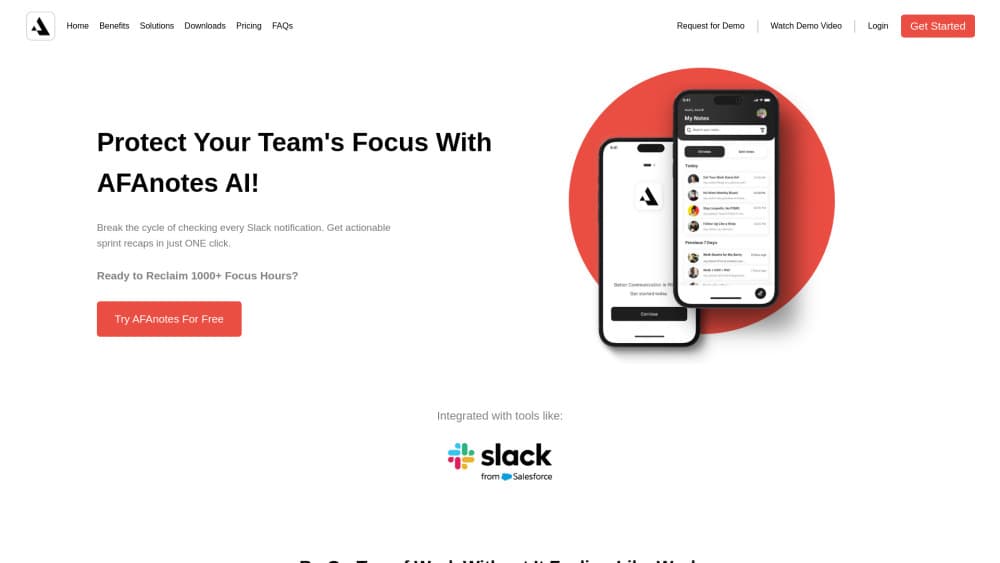
About AFAnotes
What Is AFAnotes
AFAnotes is a notification filter for Slack built around one problem: Slack notification overload eats hours that engineers would rather spend on code. You connect a workspace, pick the channels and people that matter, and the app decides what deserves attention. Everything else waits.
The product comes from Coneura Technologies and runs in the browser, with companion apps listed for Android and iOS. It aims at engineering teams rather than general note takers. The feature set stays narrow on purpose: monitor, summarize, share short notes, and keep the rest out of the way.
The main limitation is Slack itself. If your team lives in Microsoft Teams or Discord, AFAnotes has nothing to offer. Pricing isn't published on the site either, so you have to talk to the company before you can put a number in a budget.
Getting Started
- Create an account on the AFAnotes site with your work email.
- Connect your Slack workspace and approve the permissions the app asks for.
- Choose the channels and DMs to monitor, such as #production-issues or a specific teammate.
- Invite the engineers who should receive the short notes, then prune the list after the first week.
Product Information
A quick look at AFAnotes's pricing, supported platforms, and performance.
Best for
The users, tasks, and scenarios where this tool fits best.
Users
- Engineering managers
- On-call engineers
- Platform and backend teams
- Small startups
Tasks
- Catching up after time off
- Tracking an incident
- Reporting status upward
Scenarios
- Release week
- Teams spread across time zones
- On-call handoffs
Key features
Custom Channel and DM Monitoring
Slack channel monitoring starts with a short list you write yourself: project channels, a couple of private messages, and the people whose updates actually matter. The list can mix public channels with individual teammates. That keeps the signal tight: a #production-issues channel and one senior engineer can cover most of what an on-call rotation needs. Everything outside the list stays unread until someone opens Slack.
AI Summaries of Long Discussions
The app condenses lengthy threads into a few sentences that name the decision, the owner, and the open question. These AI Slack notifications arrive as one digest instead of thirty pings. Summaries work best on meetings and incident channels where people write in paragraphs. Short back and forth chat gives the model less to work with, so the output gets thin.
Short Notes Instead of Status Meetings
Team members can post a brief note inside AFAnotes rather than a channel message, and the note reaches only the people who need it. In practice this replaces some standups and most "quick update" threads. It doesn't replace a written decision record, so teams still need somewhere to store the final call.
Single-Screen Focused View
A streamlined mode shows only the updates flagged as important, on one screen, with no sidebar or channel list. That design is the core of the product's pitch about engineering team focus. It also means you trade browsing for curation: if the filter misses something, you won't stumble on it by accident.
Links Back to the Source Thread
Every summary and note keeps a link to the original Slack conversation. When a summary raises a question, one click takes you to the full context. This matters for audits and postmortems, where the exact wording of a message can decide what happened.
Access Controls and Encryption Claims
The company says data is encrypted and that privacy controls limit who sees monitored content. Teams with compliance reviews should ask for the specifics in writing: which regions host the data, how long messages are retained, and whether summaries are stored separately from Slack.
Pros and cons
Pros
- Cuts notification volume without asking engineers to mute Slack, so nobody misses a real incident.
- Summaries link back to the source thread, which makes them usable in postmortems and audits.
- The channel list is editable per team, so a platform group and a mobile group can run different filters.
- Works alongside Slack rather than replacing it, which keeps the rollout short.
- The single-screen view is genuinely calmer than the Slack client on a busy day.
Cons
- Slack only. Teams on Microsoft Teams or Discord can't use it at all.
- No published pricing, so you can't compare cost against alternatives without a sales call.
- Summaries depend on how much people write. Sparse channels produce vague output.
- Mobile apps are listed but hard to find in some regional stores, which weakens the "check it on your phone" workflow.
Frequently asked questions
It filters Slack for engineering teams. You pick the channels and DMs to watch, and AFAnotes turns them into short notes and AI summaries so you can skip the rest of the feed.
Related content
Explore related tools, skills, and articles for AFAnotes.
AFAnotes Alternatives

Udon
Udon · Coding · ProductivityUdon turns an Apple Silicon Mac into a home server you run from a browser, with container controls, file shares, and an optional AI sysadmin.

offstage
offstage cloud · Coding · Productivityoffstage gives AI coding agents and CI jobs a real Mac: a fresh macOS account on Apple silicon, driven over an API and billed by the second.

BotBus
Chengdu Tuyang Tusen Technology Co., Ltd. · Coding · ProductivityBotBus lets you control AI coding agents from your phone and watch: approve commands, start tasks and read results while the code stays on your desktop.